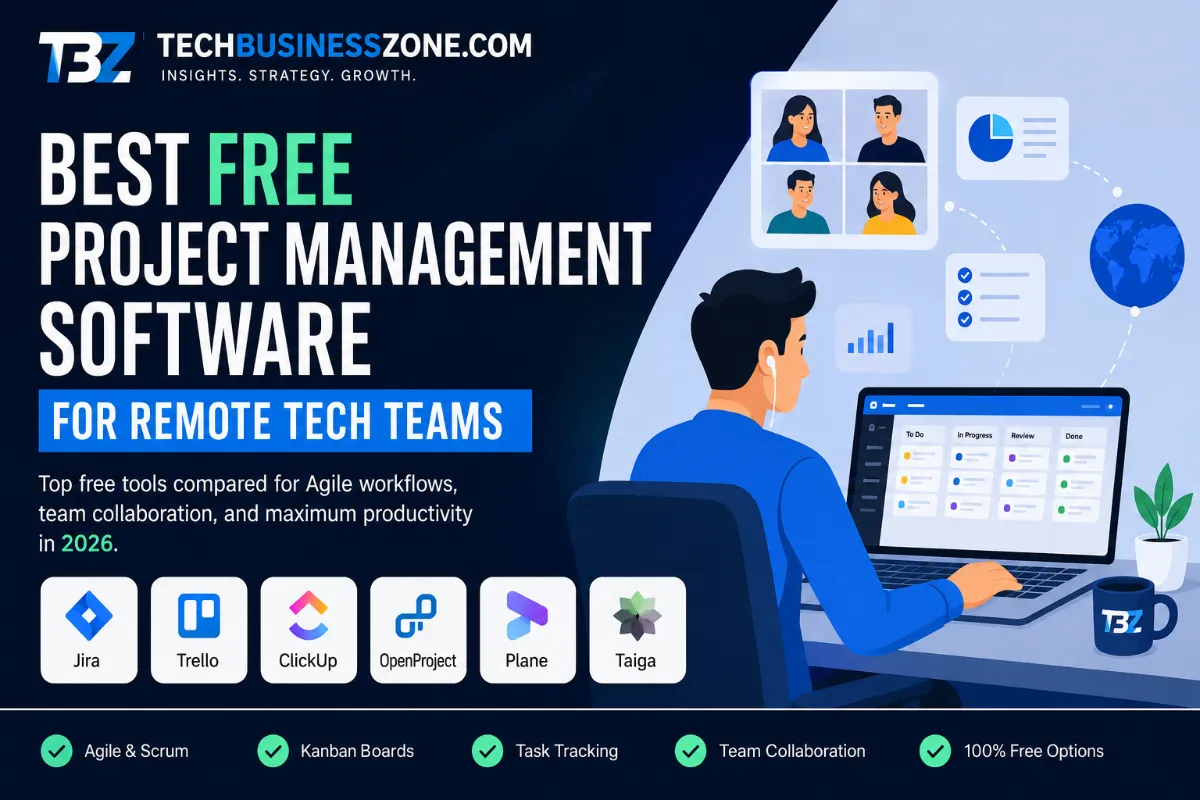
Best Free Project Management Software for Remote Tech Teams in 2026
A common belief is that free project management software is only useful for freelancers, students, or very small teams. That might have been true when free tools were little more than basic to-do lists. Today, the situation is very different.
Remote technology teams can build surprisingly sophisticated workflows without immediately committing to an expensive project management subscription. The challenge is choosing a platform that actually fits the way the team works.
A five-person software development team spread across three time zones has very different needs from a growing startup with developers, designers, marketers, product managers, and clients working together. Developers may need issue tracking and sprint planning, while managers may care more about timelines, dependencies, and workload visibility.
That is why choosing the right free project management software should go beyond comparing feature lists. The real question is whether the platform can keep work organized, communication clear, and responsibilities visible without creating another layer of administrative work.
In this guide, we’ll look at the strongest free and open-source options for remote technology teams, compare their strengths and weaknesses, explore self-hosting considerations, and explain how to build a practical remote workflow around them.
Quick answer: Jira is one of the strongest choices for small software development teams, Trello is excellent for simple visual workflows, ClickUp works well for broader startup operations, while OpenProject, Plane, Taiga, and Leantime are worth considering when open-source or self-hosted control is important.
AI Overview Direct Answer: What Is the Best Free Project Management Software for Remote Tech Teams?
The best free project management software depends on the team’s size, development methodology, collaboration requirements, and technical resources.
For software development teams, Jira is a strong option because it is designed around issues, backlogs, boards, sprints, reports, and development workflows. Trello is better suited to teams that want a simple Kanban-style system without a steep learning curve.
ClickUp can be a good fit for startups that want project management, documentation, and different work views in one workspace. Asana is useful for straightforward project coordination, although its current free offering is more limited for larger teams.
For organizations that want more control over their infrastructure, open-source platforms such as OpenProject, Plane, and Taiga are worth evaluating. These options can provide greater customization and data control, but self-hosting introduces responsibilities around servers, backups, updates, and security.
For most remote tech teams, the most important features are task management, issue tracking, Kanban or Scrum boards, project timelines, dependencies, integrations, permissions, notifications, and reliable access across time zones.
What Should Remote Tech Teams Look for in Project Management Software?
The right platform should make everyday work easier rather than simply giving the team more features.
Look for:
- Task and issue tracking
- Kanban boards
- Scrum and sprint management
- Product backlogs
- Project timelines
- Dependencies
- Milestones
- Comments and mentions
- File sharing
- Git integrations
- Notifications
- Dashboards
- Reporting
- User permissions
- Automation
- API access
- Mobile and browser support
One feature is particularly important for distributed teams: visibility.
A developer should be able to open a task and understand what needs to happen without asking someone in another time zone for additional context.
Why Remote Tech Teams Need Specialized Project Management Software
Remote work changes the way teams communicate. In a traditional office, developers can ask questions across the desk, managers can quickly clarify priorities, and teams can resolve small misunderstandings in minutes. Distributed teams don’t have that luxury.
The project management platform therefore becomes more than a place to store tasks. It becomes a shared source of truth.
Remote Teams Face Different Project Management Challenges
Distributed teams commonly deal with:
- Different working hours
- Time-zone differences
- Delayed responses
- Unclear ownership
- Missed handoffs
- Scattered decisions
- Changing priorities
- Communication overload
- Documentation gaps
Good remote team collaboration software helps solve these problems by making important information available asynchronously.
Instead of waiting for someone to come online and explain the status of a task, a team member can check the project board, read the latest comment, review the dependencies, and continue working.
That is a small change in workflow, but it can make a major difference when people are working thousands of miles apart.
Project Management vs. Collaboration Software
Project management and communication software are closely connected, but they serve different purposes.
A communication platform is primarily designed for conversations. Project management software is designed around work.
For example, a developer might discuss a bug in a team chat. That conversation can be useful, but the actual bug should eventually exist as a trackable issue with a clear description, owner, priority, and expected outcome.
Otherwise, important information disappears into the chat history.
The strongest remote teams use communication tools for discussion and project management systems for durable project information.
Essential Features for Distributed Software Development Teams
A good platform should connect planning with execution.
A product manager should be able to create a requirement. A developer should be able to work on it. QA should know when it is ready for testing. Managers should be able to see whether it is progressing. Everyone should understand what happens next.
That requires more than a simple task list.
Issue tracking, sprint planning, dependencies, Git integrations, activity history, documentation, and notifications become increasingly valuable as the team grows.
How We Evaluated Free Project Management Software for Remote Tech Teams
Not every product that says “free” provides the same value.
Some platforms offer a free hosted plan with user or storage limits. Others provide open-source software that can be installed on your own server. Both can be useful, but their costs and responsibilities are very different.
Free Plan vs. Actually Free Software
There are three common models.
Free SaaS: The company hosts the software and allows you to use a limited version without paying.
Open-source software: The source code is available under an open-source license, allowing users to inspect, modify, and often self-host the software according to that license.
Self-hosted software: Your organization runs the application on its own infrastructure.
The third option sounds attractive because there may be no software subscription, but the server still has to be maintained.
Someone has to handle backups, updates, security, monitoring, storage, and troubleshooting.
So when comparing free project management software, look beyond the price tag.
Evaluation Criteria
We evaluated the tools according to several practical factors:
- Free-plan limitations
- Team-size restrictions
- Storage
- Task management
- Agile functionality
- Developer integrations
- Remote collaboration
- Permissions
- Security
- Scalability
- Reporting
- Deployment difficulty
- Customization
- Administrative workload
The goal is not to find the tool with the longest feature list.
The goal is to identify which platform makes the most sense for a particular remote workflow.
Why Open-Source and Self-Hosted Options Deserve Separate Consideration
Open-source tools can be particularly attractive to technical organizations.
You have greater control over where the application runs, how data is stored, how backups are configured, and how the platform connects to other systems.
However, that control comes with responsibility.
A hosted SaaS provider handles much of the infrastructure for you. With a self-hosted platform, your team takes over those responsibilities.
For a company with experienced developers or DevOps staff, that may be perfectly reasonable. For a small startup without infrastructure expertise, it can become an unnecessary burden.
Best Free Project Management Software for Remote Tech Teams: Top Picks
There is no single winner for every remote team.
The right option depends on whether your priority is simplicity, software development, cross-functional collaboration, Agile workflows, or infrastructure control.
1. Trello — Best for Simple Visual Project Management
Trello is one of the easiest project management platforms for a remote team to understand.
Its board-and-card approach is straightforward. Lists represent stages of work, while cards represent individual tasks.
That simplicity is its biggest advantage.
A small team can create columns such as:
Backlog → To Do → In Progress → Review → Done
and immediately understand the status of the project.
Trello works particularly well for teams using Kanban principles or relatively simple development workflows.
The downside appears when projects become more complicated. Teams that require advanced dependencies, detailed development reporting, sophisticated permissions, or complex sprint management may eventually outgrow the platform.
Best for: Small remote teams, startups, agencies, simple Kanban workflows, and teams that value ease of use.
2. ClickUp — Best All-in-One Free Workspace
ClickUp takes a broader approach.
Instead of focusing primarily on boards, it combines tasks, documents, dashboards, multiple project views, and collaboration features in one workspace.
This can be useful for startups where development is only one part of the business.
For example, the same workspace might contain:
- Product development
- Marketing campaigns
- Customer requests
- Documentation
- Operations
- Internal projects
The flexibility is useful, but it can also become a weakness.
A team can spend too much time customizing ClickUp instead of managing its actual projects.
The key is to keep the initial setup simple and add complexity only when the team genuinely needs it.
Best for: Startups, cross-functional teams, and organizations looking for an all-in-one workspace.
3. Jira — Best for Agile Software Development
Jira remains one of the strongest choices for teams that build software.
Its structure naturally fits development workflows involving issues, backlogs, sprints, boards, releases, and bug tracking.
Developers can work from clearly defined issues, product managers can prioritize backlogs, and Scrum teams can organize their work around sprints.
For a small software team, this can create a very structured development process without requiring a large project-management budget.
The important consideration is complexity. Jira offers many capabilities, and inexperienced teams can easily overconfigure it.
The best approach is to start with a simple workflow and add custom statuses, fields, and automation only when there is a clear reason.
Best for: Software developers, Agile teams, Scrum teams, engineering startups, and issue-heavy projects.
4. Asana — Best for Cross-Functional Remote Teams
Asana is designed to make project coordination approachable.
It works particularly well when projects involve people from different departments rather than developers alone.
A marketing manager, designer, product manager, and developer can all understand a basic Asana workflow without needing to learn development-specific terminology.
The main issue for larger remote teams is the current limitation of its free plan.
That means Asana may be more appropriate for individuals, very small groups, or teams evaluating the platform before moving to a paid plan.
Best for: Small cross-functional teams, simple project coordination, and nontechnical workflows.
5. OpenProject — Best Open-Source Project Management Platform
OpenProject is one of the more compelling options for organizations that want open-source and self-hosted project management.
It offers a broader project-management environment than a simple task board, with capabilities around work packages, timelines, Agile boards, roadmaps, and scheduling.
The biggest advantage is control.
A technical organization can run the platform within its own infrastructure rather than relying entirely on an external SaaS provider.
The trade-off is administration.
Your team needs to understand server management, backups, security updates, storage, and recovery procedures.
For a company with DevOps experience, that may be perfectly manageable. For a nontechnical business, it may not be worth the additional responsibility.
Best for: Technical organizations, self-hosted environments, open-source teams, and businesses that prioritize data control.
6. Plane — Best Modern Open-Source Option for Software Teams
Plane is an interesting choice for development teams looking for a modern open-source project-management experience.
Its workflow is built around concepts that software teams already understand, including projects, issues, cycles, modules, and different project views.
That makes it a natural candidate for teams that want something more developer-oriented than a traditional task manager.
Self-hosting also gives technical teams greater control over deployment and data.
However, as with any self-hosted platform, teams should evaluate the current release, documentation, licensing, integrations, backup requirements, and maintenance process before using it for production workloads.
Best for: Software development teams, startups, open-source projects, and technical organizations.
7. Taiga — Best for Open-Source Agile and Scrum Teams
Taiga is designed around Agile project management, which makes it particularly interesting for teams that work with Scrum or Kanban.
Its workflow supports concepts such as:
- Epics
- User stories
- Backlogs
- Tasks
- Kanban
- Sprints
- Agile planning
That makes it a good fit for teams that want an Agile-focused environment without building everything from scratch.
It is particularly attractive for organizations that value open-source software and want more control over their project-management environment.
Best for: Scrum teams, Agile development groups, and open-source projects.
8. Leantime — Best Lightweight Self-Hosted Option
Leantime takes a simpler approach to self-hosted project management.
It focuses on project planning, goals, tasks, and execution without attempting to become an enormous enterprise platform.
That can be an advantage for a small technology team that wants more control over its data but does not need hundreds of features.
It is especially interesting for technically capable teams comfortable with a PHP and MySQL-based environment.
Best for: Small teams, lightweight planning, and organizations interested in self-hosting.
Comparison Table: Free Project Management Tools for Remote Tech Teams
The comparison below separates free hosted products from open-source tools that require your own infrastructure.
| Tool | Free Model | Hosting | Scalability | Ideal Team Size | Agile Support | Best For |
|---|---|---|---|---|---|---|
| Trello | Free SaaS | Vendor-hosted | High | Small | Moderate | Visual Kanban |
| ClickUp | Free SaaS | Vendor-hosted | High | Small–medium | Good | All-in-one workflows |
| Jira | Free SaaS | Vendor-hosted | High | Small | Excellent | Software development |
| Asana | Free SaaS | Vendor-hosted | High | Very small | Good | Simple collaboration |
| OpenProject | Open source | Self-hosted | High | Small–large | Excellent | Data ownership |
| Plane | Open source | Self-hosted | High | Small–medium | Excellent | Developer workflows |
| Taiga | Open source | Self-hosted | Medium–high | Small–medium | Excellent | Scrum and Kanban |
| Leantime | Open source | Self-hosted | Medium | Small–medium | Moderate | Lightweight planning |
The table reveals something easy to miss in conventional software comparisons.
“Free” does not necessarily mean the same thing across all eight platforms.
A free SaaS plan might limit the number of users. A self-hosted platform may allow more users but require a server and someone to maintain it.
That difference should be part of your buying decision.
Best Free Project Management Software by Remote Team Use Case
Choosing software according to a real-world use case is usually more useful than simply asking which product is “number one.”
Different teams have different problems.
Best for Small Remote Software Development Teams
For a team of five to ten developers, Jira is a strong choice when the workflow revolves around issues, sprints, backlogs, and releases.
Trello can work just as well when the development process is simple, and the team prefers a visual Kanban board.
Teams with technical infrastructure experience can also consider OpenProject or Plane.
Best for Agile and Scrum Teams
Jira is a natural fit for software teams using Scrum.
Taiga and OpenProject are strong alternatives for teams interested in open-source Agile project management.
The key features to look for are:
- Product backlog
- Sprint planning
- User stories
- Issue tracking
- Workflow states
- Reporting
- Release planning
Best for Remote Startup Teams
Startups often need one system for more than software development.
A product manager may work alongside marketing, sales, customer support, and operations.
ClickUp can work well in this environment because it supports different types of work within one workspace.
Trello is a better choice when the company wants to keep the system extremely simple.
Best for Open-Source Development Teams
OpenProject, Plane, and Taiga are worth considering.
But don’t choose one simply because it is open source.
Look at:
- Community activity
- Documentation
- Release frequency
- License
- Security practices
- API support
- Integration options
- Backup procedures
- Deployment requirements
Open source gives you control, but control only has value when your team can use it responsibly.
Best for Self-Hosted Project Management
OpenProject is particularly attractive for organizations that want a mature self-managed platform.
Leantime is worth considering when the team wants something lighter.
Plane is another option for teams that prefer a developer-oriented workflow.
The best self-hosted project management tools are not necessarily the ones with the most features. They are the ones your team can reliably deploy, secure, update, and restore.
Best for Distributed Teams Working Across Time Zones
This is less about the brand of the software and more about the workflow.
The platform should make five things immediately clear:
- Who owns the task?
- What is its current status?
- What is blocking progress?
- What decision has been made?
- What happens next?
If those answers are easy to find, the team can work asynchronously without constantly waiting for meetings.
Open-Source vs Free SaaS Project Management Software
The terms “free” and “open source” are often used as though they mean the same thing.
They don’t.
Free describes the cost of using a particular offering. Open source describes the software’s licensing and development model.
Advantages of Free SaaS Tools
Hosted SaaS products are convenient.
Your team normally does not have to manage:
- Web servers
- Database updates
- SSL configuration
- Operating-system patches
- Application uptime
- Server monitoring
- Infrastructure backups
For a small startup, that simplicity can be extremely valuable.
Advantages of Open-Source Project Management Tools
Open-source platforms can provide greater control over:
- Data storage
- Infrastructure
- Integrations
- Custom development
- Authentication
- Backups
- Network access
This can matter when a company has specific security, privacy, or customization requirements.
Hidden Costs of Self-Hosted Project Management Software
A zero-dollar software license does not mean zero operating cost.
You may still need:
- A VPS
- Storage
- Backups
- Monitoring
- Security tools
- Domain configuration
- Email services
- Technical maintenance
- Disaster recovery
There is also an opportunity cost.
If a developer spends an entire afternoon fixing a server problem, that time has a business value.
Which Model Is Better for a Remote Tech Team?
Choose SaaS when your priority is simplicity and speed.
Choose self-hosting when control, customization, and data ownership justify the additional technical workload.
Neither model is automatically better.
The right choice depends on the organization behind the software.
How to Choose the Right Free Project Management Software
The best free project management software is the one your team can use consistently.
A complicated system that nobody updates is worse than a simple board that everyone checks every day.
Step 1 — Define Your Development Workflow
Start by identifying how your team works.
Do you use:
- Scrum?
- Kanban?
- Waterfall?
- Continuous delivery?
- A hybrid Agile approach?
Don’t adopt a workflow just because a software platform recommends it.
The tool should support your process, not dictate it.
Step 2 — Determine Your Team Size and Growth Expectations
Count everyone who needs access.
That includes developers, product managers, designers, QA staff, contractors, and stakeholders.
Then look six months ahead.
A platform that works for five people today may become restrictive when the company reaches 15 users.
Step 3 — Identify Required Developer Integrations
Remote software development tools become much more useful when they connect to the systems developers already use.
Look for integrations with:
- GitHub
- GitLab
- Bitbucket
- CI/CD systems
- Slack
- Microsoft Teams
- Cloud storage
- Monitoring platforms
The objective is to reduce duplicate work.
Step 4 — Check Free-Tier Restrictions
Never choose a platform simply because the pricing page says “Free.”
Check:
- Number of users
- Storage
- Automation
- Permissions
- Reporting
- History
- Integrations
- API access
- Guest access
These limitations often become more important than the headline feature list.
Step 5 — Evaluate Security and Data Ownership
Ask where your data lives.
Then ask who can access it, whether it can be exported, how permissions work, and what happens when an employee leaves the organization.
These questions become increasingly important as the company grows.
Step 6 — Test the Tool With a Real Sprint
This is one of the best ways to evaluate software.
Don’t spend weeks creating imaginary projects.
Take one real project.
Add the actual team.
Create actual tasks.
Run one sprint.
Connect one integration.
Then ask the team what caused friction.
That experience will tell you far more than a feature comparison.
How to Set Up a Free Project Management System for a Remote Tech Team
Software is only half of the equation.
The team also needs a repeatable system for creating, assigning, updating, and completing work.
Create a Standard Project Structure
A simple software project might use:
Product → Development → QA → Documentation → Deployment
The exact structure will vary, but consistency matters.
Build a Consistent Task Template
A useful development task should contain:
Title: What needs to be done.
Description: What the task involves.
Acceptance criteria: What “done” actually means.
Priority: How urgent or important it is.
Assignee: The person responsible.
Deadline: Expected completion date.
Dependencies: Other tasks that must happen first.
Labels: Useful categorization.
This makes the task understandable without requiring a separate meeting.
Create an Async Workflow
A distributed team should not need a meeting for every small update.
Use:
- Written status updates
- Task comments
- Decision logs
- Mentions
- Sprint summaries
- Documentation
Meetings should be reserved for situations where real-time discussion adds value.
Connect Development and Project Management Workflows
A mature workflow might look like this:
Issue → Branch → Pull Request → Code Review → Testing → Release
When these stages remain connected, everyone can see how a business requirement moves toward a finished product.
Advanced Edge Cases and Troubleshooting
This is where many generic project-management articles stop.
Real teams eventually face migration problems, permission conflicts, performance issues, security concerns, and infrastructure failures.
Migrating From One Project Management Platform to Another
Moving from one platform to another is rarely as simple as exporting a spreadsheet.
You may need to migrate:
- Users
- Projects
- Tasks
- Comments
- Attachments
- Labels
- Custom fields
- Dependencies
- Dates
- Historical records
Before migration, map the old system to the new one.
For example:
Old “Review” status → New “Code Review” status
Run a small test migration first.
Verify the results before moving the entire database.
Self-Hosting Migration Problems
Self-hosted migrations can introduce problems involving:
- DNS
- SSL
- Reverse proxies
- Environment variables
- Database credentials
- File permissions
- Container networking
- Storage locations
- Scheduled jobs
Never make a major production migration without a tested backup and rollback plan.
Database Scaling Problems
Project-management databases can become surprisingly large.
Comments, activity logs, attachments, task histories, and other records accumulate over time.
Performance problems may eventually come from:
- Large database tables
- Missing indexes
- Slow queries
- Excessive attachments
- Insufficient memory
- Database connection limits
Monitoring database performance before it becomes a crisis is much easier than troubleshooting a production outage.
Security Hardening for Self-Hosted Platforms
Self-hosted project management software should receive the same security attention as any other business application.
At minimum:
- Use HTTPS
- Enable strong authentication
- Use MFA where available
- Apply least-privilege permissions
- Secure the server firewall
- Keep software updated
- Protect secrets
- Automate backups
- Monitor important logs
Do not expose an administrative interface to the public internet simply because the application has a password.
Permission and Role-Based Access Problems
Permission problems often appear when contractors, clients, or external partners join the project.
Before granting access, decide:
- Which projects can they see?
- Can they edit tasks?
- Can they download files?
- Can they invite other users?
- Can they view internal comments?
- Can they access administrative settings?
The smaller the team, the easier it is to overlook these questions.
Remote Notification Overload
Notifications are useful until there are too many.
If every task change generates an email, chat message, push notification, and mention, team members eventually stop paying attention.
A better approach is to categorize notifications.
Immediate: Production incidents and critical blockers.
Daily: Meaningful project changes.
Weekly: Progress summaries.
No notification: Routine activity that can be reviewed later.
Performance Problems With Large Remote Teams
Performance problems are not always caused by weak servers.
Sometimes the problem is the workspace itself.
Too many boards, automations, custom fields, integrations, notifications, and workflows can make a system unnecessarily complicated.
Before upgrading infrastructure, simplify the workflow.
Common Mistakes When Using Free Project Management Software
Most project-management failures are process failures rather than software failures.
Choosing a Tool Based Only on the Feature List
A platform with hundreds of features is not necessarily better.
Your team may only need:
- Tasks
- Boards
- Comments
- Assignments
- Deadlines
- Integrations
Start with what the team actually needs.
Ignoring Free-Plan Restrictions
Free plans change.
User limits, storage allowances, permissions, automation, and integrations can all change over time.
Always check the current plan before making a long-term decision.
Creating Too Many Boards and Workspaces
More organization can actually create more confusion.
If a developer needs to open five different boards to understand one feature, the system is too fragmented.
Mixing Bugs, Features, and General Tasks Without a Workflow
A software bug and a new product feature are different types of work.
A bug may follow:
Reproduce → Fix → Test → Close
A feature may follow:
Plan → Design → Develop → Review → Release
Keeping these workflows clear helps everyone understand what each status means.
Failing to Establish Task Ownership
“The development team” is not a person.
Whenever possible, give each task one accountable owner.
Other people can contribute, but one person should be responsible for moving the work forward.
Using Chat as the Primary Project Management System
Chat is excellent for discussion.
It is poor as the permanent record of project decisions.
If an important decision is made in chat, move the relevant information into the task or documentation.
Self-Hosting Without a Backup and Security Strategy
Installing open-source software is only the beginning.
You also need:
- Updates
- Backups
- Monitoring
- Security
- Recovery procedures
Without those, self-hosting can introduce more risk than it removes.
How to Build a Remote Tech Team Workflow Around Free Project Management Tools
Once the platform is selected, the next challenge is making the workflow predictable.
Every team member should know what information belongs in the system and what they are expected to update.
Product Manager Workflow
The product manager typically owns priorities and outcomes.
A simple flow is:
Idea → Requirement → Acceptance Criteria → Backlog → Sprint
The product manager should provide enough context for the development team to work independently.
Developer Workflow
Developers need technical clarity.
A task should explain:
- What needs to be built
- Why it matters
- What “done” means
- What dependencies exist
- Who owns the work
This reduces back-and-forth questions.
QA and Testing Workflow
QA needs a clear handoff.
A useful process is:
Development → Ready for QA → Testing → Failed/Passed → Release
This prevents unfinished work from being treated as completed simply because development has stopped.
Designer Workflow
Design requests should include enough information to avoid unnecessary clarification.
Include:
- Objective
- Target audience
- Required screens
- Brand requirements
- References
- Deadline
- Acceptance criteria
Project Manager Workflow
The project manager should focus on exceptions.
Look for:
- Blocked tasks
- Overdue work
- Unassigned tasks
- Sprint spillover
- Dependency conflicts
- Capacity issues
The purpose of a dashboard is not to watch people. It is to identify problems early.
Async Communication Rules
A simple rule can make remote collaboration much easier:
If it changes the work, document it where the work lives.
Chat can be used to start the conversation.
The final decision should live with the task, issue, project, or documentation.
Free Project Management Software Security Checklist
Security is easy to overlook when a platform costs nothing.
That is a mistake.
A project-management workspace may contain product roadmaps, customer information, internal decisions, source-code references, technical architecture, and confidential business discussions.
Account Security
Use:
- Strong passwords
- Unique credentials
- Multi-factor authentication
- Secure account recovery
- Regular access reviews
Remove former employees and contractors as soon as their access is no longer required.
Project-Level Security
Review:
- Project visibility
- Guest access
- Contractor permissions
- Private projects
- File access
- External sharing
- Administrative privileges
Do not give everyone administrator access simply because the team is small.
Infrastructure Security for Self-Hosted Tools
For self-hosted platforms, establish:
- HTTPS
- Firewall rules
- Regular software updates
- Database backups
- Off-site backup copies
- Monitoring
- Log review
- Disaster recovery procedures
Most importantly, test the backups.
A backup that has never been restored is not a proven recovery strategy.
People Also Ask: Free Project Management Software for Remote Tech Teams
These questions cover the long-tail searches that naturally surround the main topic.
What is the best free project management software for remote teams?
There is no single answer for every team. Jira is particularly strong for software development, Trello works well for simple Kanban workflows, ClickUp suits broader startup operations, and OpenProject is a strong choice for organizations interested in self-hosting.
What is the best free project management tool for software developers?
Jira is one of the strongest options for small development teams because its workflow is designed around issues, backlogs, boards, sprints, and software development.
Is Jira free for small remote development teams?
Yes. Jira offers a free plan designed for small teams. However, the free tier has restrictions, so teams should review current user limits, storage, permissions, and administrative features before committing.
What is the best open-source project management software?
OpenProject is one of the strongest options for organizations looking for a mature open-source platform. Plane and Taiga are also worth evaluating depending on the team’s development workflow.
Is self-hosted project management software really free?
The software itself may be free, but hosting is not necessarily free. You may still need to pay for servers, storage, backups, monitoring, maintenance, and technical administration.
Can remote teams use Trello for software development?
Absolutely. Trello can work very well for small development teams using a straightforward Kanban process. Teams with more complex Agile requirements may eventually need a more specialized platform.
What is the best free Agile project management tool?
Jira is a strong choice for software teams, while OpenProject and Taiga are good options for organizations interested in open-source Agile workflows.
What project management software works best for distributed teams?
The best platform is the one that provides clear task ownership, status tracking, comments, documentation, dependencies, notifications, and asynchronous collaboration.
How do I manage a remote software development team for free?
Start with one project-management platform, a simple workflow, clear task ownership, written acceptance criteria, and consistent async updates. Avoid using several free tools unless each has a clearly defined purpose.
Is open-source project management software better than SaaS tools?
Not necessarily. Open-source software provides more control and customization, while SaaS tools generally provide easier deployment and lower maintenance requirements. The right option depends on the team’s technical skills and business requirements.
Frequently Asked Questions about Free Project Management Software
A few practical questions deserve a little more attention before you make a final decision.
Can free project management software handle a growing remote team?
Yes, but the free plan may not scale with the company.
A platform might technically support a large number of projects while limiting users, storage, automation, or permissions on its free tier.
Always distinguish between technical scalability and pricing scalability.
What is the difference between free and open-source project management software?
Free usually refers to the price of a particular plan.
Open source refers to the software’s licensing and source-code availability.
A proprietary SaaS platform can be free to use, while open-source software can still involve hosting and maintenance costs.
Do remote developers need Jira or can they use simpler tools?
They do not automatically need Jira.
A small team working on a simple product may be perfectly comfortable with Trello or another lightweight platform.
Jira becomes more useful when the team needs structured issue tracking, Agile workflows, backlogs, sprint planning, and development-oriented reporting.
Is self-hosting worth it for a small technology startup?
Only when there is a clear reason.
If the startup needs data control, customization, or specific infrastructure requirements, self-hosting can make sense.
If the only objective is to avoid a small monthly subscription, SaaS may be cheaper once maintenance time is considered.
What features matter most for remote software development?
The most useful features are usually:
- Issue tracking
- Task ownership
- Backlogs
- Sprint planning
- Kanban
- Dependencies
- Git integrations
- Documentation
- Notifications
- Permissions
- Reporting
The goal should be a system that makes work easier to understand, not one that looks impressive in a product demonstration.
Final Verdict: Which Free Project Management Software Should Remote Tech Teams Choose?
There is no prize for choosing the platform with the longest feature list.
The better question is much simpler:
Which tool can your team use consistently without creating unnecessary work?
For small software development teams, Jira is a strong option because its workflow naturally supports issues, backlogs, sprints, and development planning.
For teams that want simplicity, Trello remains an excellent choice. Its visual approach makes it easy for remote employees to understand project status without extensive training.
For startups managing several departments, ClickUp can provide the broader workspace needed to bring product, marketing, operations, and development together.
For organizations that want more control over their infrastructure, OpenProject is one of the strongest options to consider. Plane and Taiga are also worth evaluating for development-focused and Agile workflows, while Leantime can be attractive for teams looking for a lighter self-hosted environment.
The bigger lesson is that free project management software should reduce coordination costs, not simply reduce software costs.
A remote technology team needs a reliable source of truth. It needs clear ownership, and it needs documented decisions. It needs a workflow that developers can follow without constantly asking where information belongs.
And most importantly, it needs a system that people will actually use.
Start with one real project. Run one real sprint. Give the team enough time to experience the workflow. Pay attention to where communication breaks down, where tasks become unclear, and where people start creating workarounds.
Then choose the platform that solves those problems.
That approach will lead to a much better decision than choosing a tool simply because it has the biggest feature list or the most attractive free plan.
The best project management system is not the one that does everything. It is the one that helps your remote team get important work done with less confusion.