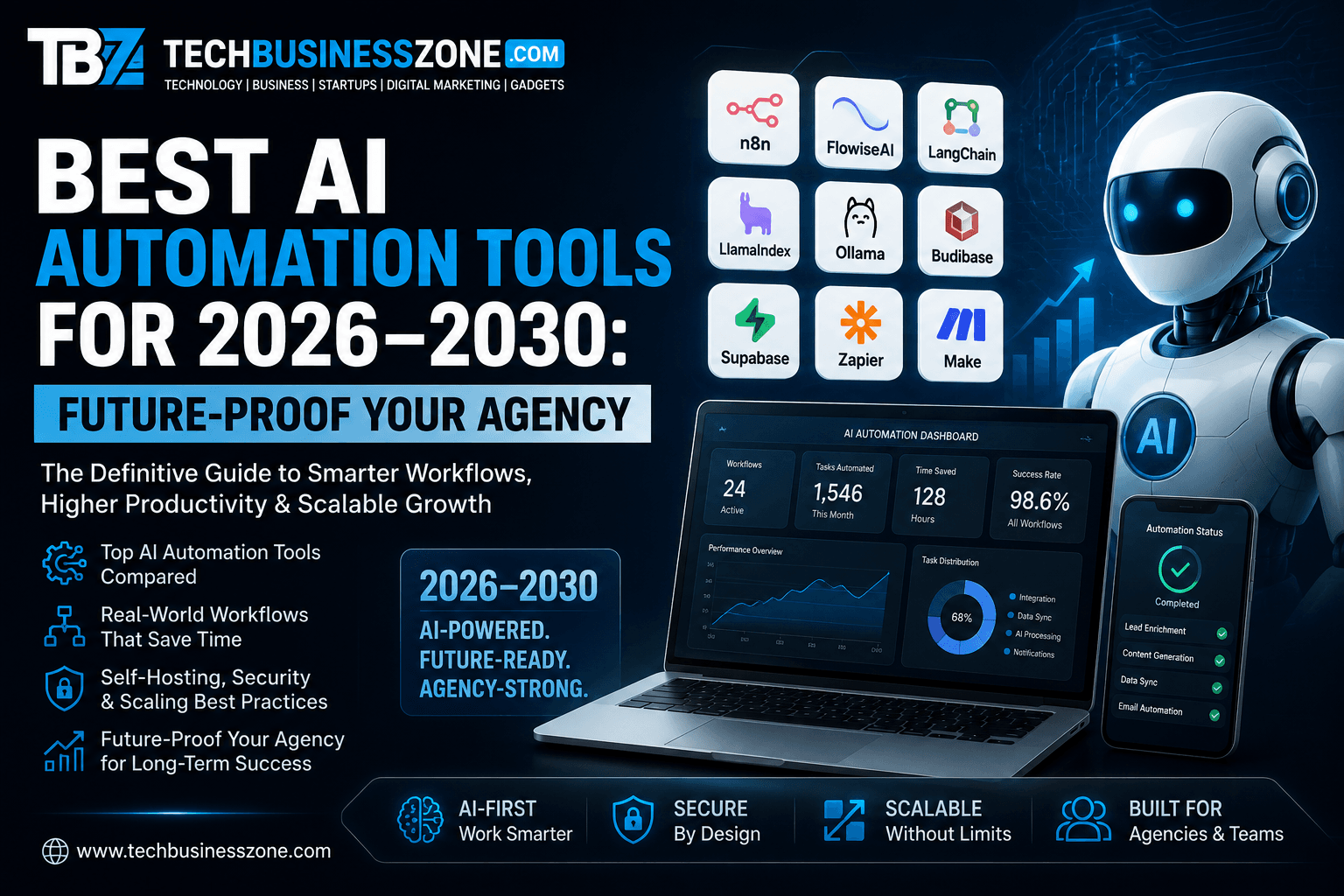
Best AI Automation Tools for 2026–2030: Future-Proof Your Agency
AI automation tools are moving past the stage where it simply sends an email when someone fills out a form. The next generation of automation will connect business systems, interpret information, make decisions, call software tools, and complete multi-step tasks with limited human intervention. For agencies, that shift creates a major opportunity—but only if the technology is chosen with the next several years in mind.
The best AI automation tools for 2026–2030 are not necessarily the platforms with the longest feature lists. A future-proof choice needs strong integrations, flexible APIs, reliable workflow orchestration, human oversight, scalable infrastructure, sensible security controls, and the freedom to change AI models without rebuilding the entire operation.
For most agencies, the practical path is to start with repetitive processes, prove the return, then gradually introduce AI agents and more sophisticated automation. The goal isn’t to remove people from the business. It is to give skilled people more time for strategy, creative work, client relationships, and decisions that actually require judgment.
What Are the Best AI Automation Tools for Agencies in 2026–2030?
The strongest platforms for agencies fall into several categories. Some are designed around visual workflow automation, while others focus on AI applications, agentic systems, or developer-oriented orchestration. The right choice depends heavily on your existing technology stack and the complexity of the work you want to automate.
Quick Answer: Which AI Automation Tools Should Agencies Consider?
For agencies that want flexibility, n8n is one of the strongest options to investigate because it combines workflow automation, APIs, webhooks, integrations, and AI capabilities with self-hosting options. Make and Zapier remain attractive for teams that prioritize quick implementation and large integration ecosystems.
For more specialized AI work, platforms such as Flowise, Langflow, and Dify can be useful for building AI applications, retrieval workflows, and agent-based systems. Activepieces is another open-source option worth considering when an agency wants more control over its automation environment.
The important distinction is between selecting a tool and designing an automation architecture. A platform may be excellent for one workflow and completely inappropriate for another.
What Makes an Automation Platform Future-Proof?
Look beyond today’s AI features.
A platform becomes more valuable over time when it can connect to new applications, accommodate different AI providers, expose APIs, support webhooks, and give technical teams enough control to customize workflows.
I would pay particular attention to these characteristics:
- API and webhook support
- Multiple AI model providers
- Self-hosting or deployment flexibility
- Database compatibility
- Role-based permissions
- Error handling
- Workflow versioning
- Logging and monitoring
- Human approval steps
- Queue-based processing
- Scalable infrastructure
- Export and migration options
A tool that locks an agency into one model, one database, and one workflow architecture may work perfectly today and become a problem two years later.
Why AI Automation Will Matter More Between 2026 and 2030
The agency business has always rewarded efficiency, but AI changes what efficiency means. Earlier automation focused on moving information from one application to another. Modern systems can understand unstructured information and determine what should happen next.
From Workflow Automation to AI Agents
Traditional automation follows predetermined rules.
For example:
New lead → Add to CRM → Send email → Notify salesperson
AI-assisted automation can introduce interpretation:
New lead → Analyze company → Identify service requirements → Score opportunity → Draft personalized response → Ask for approval → Update CRM
AI agents take this a step further. Instead of every action being explicitly defined, an agent can be given an objective, access to approved tools, and a set of constraints.
That does not mean agencies should immediately hand critical business processes to autonomous agents. In many cases, the safest approach is still a hybrid model where AI performs research and preparation while a human approves important actions.
Why Agencies Need Future-Proof Automation Infrastructure
An agency might begin with five employees and a handful of clients. A few years later, it could have dozens of employees, hundreds of campaigns, thousands of content assets, and several hundred automated processes.
The infrastructure that worked at the beginning can become a bottleneck.
Future-proof AI workflow automation therefore needs to account for:
- Growing workflow volume
- More client accounts
- Larger datasets
- More API calls
- Increased AI usage
- More complex permissions
- Greater security requirements
- Multiple automation environments
The best automation strategy is modular. If one AI provider changes its pricing or capabilities, you should be able to replace it without rebuilding every workflow.
What Should Agencies Evaluate Before Buying?
Don’t start with the question, “Which tool is best?”
Start with:
What process are we trying to improve?
Map the existing workflow first. Identify triggers, inputs, decisions, actions, exceptions, and the outcome.
Then evaluate the automation platform against that process.
This approach prevents a common mistake: buying an impressive AI product and then searching for something to automate with it.
Best AI Automation Tools for Agencies in 2026–2030
There isn’t a universal winner. Different platforms solve different problems, and agency requirements vary dramatically depending on technical skills, client volume, privacy requirements, and existing software.
n8n – Best for Flexible AI Workflow Automation
n8n stands out for agencies that want a combination of visual workflow building and technical flexibility.
It can connect APIs, databases, SaaS applications, webhooks, and AI services within the same workflow. The self-hosted option is particularly attractive for teams that want greater control over infrastructure and data.
An agency could use it to automate lead enrichment, content workflows, reporting, CRM updates, notifications, document processing, and AI-assisted research.
The bigger advantage is extensibility. When a standard integration isn’t enough, technical users can work with APIs or custom code instead of waiting for a vendor to add a feature.
That makes n8n particularly interesting for agencies planning long-term automation infrastructure.
Make – Best for Visual Multi-App Automation
Make is a strong option for agencies that prefer a visual approach to complex workflows.
Its scenario-based design makes it easier to see how information moves between applications. Marketing teams can use it for lead management, content distribution, notifications, reporting, and other repetitive processes.
The visual model is particularly useful when a workflow needs multiple branches and conditions.
For agencies with non-developer users, that visual clarity can make automation easier to maintain.
Zapier – Best for Fast No-Code Agency Automation
Zapier remains appealing because speed matters.
A small agency can connect common business applications without building infrastructure or maintaining servers. That makes it useful for straightforward lead management, notifications, forms, CRM updates, client onboarding, and repetitive administrative tasks.
The trade-off is that sophisticated workflows can become expensive or complicated as usage grows.
Zapier makes the most sense when implementation speed and simplicity are more important than infrastructure ownership.
Activepieces – Best Open-Source Alternative for Agencies
Activepieces deserves attention from agencies interested in open-source AI automation tools.
Its approach gives teams more flexibility around deployment and customization than a typical closed SaaS automation platform.
For a growing agency, that can matter when client data, infrastructure control, or customization becomes a concern.
It is worth evaluating alongside other platforms rather than assuming that open source automatically means better. Open-source software transfers some responsibilities from the vendor to the organization using it.
Flowise – Best for Building AI-Powered Workflows
Flowise is more focused on AI application development than conventional business automation.
It can be useful for building LLM workflows, retrieval-augmented generation systems, chatbots, knowledge bases, and AI agents through a visual interface.
For example, an agency could build an internal assistant that retrieves information from approved documentation before generating an answer.
That kind of workflow is different from simply asking a chatbot a question. The system can combine data retrieval, model reasoning, and application logic.
Langflow – Best for Advanced AI Application Workflows
Langflow is another platform worth exploring when an agency needs more technical control over AI applications.
It can help developers construct visual workflows around language models, retrieval systems, agents, and APIs.
It is particularly relevant to agencies building custom AI solutions for clients rather than simply automating internal tasks.
The learning curve can be higher than that of simple no-code automation tools, but the additional flexibility can be valuable for technical teams.
Node-RED – Best for Developer-Centric Automation
Node-RED has a different heritage from many newer AI platforms. It is an open-source, event-driven tool that developers have used for integrations, APIs, IoT systems, and automated processes.
That foundation makes it useful when an agency needs granular control over events and application communication.
It may not be the first choice for a marketing manager looking for a simple visual automation tool, but developers can build sophisticated systems with it.
Open WebUI – Best for Self-Hosted AI Interfaces
Agencies dealing with sensitive information may want to explore private AI infrastructure.
Open WebUI can provide a self-hosted interface for working with AI models, making it useful for internal assistants and controlled AI environments.
The attraction is not simply having a different chat interface. The larger benefit is the ability to build a private environment around approved models and internal data.
That can become increasingly relevant as organizations take AI security and data governance more seriously.
Dify – Best for Building AI Applications and Agents
Dify focuses heavily on AI application development.
It can support AI applications, knowledge bases, retrieval workflows, agents, and API-driven deployments. That makes it useful when an agency wants to turn an AI workflow into something that clients or employees can actually use.
For example, an agency could create a specialized client-support assistant grounded in that client’s approved documentation.
The key is to treat the application as a controlled system rather than an unrestricted chatbot.
Open-Source AI Automation Tools Compared
Open-source platforms deserve special attention because they can reduce vendor dependency and provide greater control. They also introduce infrastructure responsibilities that should not be ignored.
Open-Source AI Automation Tools Comparison Table
| Tool | Hosting | Scalability | Ideal Team Size | Core Strength |
|---|---|---|---|---|
| n8n | Cloud / Self-hosted | High | Small to Enterprise | Workflow automation |
| Activepieces | Cloud / Self-hosted | High | Small to Mid-size | No-code automation |
| Flowise | Cloud / Self-hosted | Medium to High | Small to Mid-size | AI workflows |
| Langflow | Cloud / Self-hosted | High | Technical teams | LLM applications |
| Node-RED | Self-hosted | High | Technical teams | Event-driven automation |
| Dify | Cloud / Self-hosted | High | Mid-size to Enterprise | AI applications |
| Open WebUI | Self-hosted | Medium to High | Small to Mid-size | Private AI |
The table is a starting point, not a substitute for testing.
A platform’s real scalability depends on architecture, workflow complexity, database performance, infrastructure resources, API limits, and how workloads are distributed.
Which Open-Source AI Automation Tool Is Most Scalable?
There is no meaningful answer without defining “scalable.”
Scaling from ten workflows to several hundred is one challenge. Handling thousands of concurrent jobs is another.
Technical teams should investigate:
- Worker architecture
- Queue processing
- Database performance
- Horizontal scaling
- Container deployment
- Kubernetes support
- API throughput
- Background processing
- Monitoring
A workflow that executes once every hour has completely different infrastructure requirements from one processing thousands of events per minute.
Self-Hosted vs Cloud AI Automation
Self-hosting offers control.
You decide where the application runs, how data is stored, which networks can access it, and how the environment is secured.
But you also become responsible for updates, backups, monitoring, certificates, infrastructure, and incident response.
Cloud automation removes much of that operational burden.
For a small agency, that convenience can be worth more than the infrastructure control offered by self-hosting.
A hybrid approach can also work well. Use managed services for low-risk workflows while keeping sensitive AI applications or client-specific systems inside controlled infrastructure.
How to Choose the Right AI Automation Tool for Your Agency
Technology decisions become easier when they start with business requirements rather than feature comparisons.
Evaluate Your Current Workflow Bottlenecks
Look for tasks that are:
- Repetitive
- Time-consuming
- Rule-based
- High-volume
- Prone to manual errors
- Dependent on moving data between applications
For a digital agency, common candidates include lead qualification, reporting, content distribution, project updates, SEO data collection, client onboarding, and internal notifications.
Don’t begin with the most complicated process.
Automating a simple workflow successfully teaches the team how the system behaves before you introduce more sophisticated AI logic.
Calculate Automation ROI Before Choosing a Platform
A simple formula can help:
Automation ROI = (Time Saved × Hourly Cost − Automation Cost) ÷ Automation Cost × 100
Imagine a task takes an employee 20 hours per month and the effective cost of that time is $20 per hour.
That’s $400 in monthly labor value.
If the automation costs $100 per month, the direct financial benefit is approximately $300 before considering maintenance.
The calculation isn’t perfect, but it forces a useful question:
Is this workflow actually worth automating?
Match Automation Complexity to Your Team
A solo agency owner may benefit from a simple no-code platform.
A technical agency with developers may prefer an extensible self-hosted system.
A larger organization might need centralized governance, environments, permissions, monitoring, and dedicated infrastructure.
Don’t purchase enterprise-level complexity to solve a five-minute administrative task.
Check Integration and API Compatibility
Before committing to a platform, list the systems you already use.
That could include:
- CRM
- CMS
- Google Workspace
- Analytics
- Advertising platforms
- Email systems
- Payment software
- Project management tools
- Databases
- AI providers
Then check how each application communicates.
A beautiful workflow builder is not useful if the application you need most cannot be integrated reliably.
AI Automation Tools Use Cases for Digital Agencies
Agencies have an unusual advantage: much of their work consists of repeatable processes mixed with human creativity. That combination creates plenty of opportunities for carefully designed automation.
Automating SEO Workflows
SEO teams can automate data collection, keyword clustering, reporting, internal linking suggestions, content brief creation, and monitoring.
AI can help interpret large datasets, but it shouldn’t automatically make every strategic SEO decision.
Search intent, brand positioning, competitive context, and content quality still require experienced judgment.
Automating Content Marketing
An automated content workflow might look like this:
Topic database → Keyword analysis → Brief → Draft → Review → Optimization → Approval → Publishing → Distribution
The AI component can assist at several stages.
A human editor should still have authority over factual accuracy, brand voice, originality, and final publication.
That division of labor produces a stronger system than asking AI to independently publish everything.
Automating Lead Generation
Lead automation can connect forms, enrichment services, CRM systems, email platforms, and notification tools.
For example:
Form submission → Company enrichment → Lead scoring → CRM entry → Personalized draft → Sales notification
AI can classify the lead and prepare information for the salesperson without necessarily sending an unsupervised sales message.
Automating Client Reporting
Reporting is one of the easiest areas for agencies to automate because the underlying data is often structured.
A workflow can collect:
- Traffic data
- Search visibility
- Conversion metrics
- Campaign statistics
- Content performance
The system can then populate a dashboard or report and alert the account manager when something unusual occurs.
The human’s role shifts from collecting numbers to interpreting what those numbers mean.
Automating Customer Support
AI-powered support can classify tickets, retrieve relevant information, draft answers, and escalate complex cases.
The strongest implementation isn’t necessarily the one that eliminates humans.
It’s the one that makes sure humans only receive the conversations that genuinely need them.
Automating Agency Operations
Internal agency automation can be surprisingly valuable.
Examples include:
- Meeting summaries
- Task creation
- Employee onboarding
- Invoice reminders
- Project notifications
- File organization
- Approval workflows
- Internal knowledge retrieval
These aren’t glamorous AI applications, but they can recover hours every week.
How to Build an AI Automation Stack That Survives 2030
Future-proofing isn’t about predicting which software company will dominate in 2030. Nobody can reliably do that.
It’s about designing systems that can adapt when the market changes.
Build Around APIs Instead of Single Platforms
APIs create separation between systems.
If your workflow depends entirely on a single application’s internal features, changing providers can become painful.
If the workflow communicates through stable APIs, replacing one component becomes easier.
This is one of the most practical principles for long-term automation architecture.
Keep Your LLM Layer Replaceable
AI models will continue changing.
Prices will change. Context windows will change. New models will appear. Open-source models will improve. Specialized models will emerge.
Your workflow shouldn’t collapse because one model becomes unavailable.
A model-agnostic architecture allows the same business process to use different providers when necessary.
Separate Data, Logic, and AI Models
A clean architecture can be thought of as:
Data layer → Automation layer → AI/model layer → Application layer
The data layer stores information.
The automation layer determines what happens.
The AI layer handles language, reasoning, classification, or generation.
The application layer presents the result to employees or customers.
Keeping these responsibilities separate makes maintenance easier.
Design Human Approval Into Critical Workflows
Some decisions should never be completely autonomous simply because they can be.
Financial transactions, account changes, sensitive client communications, security actions, and public publishing may require approval.
Human-in-the-loop automation isn’t a weakness.
It’s a control mechanism.
The objective is to automate preparation and execution where appropriate while keeping humans responsible for consequential decisions.
Build Failure Recovery Into Every Workflow
Every production automation should assume that something will eventually fail.
An API will time out.
A model will return an unexpected response.
A database connection will drop.
A service will change its authentication method.
Build for that reality.
Useful safeguards include:
- Retry logic
- Error notifications
- Validation
- Fallback providers
- Queue processing
- Logging
- Workflow status tracking
- Manual recovery procedures
A workflow that works perfectly in a demo but fails silently in production is not a successful automation.
Advanced AI Automation Tools Architecture for Growing Agencies
As workflows become more sophisticated, agencies need to think less like users of automation software and more like designers of systems.
Event-Driven AI Workflows
A useful pattern is:
Trigger → Data → AI processing → Decision → Action → Verification
For example, a new customer inquiry can trigger data collection. AI can classify the inquiry, the workflow can determine the appropriate route, and a human can approve the final response.
That is more robust than simply asking an AI model to “handle this lead.”
AI Agent Orchestration
AI agents become useful when a task requires multiple steps.
An agent might:
- Receive an objective.
- Search approved information.
- Analyze the result.
- Call a specific tool.
- Evaluate the output.
- Decide what happens next.
- Request human approval if required.
The challenge is permissions.
An agent should only have access to the tools and data it actually needs.
RAG-Powered Agency Automation
Retrieval-augmented generation, commonly called RAG, allows AI systems to retrieve relevant information before generating an answer.
An agency could use RAG to build an internal assistant around:
- SOPs
- Client documentation
- Brand guidelines
- Service information
- Technical documentation
- Approved knowledge bases
The AI doesn’t need to memorize everything. It can retrieve the relevant information when required.
Human-in-the-Loop AI Automation
The strongest AI automation systems often divide work between machines and people.
AI handles:
- Classification
- Summarization
- Research
- Drafting
- Data extraction
- Pattern recognition
Humans handle:
- Strategy
- Judgment
- Exceptions
- Sensitive decisions
- Final approvals
That combination is likely to remain relevant even as AI capabilities improve.
Advanced Edge Cases and Troubleshooting
This is where many automation projects become difficult. Building the first workflow is usually easy. Keeping hundreds of workflows reliable is another matter.
Migrating From Cloud Automation to Self-Hosted Infrastructure
A migration should be treated as an infrastructure project, not a simple software installation.
Before moving, document:
- Workflows
- Credentials
- Environment variables
- Webhooks
- Database dependencies
- Scheduled jobs
- External integrations
- DNS configuration
- SSL certificates
Run the new environment alongside the old system when possible.
Test workflows before changing production traffic.
Also keep a rollback plan. If the new environment fails, you need a controlled way to return to the previous system.
Database Scaling Problems
Database performance can quietly become the bottleneck behind an automation system.
Watch:
- Connection counts
- Query performance
- Indexes
- Database size
- Backup duration
- Connection pooling
- Read/write activity
For larger deployments, PostgreSQL and similar production databases may require deliberate tuning rather than default settings.
Don’t wait until workflows start timing out before examining the database.
Security Hardening for Self-Hosted Automation
Self-hosting gives you control, but it also gives you responsibility.
At minimum, protect the environment with:
- HTTPS
- Strong authentication
- MFA where available
- Firewall controls
- Least-privilege permissions
- Secret management
- API key rotation
- Regular software updates
- Backups
- Monitoring
Never treat an automation server as just another website.
It may hold credentials for dozens of systems. Compromising it can therefore create a much larger security problem.
Permission and Role-Based Access Edge Cases
Permission problems become more complicated when an agency manages multiple clients.
Consider a team member who needs access to Client A’s reporting workflow but shouldn’t be able to view Client B’s credentials.
That requires clear separation.
Use dedicated credentials, restricted roles, isolated projects or environments, and documented access policies where the platform supports them.
The principle is simple:
Give every user and automation only the access it actually needs.
AI Workflow Hallucinations
AI output needs validation.
A model may generate an answer that sounds completely convincing while being wrong.
Use:
- Structured outputs
- Validation rules
- Retrieval from trusted sources
- Confidence thresholds
- Human approval
- Secondary verification
- Clear failure states
For critical processes, don’t allow an unverified AI response to become the final business action.
Automation Loops and Runaway Workflows
A workflow can accidentally trigger itself.
Imagine:
Workflow A updates CRM → CRM update triggers Workflow A → Workflow A updates CRM again
That can create duplicate operations and unexpected costs.
Use idempotency controls, event filters, unique identifiers, trigger conditions, and circuit-breaker logic where appropriate.
Also monitor execution volume. A sudden spike can be the first sign that something has gone wrong.
What Happens When an AI Provider Goes Down?
Your automation architecture should assume that providers will occasionally experience outages.
For important workflows, consider:
- Multiple model providers
- Fallback models
- Queues
- Retry policies
- Local model options
- Graceful degradation
Not every workflow needs multi-provider redundancy.
For a low-priority content brainstorming process, an outage may not matter.
For a customer-facing operational system, it might.
AI Automation Tools: Security and Data Privacy
The more business processes you automate, the more sensitive information passes through your systems. Security therefore needs to be part of the architecture from the beginning.
Protecting Client Data in AI Workflows
Before sending client information to an AI provider, understand what information is being transmitted and how it is handled.
Avoid sending unnecessary personal, financial, or confidential information.
Data minimization is often the simplest security improvement available.
API Key and Credential Management
Never hard-code credentials into workflow logic.
Use secure credential stores or environment-based secrets where supported.
Rotate keys periodically and immediately revoke credentials that are no longer required.
SaaS vs Self-Hosted Data Exposure
SaaS isn’t automatically insecure, and self-hosting isn’t automatically secure.
A well-managed SaaS environment can have sophisticated security infrastructure.
A poorly configured self-hosted server can be extremely vulnerable.
The question is not simply where the software runs. The question is how the complete environment is designed and maintained.
GDPR, SOC 2, and Industry Compliance Considerations
Agencies serving international clients may encounter contractual and regulatory requirements.
Before selecting a platform, examine:
- Data processing terms
- Data residency
- Access controls
- Audit capabilities
- Retention policies
- Vendor security documentation
Compliance requirements differ by organization and jurisdiction, so legal or compliance professionals should review requirements where necessary.
Zero-Trust Principles for Agency Automation
Treat every connection as something that needs verification.
Don’t assume an internal workflow is safe simply because it runs inside your infrastructure.
Authenticate services, restrict permissions, monitor access, and isolate sensitive systems.
Common AI Automation Mistakes Agencies Should Avoid
Automation creates leverage, but badly designed automation can multiply mistakes just as quickly as it multiplies productivity.
Automating a Broken Process
If a process is confusing when performed manually, automating it won’t necessarily fix it.
It may simply make the confusion happen faster.
Simplify the workflow first.
Choosing Tools Based Only on AI Features
AI is only one part of an automation platform.
Reliable integrations, logging, permissions, APIs, database support, and error handling may matter much more in production.
Ignoring API and Integration Limits
Every integration has limitations.
Check:
- Rate limits
- Authentication requirements
- Data limits
- Webhook behavior
- API pricing
- Request quotas
A workflow that works with ten records may behave very differently with 10,000.
Creating Too Many Complex Workflows
Complexity has a maintenance cost.
If a workflow contains dozens of branches, multiple AI calls, several external services, and complicated exception logic, it may eventually become difficult to understand.
Break large processes into smaller reusable components when possible.
Giving AI Agents Excessive Permissions
An AI agent doesn’t need administrator access simply because it can technically use it.
Restrict tools and permissions.
If an agent only needs to read a database and create a draft, don’t give it permission to delete records or change account settings.
Failing to Monitor Automated Processes
Automation doesn’t mean “set it and forget it.”
Monitor execution failures, unusual volumes, API errors, model failures, and processing times.
A weekly review of production workflows can catch issues before clients notice them.
Building Vendor Lock-In Into the Architecture
Vendor lock-in is especially risky in fast-moving AI markets.
Avoid designing every component around one provider when a portable architecture is practical.
Keep data portable.
Document workflows.
Maintain API knowledge.
Know how to replace individual components.
AI Automation Tools Implementation Roadmap: 2026–2030
A sensible roadmap doesn’t attempt to implement everything at once. Agencies should increase automation maturity gradually.
2026 – Automate Repetitive Agency Tasks
Start with predictable processes.
Examples:
- Lead notifications
- Reporting
- Meeting summaries
- Data collection
- CRM updates
- Content distribution
The priority should be learning how automation behaves inside your organization.
2027 – Introduce AI Agents
Once the basics are stable, experiment with agents for research, classification, data retrieval, and multi-step internal tasks.
Keep permissions limited.
Measure results.
Don’t confuse autonomy with business value.
2028 – Build Integrated AI Operations
At this stage, multiple departments can begin sharing automation infrastructure.
Marketing, sales, operations, customer service, and reporting systems can communicate more effectively.
The emphasis moves from individual workflows toward an integrated operating environment.
2029 – Move Toward Autonomous Workflows
More mature agencies can introduce greater autonomy into low-risk processes.
Agents can monitor events, make routine decisions, and execute approved actions.
Human oversight remains necessary for sensitive operations.
2030 – Build a Model-Agnostic AI Infrastructure
By 2030, the smartest agencies may not care which individual AI model is currently considered the best.
They’ll care about architecture.
- If a better model appears, they should be able to connect it.
- If pricing changes, they should be able to switch.
- If a private model becomes attractive, the infrastructure should accommodate it.
That’s genuine future-proofing.
How Much Do AI Automation Tools Cost for an Agency?
The price of automation isn’t just a subscription fee. Infrastructure, development time, AI usage, maintenance, and monitoring can all affect the total cost.
Free and Open-Source AI Automation
Open-source tools can reduce licensing costs, but “free software” doesn’t mean free operations.
You may still pay for:
- Hosting
- Databases
- Backups
- Development
- Security
- Monitoring
- Maintenance
- AI API usage
For technically capable agencies, that trade-off can still be attractive.
Small Agency Automation Budget
Small agencies should prioritize high-return workflows.
Automating a task that saves several hours every month can make sense.
Automating a task that takes five minutes a week probably doesn’t deserve a complicated infrastructure project.
Mid-Sized Agency Automation Budget
As the number of workflows grows, agencies need to budget for infrastructure and maintenance as well as software.
At this stage, monitoring and documentation become increasingly important.
Enterprise AI Automation Costs
Large organizations may need:
- Dedicated infrastructure
- Security teams
- Governance
- Multiple environments
- Disaster recovery
- Monitoring
- Compliance controls
- Dedicated development resources
The investment can be substantial, but so can the operational savings when automation is deployed at scale.
Hidden Costs of Self-Hosted Automation
Self-hosting can look inexpensive until maintenance is included.
Consider:
Server + database + backups + security + updates + monitoring + engineering time
That total is the real cost.
When Should an Agency Use Open-Source AI Automation Tools?
Open-source automation isn’t automatically the right answer. It becomes attractive when control and flexibility have genuine business value.
Choose Open Source When You Need
Open-source platforms can make sense when an agency needs:
- Data control
- Customization
- Self-hosting
- Infrastructure ownership
- Lower dependency on a single vendor
- Greater technical flexibility
Choose SaaS When You Need
A managed platform is often better when:
- Speed matters
- The team isn’t highly technical
- Maintenance resources are limited
- Managed infrastructure is preferred
- Simple deployment is the priority
Use a Hybrid AI Automation Strategy
Many agencies don’t need to choose one side.
A practical hybrid stack might use:
Managed SaaS → General business automation
Open-source platform → Complex workflows
Private infrastructure → Sensitive AI applications
External APIs → Specialized services
That gives the agency flexibility without forcing every workflow into the same technology.
Personal Experience: What Actually Works When Deploying AI Automation Tools
The most useful automation lessons usually come from the workflows that didn’t behave exactly as expected.
A successful implementation is rarely just a matter of connecting two applications. The real work starts when users, APIs, permissions, data quality, and unusual cases enter the picture.
The First Workflow We Automated
A strong real-world case study should follow this structure:
Problem → Manual process → Automation → Result → Lesson
For example, instead of writing that automation “saved significant time,” document the actual process.
How many minutes did the manual task take?
How frequently was it performed?
What applications were involved?
What did the automated workflow do?
How much human review remained?
Those details make an automation case study far more credible.
Where the First Implementation Went Wrong
Almost every serious automation project encounters something unexpected.
A trigger may fire twice.
An API may return a different response than expected.
An AI model may produce an invalid format.
A permission may work for an administrator but fail for a regular user.
These aren’t necessarily signs that automation failed.
They’re signals that the workflow needs better validation and error handling.
The Workflow That Produced the Biggest Productivity Gain
The biggest productivity gains don’t always come from the most sophisticated AI system.
A simple workflow that removes 30 minutes of repetitive work every day can be more valuable than an impressive agent that saves five minutes.
Measure the before-and-after process.
Track:
- Time saved
- Error reduction
- Processing volume
- Human intervention
- Cost
- Business outcome
Lessons From Scaling Automation
The biggest lesson is simple:
Automate processes, not hype.
Start with work that is repetitive and measurable.
Add AI where interpretation provides genuine value.
Keep people involved where judgment matters.
Monitor everything that touches production.
And document how the system works before the original developer becomes the only person who understands it.
AI Automation Tools Decision Matrix
There is no reason to force every agency into the same platform. Use the problem you’re solving as the starting point.
| If You Need… | Consider… |
|---|---|
| Simple no-code automation | Zapier |
| Complex workflows | n8n |
| Open-source automation | n8n / Activepieces |
| AI application development | Dify |
| Visual LLM workflows | Flowise / Langflow |
| Developer-centric automation | Node-RED |
| Private AI interface | Open WebUI |
| Enterprise-grade governance | Enterprise automation platforms |
Before making a final decision, run a proof of concept.
Take one real workflow and test it from beginning to end.
That will tell you more than a product feature page.
Future of AI Automation Tools: What Agencies Should Watch Until 2030
The technology will change quickly. Agencies shouldn’t build their strategies around a single prediction.
Instead, watch the underlying trends.
AI Agents Becoming Workflow Operators
Agents are likely to become better at handling multi-step tasks rather than simply producing text.
That could change how agencies think about operations.
Instead of opening five applications to complete a task, an employee may describe the desired outcome and supervise an AI workflow that handles the routine steps.
Multi-Agent Business Systems
Some complex processes may eventually be divided among specialized agents.
One agent could research.
Another could analyze.
Another could prepare an output.
A final validation layer could check the result.
The architecture will need strong permissions and monitoring to make this practical.
Smaller and More Efficient AI Models
Not every automation needs the largest available model.
Smaller models can be attractive when latency, cost, privacy, or predictable performance matters.
Agencies should evaluate models according to the task rather than assuming bigger is always better.
Local and Private AI
Private AI infrastructure is likely to remain important for organizations handling confidential information.
Local models can also provide greater control over data and operating costs in specific workloads.
AI-Native Agency Management Systems
Eventually, AI may become part of the agency operating layer itself.
Instead of adding AI to individual applications, agencies may operate integrated systems where AI coordinates tasks across sales, marketing, project management, reporting, and customer service.
Autonomous Marketing Operations
Marketing is particularly suited to automation because so many processes generate structured signals.
Campaign data, search trends, content performance, leads, and customer interactions can feed automated systems.
But strategy should not disappear.
An AI system can identify an opportunity. A marketer still needs to decide whether pursuing it makes business sense.
AI Governance and Regulation
As AI takes on more operational responsibility, governance will become more important.
Agencies will need policies around:
- Data usage
- AI-generated content
- Human approval
- Model selection
- Security
- Client disclosure
- Access controls
Why Human Oversight Will Still Matter
The idea that automation makes human expertise unnecessary is too simplistic.
AI is good at processing information quickly.
Experienced professionals are still better positioned to understand context, business relationships, risk, ethics, brand positioning, and unusual situations.
The strongest agencies will combine the two.
People Also Ask: AI Automation Tools FAQ
These questions reflect the concerns agencies are likely to have when comparing AI automation platforms and planning their long-term technology stack.
What are the best AI automation tools for agencies in 2026?
The best option depends on the workflow. n8n is a strong choice for flexible automation and self-hosting, while Make and Zapier are useful for rapid no-code deployment. Dify, Flowise, and Langflow are more relevant when building AI applications and agent workflows. Agencies should select tools according to integrations, technical requirements, security, and scalability rather than popularity alone.
Which AI automation tool is best for a small agency?
Small agencies should usually start with a platform that their existing team can maintain. Zapier and Make can be easier for non-technical teams, while n8n and Activepieces are worth considering when customization and self-hosting are priorities. The best choice is the one that solves a real repetitive process without introducing unnecessary technical complexity.
What is the best open-source AI automation platform?
There isn’t one universal winner. n8n is particularly strong for general workflow automation, while Dify, Flowise, and Langflow are better suited to different types of AI application development. Activepieces is another option for agencies looking for an open-source automation environment. The right platform depends on whether your priority is business automation, AI applications, agents, or developer flexibility.
Is n8n better than Zapier for AI automation?
n8n can be more attractive for technical teams that need complex workflows, self-hosting, custom logic, and infrastructure control. Zapier is often easier for teams that want quick deployment and a straightforward SaaS experience. Neither is universally better. The decision should be based on workflow complexity, integrations, technical skills, cost, security, and long-term infrastructure requirements.
Can AI automation tools replace agency employees?
AI automation is more likely to change agency roles than eliminate the need for skilled employees. Routine research, data processing, reporting, and administrative tasks can be automated, allowing employees to spend more time on strategy, creativity, client relationships, and quality control. Agencies that use automation effectively may actually increase the amount of high-value work each employee can handle.
How much does AI automation cost for a small agency?
Costs can range from very little for simple workflows to substantial monthly expenses for advanced infrastructure. Software subscriptions, AI API usage, hosting, development, maintenance, and monitoring all contribute to the total cost. The most useful approach is to calculate the value of the time saved and compare it with the complete cost of operating the automation.
Are self-hosted AI automation tools secure?
Self-hosting can provide greater control over data and infrastructure, but security depends on how the environment is configured and maintained. Agencies need HTTPS, authentication, access controls, secret management, software updates, backups, network protection, and monitoring. A self-hosted platform should be treated as production infrastructure rather than simply another application installed on a server.
What is the difference between AI automation and AI agents?
Traditional automation generally follows predefined rules. AI automation adds models that can interpret information, generate content, classify data, or make constrained decisions. AI agents go further by pursuing objectives through multiple steps and using approved tools. In practice, agencies will often combine all three approaches rather than choosing only one.
How can an agency future-proof its AI automation stack?
Use modular architecture, APIs, portable data, multiple model options, strong security controls, human approval for critical tasks, and clear workflow documentation. Avoid building the entire operation around one AI provider. A future-proof system should make it reasonably easy to replace individual models, applications, or infrastructure components without rebuilding the entire automation environment.
Which AI automation tools are likely to remain useful through 2030?
No one can reliably predict which individual platforms will dominate in 2030. Tools are more likely to remain valuable when they support open integrations, APIs, flexible deployment, strong workflow orchestration, and portable architectures. Agencies should therefore focus less on predicting winners and more on building systems that can adapt when the technology landscape changes.
Final Verdict: Building a Future-Proof Agency Automation Stack
The smartest agency automation strategy isn’t to buy every AI tool that launches.
Start with the boring work.
Find repetitive processes that consume employee time. Automate one. Measure the result. Fix the edge cases. Document the workflow. Then move to the next process.
Once the foundation is reliable, introduce AI where it actually adds value: research, classification, summarization, decision support, content preparation, knowledge retrieval, and multi-step tasks.
From there, agencies can gradually move toward AI agents, private AI, advanced workflow orchestration, and more autonomous operations.
The most future-proof architecture will probably be the one that isn’t dependent on a single model, vendor, or automation platform.
Start small. Build modularly. Keep humans in control of important decisions. Make your data portable. Monitor production workflows. And choose automation technology based on the business problem—not the latest AI buzzword.
That’s how an agency can build an automation stack in 2026 that still has room to evolve through 2030.