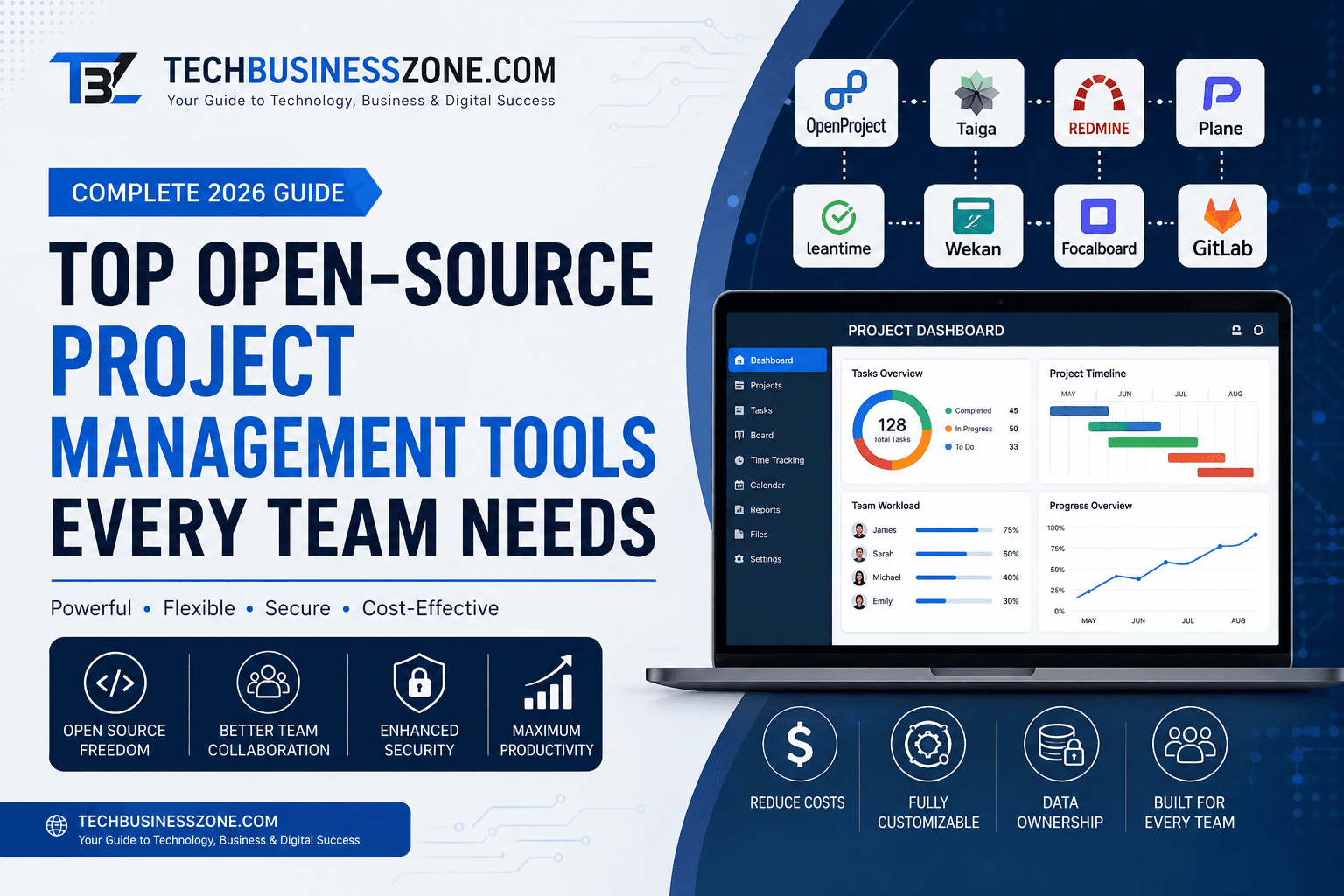
Top Open-Source Project Management Tools Every Team Needs (Complete 2026 Guide)
Introduction
Many businesses still believe that powerful project management software always comes with expensive monthly subscriptions. While premium platforms certainly offer impressive capabilities, they’re no longer the only option. Today, top open-source project management tools every team needs are delivering enterprise-grade features without the recurring licensing costs.
The rapid adoption of open-source collaboration software has transformed how startups, small businesses, agencies, software development teams, and large enterprises manage projects. These platforms provide flexibility, transparency, and customization that proprietary software often cannot match. Organizations can host the software themselves, tailor workflows to their exact requirements, and retain full ownership of their data.
If you’re looking for a cost-effective way to manage projects, coordinate remote teams, track deadlines, or streamline workflows, open-source project management software deserves serious consideration.
In this guide, you’ll discover the best open-source project management tools available in 2026, their strengths and limitations, must-have features, and how to choose the right solution for your organization.
Direct Answer: What Are the Best Open-Source Project Management Tools?
Open-source project management software is software whose source code is publicly available for customization and self-hosting. Businesses choose these tools for lower costs, better security, and greater flexibility. Leading platforms such as OpenProject, Taiga, Redmine, Plane, and GitLab help startups, developers, agencies, and enterprises manage tasks, collaborate efficiently, and scale without vendor lock-in.
What Is Open-Source Project Management Tools and Software?
Open-source solutions have evolved far beyond basic task lists. Modern platforms now include advanced planning, collaboration, automation, and reporting capabilities that rival commercial software. Understanding how these systems work helps organizations determine whether they’re the right fit.
Definition and Core Concept
Open-source project management software is a project planning platform whose source code is freely available for anyone to inspect, modify, and distribute under an approved license. Unlike proprietary software, organizations have complete control over deployment, customization, and maintenance.
This flexibility allows companies to build workflows that precisely match their business processes instead of adapting their operations to fit software limitations.
How Open-Source Platforms Differ from Proprietary Software
Commercial platforms generally require recurring subscription fees and limit customization. Open-source solutions eliminate licensing costs while giving businesses complete control over features, integrations, and hosting.
Rather than relying solely on a vendor’s roadmap, organizations can extend functionality through plugins, APIs, or internal development teams.
Self-Hosted vs Cloud-Based Open-Source Solutions
Many open-source platforms support both deployment models.
Self-hosted installations offer maximum privacy, complete infrastructure control, and stronger compliance capabilities. Cloud-hosted options reduce maintenance while still delivering many customization benefits.
Choosing between them depends on technical expertise, security requirements, and available IT resources.
Key Features Most Teams Need
The best open-source project management tools every team needs include:
- Task management
- Kanban boards
- Gantt charts
- Team collaboration
- Time tracking
- File sharing
- Automation
- User permissions
- Reporting dashboards
- API integrations
These features help organizations improve project visibility while reducing manual coordination.
Industries That Benefit Most
Open-source project management platforms are especially valuable for:
- Software development
- Marketing agencies
- Construction companies
- Manufacturing
- Healthcare organizations
- Educational institutions
- Government departments
- Nonprofits
- Startups
- IT consulting firms
Why More Businesses Are Choosing Open-Source Project Management Tools
As organizations seek better ROI from their technology investments, open-source platforms continue gaining momentum. Their flexibility, affordability, and transparency make them attractive alternatives to subscription-based software.
Lower Software Costs
One of the biggest advantages is eliminating expensive licensing fees. Organizations can invest those savings into infrastructure, employee training, or business growth instead of recurring software subscriptions.
Greater Customization
Every company manages projects differently. Open-source software allows developers to customize dashboards, workflows, plugins, notifications, and integrations according to business requirements.
Better Security Control
Companies handling sensitive information often prefer self-hosted deployments because they maintain full control over servers, backups, and access permissions.
No Vendor Lock-In
Switching proprietary software providers can be expensive and complicated. Open-source solutions reduce dependency on a single vendor by giving businesses ownership of their data and infrastructure.
Unlimited User Flexibility
Many commercial platforms charge per user. Open-source systems typically allow organizations to add users without escalating licensing expenses, making them ideal for growing teams.
Community-Driven Improvements
Thousands of developers contribute bug fixes, new features, integrations, and security improvements. This collaborative ecosystem often accelerates innovation.
Long-Term Scalability
Whether managing ten employees or several thousand, open-source platforms can scale alongside business growth through additional infrastructure and custom development.
Essential Features to Look for in Open-Source Project Management Software
Not every platform offers identical capabilities. Before choosing a solution, evaluate whether it supports your team’s workflow, collaboration style, reporting needs, and future growth plans.
Task Management
Effective task management includes assignments, priorities, due dates, recurring tasks, dependencies, and progress tracking.
Kanban Boards
Kanban boards provide a visual overview of work in progress, helping teams quickly identify bottlenecks and improve productivity.
Gantt Charts
Gantt charts simplify long-term planning by visualizing project timelines, milestones, dependencies, and scheduling conflicts.
Time Tracking
Integrated time tracking improves budgeting, billing accuracy, resource planning, and productivity measurement.
Team Collaboration
Built-in comments, mentions, notifications, activity feeds, and shared workspaces reduce communication delays.
File Sharing
Centralized document storage ensures every stakeholder accesses the latest project files without searching multiple systems.
Role-Based Permissions
Granular access controls protect sensitive information while allowing employees to collaborate effectively.
Workflow Automation
Automation reduces repetitive tasks by automatically assigning work, sending reminders, updating statuses, and triggering notifications.
API Integrations
Powerful APIs enable integration with CRM software, ERP systems, Git repositories, communication tools, and cloud storage platforms.
Mobile Accessibility
Mobile applications allow remote employees to update tasks, communicate with teammates, and monitor project progress from anywhere.
Top Open-Source Project Management Tools Every Team Needs
Selecting the right platform depends on team size, technical expertise, deployment preferences, and workflow complexity. Below are some of the strongest open-source solutions available today.
OpenProject
OpenProject is one of the most comprehensive enterprise-grade project management platforms available.
Best for: Enterprise planning and large organizations
Pros
- Excellent Gantt charts
- Agile and Scrum support
- Roadmap planning
- Strong reporting
- Enterprise security
Cons
- Steeper learning curve
- Advanced customization requires experience
Pricing
Community Edition is free. Enterprise plans offer additional premium features and support.
Ideal Users
Large enterprises, government agencies, engineering firms, and infrastructure projects.
Taiga
Taiga is designed specifically for Agile software development teams.
Highlights
- Scrum boards
- Sprint planning
- Backlog management
- Beautiful user interface
- Excellent developer experience
Best suited for startups and software companies practicing Agile methodologies.
Redmine
Redmine has been trusted by development teams for many years due to its reliability and extensive plugin ecosystem.
Strengths
- Issue tracking
- Wiki documentation
- Calendar
- Gantt charts
- Plugin support
Ideal for organizations wanting a mature and highly customizable solution.
Plane
Plane is a modern open-source project management platform inspired by contemporary SaaS tools.
Highlights
- Clean interface
- Sprint planning
- Roadmaps
- Issue management
- Product development workflows
It works particularly well for startups and product development teams.
Leantime
Leantime focuses on entrepreneurs and smaller businesses seeking simplicity.
Strengths
- Goal management
- Milestone planning
- Lean startup methodology
- User-friendly interface
Excellent for founders managing multiple business initiatives.
Wekan
Wekan is a lightweight Kanban-based solution for teams wanting straightforward visual project management.
Key Features
- Drag-and-drop boards
- Checklists
- Labels
- Team collaboration
- Self-hosting
Ideal for organizations migrating from Trello.
Focalboard
Focalboard provides a modern collaborative workspace with flexible project boards.
Advantages
- Simple setup
- Multiple board views
- Task tracking
- Team collaboration
- Open-source flexibility
A solid choice for small businesses looking for minimal complexity.
Kanboard
Kanboard emphasizes simplicity and efficiency.
Highlights
- Minimal system requirements
- Automatic task actions
- Visual workflow management
- Plugin architecture
Perfect for teams preferring lightweight software.
GitLab Project Management
GitLab combines DevOps capabilities with advanced project management.
Best Features
- Issue tracking
- Roadmaps
- Sprint planning
- CI/CD integration
- Code management
Ideal for software engineering teams managing development pipelines.
Tuleap
Tuleap serves organizations requiring enterprise application lifecycle management.
Strengths
- Agile planning
- Requirements management
- Test management
- Continuous delivery support
Well suited for highly regulated industries.
Odoo Project
Odoo Project integrates project management with ERP functionality.
Key Benefits
- Task scheduling
- Timesheets
- Customer management
- Accounting integration
- Resource planning
Ideal for businesses already using the Odoo ecosystem.
ERPNext Projects
ERPNext Projects is part of the larger ERPNext business management platform.
Highlights
- Project budgeting
- Expense tracking
- Employee management
- Customer billing
- Integrated reporting
An excellent solution for businesses wanting project management tightly connected with finance, HR, and operations.
Comparison Table of Leading Open-Source Project Management Tools
Choosing among the top open-source project management tools every team needs can be challenging because each platform excels in different areas. Some prioritize Agile development, while others focus on enterprise planning, Kanban workflows, or ERP integration. The comparison below highlights the strengths of each solution to help you make an informed decision.
| Tool | Self-Hosted | Cloud Option | Agile Support | Time Tracking | Gantt Charts | Best For | Ease of Use |
|---|---|---|---|---|---|---|---|
| OpenProject | ✅ | ✅ | Excellent | ✅ | ✅ | Enterprise Project Planning | Moderate |
| Taiga | ✅ | ✅ | Excellent | Basic | Limited | Agile Development Teams | Easy |
| Redmine | ✅ | Limited | Good | Plugin-Based | ✅ | Software Development | Moderate |
| Plane | ✅ | ✅ | Excellent | Basic | Planned | Product Teams & Startups | Easy |
| Leantime | ✅ | ✅ | Good | ✅ | Basic | Entrepreneurs & SMBs | Very Easy |
| Wekan | ✅ | Limited | Basic | No | No | Kanban Workflows | Very Easy |
| Focalboard | ✅ | Limited | Good | Basic | No | Small Businesses | Easy |
| Kanboard | ✅ | Limited | Basic | Plugin-Based | No | Lightweight Task Management | Easy |
| GitLab Project Management | ✅ | ✅ | Excellent | Limited | Roadmaps | DevOps Teams | Moderate |
| Tuleap | ✅ | Commercial Cloud | Excellent | ✅ | ✅ | Enterprise ALM | Moderate |
| Odoo Project | ✅ | ✅ | Good | ✅ | Basic | ERP-Based Businesses | Easy |
| ERPNext Projects | ✅ | ✅ | Good | ✅ | Basic | Integrated Business Operations | Easy |
Personal Experience: How Switching to Open-Source Project Management Software Improved Team Productivity
When evaluating the top open-source project management tools every team needs, technical specifications only tell part of the story. Real-world implementation often reveals benefits—and challenges—that comparison charts cannot fully capture. Here’s what I learned after replacing a commercial project management platform with an open-source alternative.
Initial Hesitation About Leaving Paid Software
At first, I was skeptical about abandoning a well-known commercial platform. My biggest concerns centered around reliability, feature completeness, technical support, and the learning curve for our team.
There was also uncertainty about whether a free solution could genuinely meet the needs of multiple departments handling dozens of active projects simultaneously.
Migration Planning
Rather than switching overnight, we adopted a phased migration strategy. We audited existing projects, archived outdated tasks, standardized workflows, and identified essential integrations before moving any production work.
This preparation significantly reduced confusion during deployment and helped prevent data inconsistencies.
Team Onboarding
Even the most intuitive software requires training. We organized short onboarding sessions, created internal documentation, and encouraged employees to explore the platform using sample projects before handling client work.
Within two weeks, most team members were comfortable using the new system.
Unexpected Challenges
No migration is completely seamless.
Some third-party integrations required additional configuration, and a few plugins behaved differently than expected after installation. We also had to redesign several custom workflows because the new platform approached task dependencies differently.
Fortunately, the active open-source community provided documentation and solutions for most issues.
Productivity Improvements
After three months, the improvements became measurable.
Projects were easier to organize, dashboards reflected real-time progress more accurately, and collaboration between remote employees improved considerably. Automation reduced repetitive administrative work, allowing project managers to focus on strategic planning instead of manual updates.
Cost Savings
The financial impact was significant.
Eliminating recurring licensing fees reduced annual software expenses while allowing us to invest in better infrastructure, employee training, and workflow automation. For growing teams, avoiding per-user pricing became one of the largest long-term advantages.
Long-Term Lessons Learned
The biggest lesson was that software flexibility often matters more than brand recognition.
Because we controlled our own deployment, we could customize dashboards, permissions, reporting, and integrations as our business evolved instead of waiting for vendor updates.
Advice for Businesses Considering Migration
Don’t migrate simply because open-source software is free. Instead, evaluate your team’s workflows, technical expertise, scalability requirements, and long-term business goals.
Start with a pilot project, train users gradually, and document every workflow before expanding across the organization. With proper planning, many organizations will discover why the top open-source project management tools every team needs continue gaining popularity among startups and enterprises alike.
Open-Source vs Commercial Project Management Software
Both open-source and commercial platforms can successfully manage projects, but they differ in ownership, flexibility, pricing, and long-term control. Understanding these differences helps organizations choose the solution that best aligns with their operational and technical requirements.
Licensing Differences
Commercial software typically requires recurring subscriptions with restrictions on customization and distribution.
Open-source platforms are distributed under open licenses that allow organizations to inspect, modify, and deploy the software according to license terms, providing far greater flexibility.
Cost Comparison
Commercial solutions often charge monthly or annual fees based on user count or feature tiers. These costs increase as organizations grow.
Open-source software eliminates licensing expenses, although businesses should still budget for hosting, maintenance, technical support, and optional premium services.
Feature Availability
Premium vendors frequently include polished interfaces and integrated ecosystems.
Open-source alternatives increasingly offer comparable functionality, including Agile planning, Kanban boards, Gantt charts, automation, reporting, and API integrations. Some advanced capabilities may require plugins or community-developed extensions.
Customization
Customization is one of the strongest advantages of open-source software.
Organizations can modify workflows, dashboards, integrations, notifications, and user interfaces to match internal business processes without vendor limitations.
Data Ownership
Commercial cloud platforms store data on vendor-managed infrastructure.
With self-hosted open-source software, organizations retain complete ownership of their databases, backups, and server environments, improving compliance and governance.
Support Options
Commercial vendors usually provide dedicated customer support backed by service-level agreements.
Open-source platforms rely on documentation, community forums, certified partners, or paid enterprise support, depending on the project.
Scalability
Both deployment models can support growing organizations.
Commercial platforms simplify expansion through managed infrastructure, while open-source solutions provide greater flexibility for organizations with internal IT expertise managing larger deployments.
Security Comparison
Security depends more on implementation than licensing.
Properly maintained open-source software can be just as secure as commercial platforms when administrators follow best practices for updates, backups, access controls, and infrastructure hardening.
Self-Hosted vs Cloud Deployment
Deployment strategy is just as important as choosing the software itself. The top open-source project management tools every team needs generally support both self-hosted and cloud deployments, but each approach offers distinct advantages depending on your organization’s resources and security requirements.
Advantages of Self-Hosting
Self-hosting provides complete control over infrastructure, security policies, software updates, and compliance requirements.
Organizations handling confidential customer information, financial records, or regulated data often prefer this deployment model because they determine exactly where and how information is stored.
Benefits of Cloud Hosting
Cloud-hosted solutions reduce administrative overhead by eliminating server maintenance, hardware management, and routine infrastructure monitoring.
This option allows businesses to deploy quickly while ensuring remote teams can access projects from virtually anywhere.
Which Teams Should Choose Each Option?
Self-hosting is ideal for:
- Large enterprises
- Government agencies
- Financial institutions
- Healthcare organizations
- Companies with dedicated IT teams
Cloud deployment is better suited for:
- Startups
- Small businesses
- Marketing agencies
- Remote-first organizations
- Teams without system administrators
Security Considerations
Regardless of deployment type, organizations should implement strong authentication, encryption, monitoring, vulnerability management, and routine software updates.
Cloud providers often secure infrastructure, while self-hosted deployments require organizations to manage server security independently.
Maintenance Requirements
Cloud services handle backups, infrastructure monitoring, and many software updates automatically.
Self-hosted environments require internal teams to monitor server health, install patches, maintain backups, and optimize system performance regularly.
Security and Privacy Best Practices
One reason organizations adopt the top open-source project management tools every team needs is greater control over security and privacy. However, that control comes with additional responsibility. Following established security practices helps protect sensitive project data while maintaining compliance and operational reliability.
Access Control
Grant employees access only to the information necessary for their responsibilities. Role-based permissions reduce accidental changes and minimize insider security risks.
Multi-Factor Authentication
Enable multi-factor authentication for administrators and all users with elevated permissions. MFA significantly reduces the risk of unauthorized account access.
Data Encryption
Encrypt data both during transmission and while stored on servers. Strong encryption protects confidential business information from interception and unauthorized disclosure.
Backup Strategies
Create automated backups on a regular schedule and store copies in separate secure locations. Periodically test restoration procedures to ensure backups remain usable.
Server Hardening
Disable unnecessary services, close unused ports, implement firewalls, and keep operating systems updated to reduce attack surfaces.
Audit Logs
Maintain detailed logs of user activity, configuration changes, login attempts, and administrative actions. Audit trails simplify troubleshooting and strengthen compliance reporting.
Compliance Requirements
Organizations operating under regulations such as GDPR, HIPAA, or ISO standards should verify that their deployment, data retention policies, and security controls meet applicable compliance requirements.
Disaster Recovery Planning
Prepare documented recovery procedures covering server failures, ransomware incidents, accidental data deletion, and infrastructure outages. Regular disaster recovery testing minimizes downtime during emergencies.
Integrating Open-Source Project Management Tools with Business Applications
Project management platforms become even more valuable when they connect with existing business systems. Integrations eliminate duplicate work, improve data accuracy, and create more efficient workflows across departments.
Git Repositories
Development teams can connect repositories to automatically associate commits, pull requests, and code reviews with project tasks, improving traceability throughout the software development lifecycle.
Slack and Team Communication
Integrating Slack enables automatic notifications for task assignments, deadline updates, project milestones, and workflow changes, reducing manual communication.
Microsoft Teams
Organizations using Microsoft Teams can synchronize project updates, meetings, shared files, and collaboration channels directly with their project management platform.
Email Automation
Automated email notifications keep stakeholders informed about approvals, completed tasks, approaching deadlines, and status changes without requiring manual follow-up.
CRM Systems
Connecting CRM platforms allows sales opportunities, customer requests, and service tickets to flow directly into project workflows, improving collaboration between customer-facing and operational teams.
ERP Platforms
ERP integrations synchronize financial data, procurement, inventory, human resources, and project budgets, creating a unified operational environment.
CI/CD Pipelines
Development teams benefit from linking project tasks with continuous integration and continuous deployment pipelines, enabling real-time visibility into software releases and deployment progress.
Zapier Alternatives
Organizations seeking fully open-source automation can integrate platforms with alternatives such as n8n, Activepieces, or custom API workflows. These tools automate repetitive tasks while preserving greater control over business data and infrastructure.
Common Challenges When Using Open-Source Project Management Software
While the top open-source project management tools every team needs offer exceptional flexibility and value, they are not completely free from challenges. Understanding these potential obstacles before implementation helps organizations prepare realistic expectations and develop strategies that minimize disruptions during deployment and daily operations.
Complex Initial Setup
Unlike many commercial SaaS platforms, some open-source solutions require server installation, database configuration, security hardening, and user management before they’re ready for production.
Businesses without dedicated IT staff may need assistance during the initial deployment. Fortunately, many platforms now provide installation guides, Docker images, and managed hosting options that simplify the process.
User Adoption Issues
Even the best software can fail if employees resist change.
Teams accustomed to existing workflows may initially struggle with a new interface or project structure. Proper onboarding, documentation, and training sessions significantly improve user adoption and reduce resistance.
Plugin Compatibility
Many organizations extend functionality using third-party plugins.
Although plugins increase flexibility, they may occasionally conflict with software updates or other extensions. Testing new plugins in a staging environment before deploying them to production reduces compatibility issues.
Performance Optimization
As projects, attachments, and user counts grow, system performance can decline.
Regular database optimization, caching, server monitoring, and infrastructure upgrades help maintain fast response times even for large organizations using the top open-source project management tools every team needs.
Upgrade Management
Frequent updates improve security and introduce new features, but they can also affect customizations and plugins.
Establishing a structured update process—including backups and testing—helps prevent unexpected downtime during software upgrades.
Limited Official Support
Unlike commercial vendors with dedicated support teams, many open-source projects primarily rely on community forums and documentation.
Organizations requiring guaranteed response times should consider enterprise support subscriptions or certified implementation partners.
Data Migration Problems
Migrating from platforms like Trello, Asana, Jira, or Microsoft Project isn’t always straightforward.
Differences in workflows, task structures, attachments, and custom fields may require data mapping, validation, and manual adjustments to preserve project accuracy.
Advanced Edge Cases and Troubleshooting
As organizations grow, project management becomes increasingly complex. Large enterprises, distributed workforces, and highly customized environments often encounter challenges beyond standard deployment. Preparing for these advanced scenarios ensures long-term success with open-source platforms.
Migrating Thousands of Existing Projects
Large-scale migrations require careful planning.
Rather than transferring every project simultaneously, migrate archived projects separately from active workspaces. Validate imported data, verify task relationships, and perform multiple test migrations before executing the final transfer.
Handling Large Enterprise Teams
Organizations with hundreds or thousands of users should optimize infrastructure from the beginning.
Load balancing, database replication, scalable storage, and application monitoring help maintain performance as user activity increases.
Managing Multiple Departments from One Platform
Marketing, HR, Finance, IT, Sales, and Product Development often require different workflows.
Using department-specific workspaces, permission groups, templates, and dashboards allows each team to operate independently while maintaining centralized reporting.
Performance Tuning for Self-Hosted Servers
Self-hosted deployments benefit from continuous optimization.
Best practices include:
- Database indexing
- Server-side caching
- SSD storage
- Reverse proxy optimization
- Background job scheduling
- Resource monitoring
These improvements significantly enhance responsiveness under heavy workloads.
Resolving Integration Failures
API connections occasionally fail due to authentication errors, expired tokens, network interruptions, or software updates.
Implement logging, automated alerts, and fallback synchronization methods to quickly identify and resolve integration issues before they affect productivity.
Recovering After Failed Updates
Unexpected update failures can disrupt operations.
Always create full system snapshots and database backups before upgrading. If problems occur, rolling back to a verified backup minimizes downtime and prevents data loss.
Scaling for Remote Global Teams
Global organizations require infrastructure that supports multiple regions, time zones, and distributed employees.
Content delivery networks, geographically distributed servers, optimized authentication, and regional backups improve accessibility and performance worldwide.
Managing Permissions Across Complex Organizations
As businesses expand, permission management becomes increasingly important.
Role-based access control, department-level permissions, approval workflows, and regular security audits ensure employees access only the information necessary for their responsibilities.
Cost Analysis: Open-Source vs Paid Project Management Platforms
Cost is often one of the primary reasons businesses explore open-source alternatives. However, evaluating total ownership costs provides a more accurate comparison than considering licensing fees alone.
| Factor | Open-Source | Commercial Software |
|---|---|---|
| Licensing Cost | Usually Free | Monthly or Annual Subscription |
| Hosting Cost | Self-managed or Cloud Hosting | Included in SaaS Pricing |
| Support | Community or Paid Enterprise Support | Vendor Support Included |
| Maintenance | Internal IT Responsibility | Managed by Vendor |
| Customization | Extensive | Limited by Vendor |
| Scalability | Highly Flexible | Depends on Pricing Tier |
| Security Control | Full Administrative Control | Vendor Managed |
| Long-Term ROI | Excellent for Growing Organizations | Good but Recurring Costs Increase Over Time |
Although self-hosted deployments involve infrastructure and maintenance expenses, organizations with growing teams often achieve a lower total cost of ownership compared to subscription-based software.
Best Practices for Successfully Implementing Open-Source Project Management Software
Implementing the top open-source project management tools every team needs involves more than simply installing software. A structured implementation strategy improves adoption, minimizes disruption, and ensures the platform delivers measurable business value.
Define Clear Project Workflows
Document project stages, approval processes, task ownership, deadlines, and reporting requirements before configuring the software.
Clearly defined workflows reduce confusion and improve consistency across teams.
Train Team Members
Provide role-specific training sessions, user guides, and short video tutorials.
Employees who understand the platform’s capabilities are more likely to adopt it successfully.
Start with Pilot Projects
Begin implementation using one department or a small internal project.
Pilot deployments allow organizations to identify configuration issues before expanding company-wide.
Configure User Permissions
Assign access based on employee responsibilities.
Proper permission management protects sensitive information while simplifying administration.
Regular Backups
Automated backups remain essential regardless of deployment type.
Store backup copies in separate secure locations and periodically verify restoration procedures.
Monitor Performance
Track server utilization, database performance, response times, storage consumption, and application health to identify potential issues before they affect users.
Keep Software Updated
Regular updates provide security patches, bug fixes, and new functionality.
Maintain a testing environment where updates can be validated before production deployment.
Measure Productivity Metrics
Track key performance indicators such as:
- Project completion rates
- Task turnaround time
- Team workload
- Resource utilization
- Budget adherence
- Customer satisfaction
Continuous measurement helps organizations optimize workflows over time.
Future Trends in Open-Source Project Management
The future of the top open-source project management tools every team needs extends well beyond simple task tracking. Emerging technologies are making these platforms smarter, more automated, and better equipped to support increasingly distributed workforces.
AI-Assisted Task Management
Artificial intelligence will automate task prioritization, deadline predictions, workload balancing, and meeting summaries, reducing administrative overhead for project managers.
Predictive Project Analytics
Machine learning models will analyze historical project data to forecast delays, budget overruns, resource shortages, and delivery risks before they occur.
Low-Code Workflow Automation
Low-code automation builders will allow business users to create sophisticated workflows without writing code, accelerating process improvements across departments.
Privacy-First Collaboration
As privacy regulations continue evolving, organizations will prioritize self-hosted collaboration environments that offer stronger control over customer and employee data.
DevOps Integration
Project management platforms will become increasingly connected with software development pipelines, enabling seamless collaboration between developers, operations teams, and project managers.
Distributed Team Collaboration
Future platforms will continue enhancing support for hybrid and remote teams through improved video integrations, asynchronous collaboration, multilingual interfaces, and global performance optimization.
Open Standards and Interoperability
Greater adoption of standardized APIs and open data formats will simplify migrations, integrations, and collaboration between different software ecosystems.
Conclusion
Open-source project management software has matured into a powerful alternative to commercial platforms. Organizations no longer need to choose between affordability and functionality. Modern solutions deliver advanced task management, Agile planning, collaboration, automation, reporting, and enterprise-grade scalability without recurring licensing fees.
Startups, software development teams, marketing agencies, nonprofits, educational institutions, government organizations, and large enterprises can all benefit from these platforms. The right solution depends on your technical expertise, deployment preferences, security requirements, team size, and long-term growth plans.
When evaluating the top open-source project management tools every team needs, prioritize workflow compatibility, customization capabilities, security features, integration options, and community support instead of focusing solely on cost.
A successful implementation begins with careful planning, employee training, pilot testing, regular backups, and ongoing performance monitoring. By following these best practices, organizations can reduce operational costs, improve collaboration, and build a flexible project management environment that continues delivering value as the business grows.
Frequently Asked Questions (FAQs)
Which is the best open-source project management tool?
OpenProject is widely considered one of the best all-around open-source project management platforms due to its enterprise features, Agile support, Gantt charts, and strong security. However, Taiga, Plane, and Redmine are excellent alternatives depending on your team’s requirements.
Is open-source project management software really free?
Most open-source platforms offer free community editions with core features. Organizations may still incur costs for hosting, infrastructure, maintenance, premium support, or enterprise features.
Can open-source tools replace Jira or Asana?
Yes. Many businesses successfully replace Jira or Asana with platforms such as OpenProject, Taiga, Plane, or Redmine, especially when they need greater customization, lower costs, or self-hosted deployments.
Which open-source project management software supports Agile?
OpenProject, Taiga, GitLab Project Management, Tuleap, and Plane all provide strong Agile capabilities, including Scrum boards, Kanban workflows, sprint planning, and backlog management.
Are self-hosted project management tools secure?
Yes. Properly configured self-hosted platforms can be extremely secure when organizations implement multi-factor authentication, encryption, backups, firewall protection, regular updates, and role-based access controls.
Which platform is easiest for small businesses?
Leantime, Focalboard, and Wekan are among the easiest open-source project management platforms for small businesses because of their intuitive interfaces and relatively simple setup processes.
Can I migrate from Trello, Asana, or Monday.com?
Yes. Most leading open-source platforms provide import utilities, APIs, or third-party migration tools that help transfer projects, tasks, attachments, and user information from popular commercial platforms.
Do open-source project management tools support mobile devices?
Many modern platforms offer responsive web interfaces or dedicated mobile applications, enabling users to manage projects, update tasks, and collaborate while working remotely.
What are the hardware requirements for self-hosted deployment?
Requirements vary based on user count and workload. Small teams can often run on modest virtual servers, while enterprise deployments benefit from dedicated servers, scalable databases, SSD storage, and load balancing.
Which open-source project management software is best for software development?
GitLab Project Management, Taiga, Redmine, Plane, and Tuleap are excellent choices for software development teams because they integrate project planning with issue tracking, version control, Agile workflows, and DevOps practices.