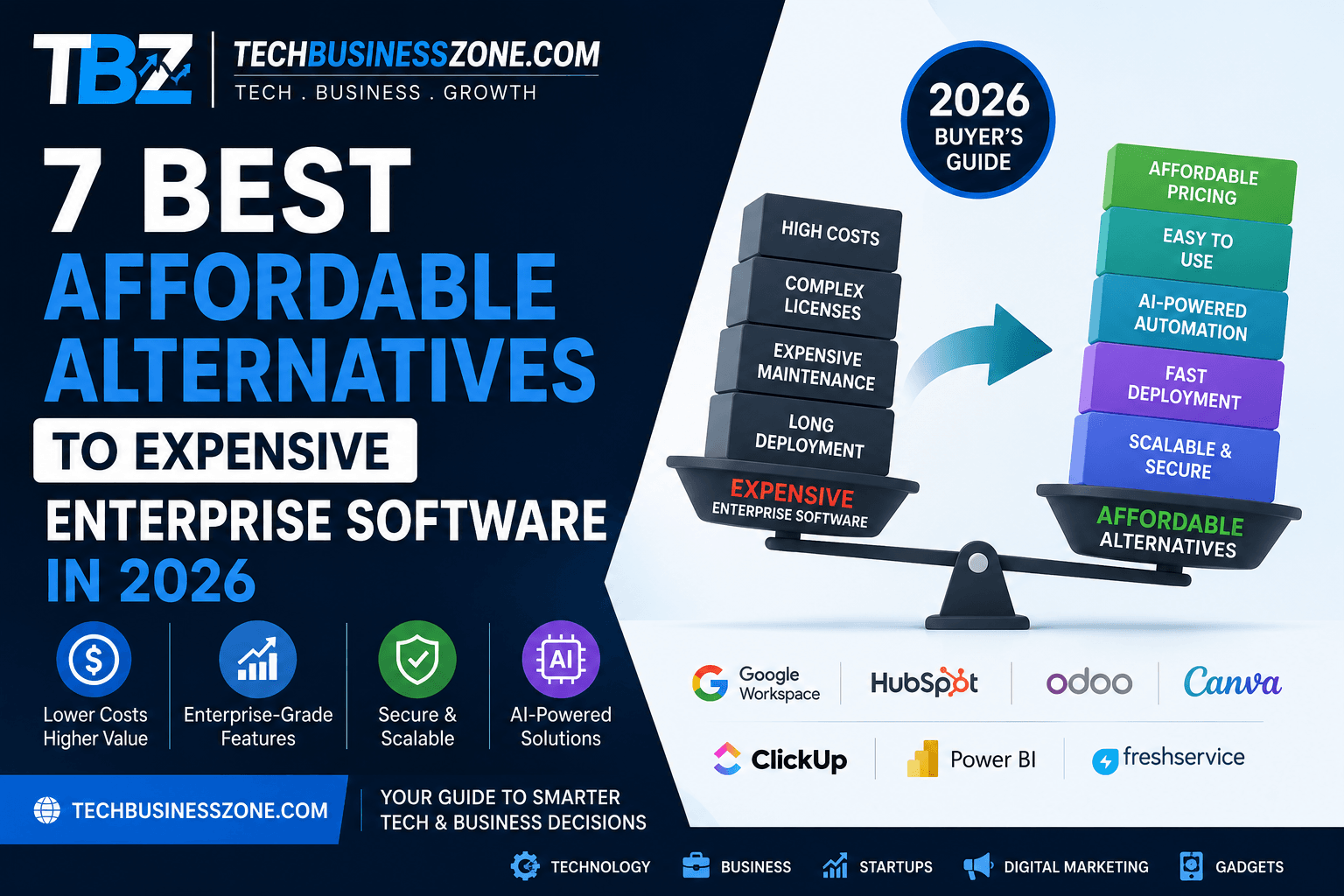
7 Best Affordable Alternatives to Expensive Enterprise Software in 2026 (Complete Buyer’s Guide)
Introduction
Many business owners still believe that powerful enterprise software is reserved for large corporations with six-figure IT budgets. That assumption may have been true years ago, but today’s software market tells a completely different story. Thanks to rapid advances in artificial intelligence (AI), increased SaaS competition, cloud-native architecture, and open-source innovation, businesses of every size can now access enterprise-grade features without paying enterprise-level prices.
Modern affordable enterprise software offers capabilities once exclusive to premium platforms, including workflow automation, predictive analytics, advanced security, real-time collaboration, and AI-powered productivity tools. Whether you’re a startup, a growing SMB, or a mid-sized company looking to reduce operational costs, there are cost-effective alternatives that deliver exceptional value while remaining scalable.
In this guide, you’ll discover the best affordable enterprise software alternatives available in 2026, compare their features and pricing, learn why companies are replacing legacy enterprise systems, and find out which solution best fits your organization’s goals and budget.
Direct Answer: What Are the Best Affordable Alternatives to Expensive Enterprise Software?
Affordable enterprise software alternatives are cloud-based or open-source platforms that deliver enterprise-level functionality at significantly lower costs than traditional enterprise systems. These solutions typically include AI-powered automation, collaboration tools, analytics, security, integrations, and scalable pricing models that suit businesses of all sizes.
They are ideal for:
- Startups
- Small and medium-sized businesses (SMBs)
- Growing technology companies
- Marketing agencies
- E-commerce businesses
- Remote teams
- Organizations replacing outdated legacy software
Quick Comparison
| Enterprise Software | Affordable Alternative | Starting Price | Best For |
|---|---|---|---|
| Microsoft 365 | Google Workspace | $7/user/month | Productivity |
| Salesforce | HubSpot CRM | Free | Sales & CRM |
| SAP ERP | Odoo | Free Community / Paid Enterprise | ERP |
| Adobe Creative Cloud | Canva Pro | $15/month | Design Teams |
| Jira | ClickUp | Free | Project Management |
| Tableau | Microsoft Power BI | $10/user/month | Business Intelligence |
| ServiceNow | Freshservice | $19/agent/month | IT Service Management |
Businesses should consider upgrading from entry-level software once they require advanced automation, enhanced security, multi-department collaboration, detailed analytics, compliance features, or support for a rapidly growing workforce.
Why Companies Are Replacing Expensive Enterprise Software
The software landscape has evolved dramatically over the past few years. Organizations are no longer willing to pay premium prices simply because a platform is labeled “enterprise.” Today’s enterprise software alternatives provide comparable functionality with better flexibility, faster deployment, and lower ownership costs.
Rising Enterprise Licensing Costs
Traditional enterprise software often comes with expensive licensing agreements, annual maintenance contracts, implementation fees, and mandatory support packages. These recurring costs can quickly strain IT budgets, especially for small and growing businesses.
Affordable SaaS platforms eliminate much of this financial burden through transparent subscription pricing and flexible licensing options.
Subscription Fatigue Across Multiple Departments
Many organizations use separate software for sales, marketing, HR, finance, customer support, and project management. Paying premium subscription fees for every department significantly increases operational expenses.
Businesses increasingly prefer unified platforms that combine multiple business functions while reducing software costs.
AI-Powered SaaS Has Changed the Market
Artificial intelligence has become one of the biggest reasons companies switch platforms. Even budget-friendly software now includes AI features such as:
- Automated workflows
- AI-generated reports
- Smart recommendations
- Predictive analytics
- Meeting summaries
- Customer service automation
This innovation has made AI business software accessible to companies that previously couldn’t justify enterprise licensing costs.
Better Cloud Infrastructure Makes Premium Features Affordable
Cloud computing has reduced infrastructure costs for software vendors, allowing them to deliver highly scalable platforms without requiring businesses to invest in expensive on-premises servers.
Businesses benefit from automatic updates, improved reliability, global accessibility, and reduced maintenance.
Faster Deployment Without Large IT Teams
Traditional enterprise software implementations often take several months and require dedicated consultants.
Modern cloud platforms can usually be configured within days or weeks, enabling businesses to realize value much faster while minimizing disruption.
How We Selected These Enterprise Software Alternatives
Choosing the right software involves more than comparing prices. We evaluated each platform based on long-term value, reliability, security, scalability, and overall user experience to identify the strongest alternatives for businesses in 2026.
Pricing Transparency
Hidden fees often make enterprise software more expensive than expected. We prioritized vendors that clearly publish their pricing and offer predictable subscription models.
Scalability
Every recommendation supports business growth by allowing organizations to add users, automate workflows, and expand capabilities without migrating to an entirely new platform.
Security Standards
Security remains essential regardless of company size. Our selections emphasize vendors offering encryption, role-based access, multi-factor authentication, compliance certifications, and regular security updates.
AI Capabilities
Artificial intelligence has become a major productivity driver. We evaluated each platform based on built-in AI assistants, automation, predictive analytics, and intelligent reporting features.
Ease of Implementation
Businesses should not require months of consulting before using new software. We favored solutions with intuitive interfaces, guided onboarding, and extensive documentation.
Integration Ecosystem
Modern businesses depend on multiple applications working together. Platforms with extensive API support and third-party integrations scored significantly higher.
Customer Support
Reliable technical support, comprehensive knowledge bases, and active user communities contribute to faster problem resolution and improved user satisfaction.
Comparison Table: Best Affordable Enterprise Software Alternatives in 2026
| Enterprise Software | Best Alternative | Starting Price | Best For | AI Features | Overall Value |
|---|---|---|---|---|---|
| Microsoft 365 | Google Workspace | $7/user/month | Productivity | Gemini AI | ⭐⭐⭐⭐⭐ |
| Salesforce | HubSpot CRM | Free | Sales | AI Sales Assistant | ⭐⭐⭐⭐⭐ |
| SAP ERP | Odoo | Free/Paid | ERP | AI Automation | ⭐⭐⭐⭐☆ |
| Adobe Creative Cloud | Canva Pro | $15/month | Design | Magic Studio AI | ⭐⭐⭐⭐⭐ |
| Jira | ClickUp | Free | Project Management | ClickUp AI | ⭐⭐⭐⭐⭐ |
| Tableau | Microsoft Power BI | $10/user/month | Analytics | AI Insights | ⭐⭐⭐⭐⭐ |
| ServiceNow | Freshservice | $19/agent/month | ITSM | Freddy AI | ⭐⭐⭐⭐☆ |
7 Best Affordable Alternatives to Expensive Enterprise Software
Choosing the right software depends on your organization’s size, industry, workflows, and long-term growth plans. Below are seven excellent affordable enterprise software alternatives that consistently deliver enterprise-level functionality without the premium price tag.
1. Microsoft 365 vs Google Workspace
Google Workspace has become one of the strongest alternatives to Microsoft 365 for businesses focused on collaboration and cloud productivity.
Features
- Gmail
- Google Docs
- Sheets
- Meet
- Drive
- Gemini AI integration
- Real-time collaboration
Pricing
Starts around $7 per user per month, making it highly affordable for startups and SMBs.
Pros
- Excellent collaboration
- Automatic cloud backups
- Easy sharing
- AI-assisted writing
- Minimal maintenance
Cons
- Less advanced desktop applications
- Limited offline functionality compared to Microsoft Office
Best Users
- Startups
- Remote teams
- Agencies
- Educational institutions
2. Salesforce vs HubSpot CRM
HubSpot CRM delivers impressive CRM capabilities without Salesforce’s complexity or cost, making it one of the best cost-effective business software options.
CRM Comparison
HubSpot offers contact management, sales tracking, marketing automation, customer support, and reporting from a unified dashboard.
Automation
Businesses can automate lead nurturing, email campaigns, follow-ups, and customer onboarding without extensive technical expertise.
Sales Pipelines
Customizable pipelines help sales teams monitor deals from initial contact through closing.
AI Assistants
HubSpot’s AI assists with email generation, forecasting, reporting, and customer engagement recommendations.
3. SAP ERP vs Odoo
Odoo provides comprehensive ERP functionality while remaining significantly more affordable than SAP.
ERP Functionality
Modules include accounting, CRM, purchasing, HR, inventory, sales, manufacturing, and project management.
Inventory
Real-time inventory tracking supports warehouses of various sizes.
Manufacturing
Manufacturers benefit from production planning, bills of materials, quality control, and scheduling.
Finance
Financial modules support invoicing, budgeting, tax management, and reporting.
Customization
Its modular architecture allows businesses to activate only the applications they actually need.
4. Adobe Creative Cloud vs Canva Pro
Canva Pro has evolved beyond simple graphic design into a collaborative creative platform suitable for many businesses.
Design Capabilities
Users can create presentations, social media graphics, videos, brochures, marketing assets, and documents.
AI Image Tools
Magic Studio enables AI-powered image editing, background removal, design generation, and content creation.
Team Collaboration
Shared brand kits, templates, approval workflows, and collaborative editing simplify marketing operations.
Cost Savings
Canva Pro offers substantial savings compared to Adobe Creative Cloud, especially for organizations that don’t require advanced professional editing software.
5. Jira Software vs ClickUp
ClickUp combines project management, documentation, communication, automation, and AI into one platform.
Project Management
Teams organize projects using lists, boards, timelines, calendars, and Gantt charts.
Agile Support
Sprint planning, backlog management, task prioritization, and workflow customization support Agile teams effectively.
AI Productivity
ClickUp AI summarizes meetings, drafts content, creates tasks, and accelerates project planning.
Team Collaboration
Built-in chat, documents, comments, and whiteboards reduce the need for multiple collaboration tools.
6. Tableau vs Microsoft Power BI
Power BI delivers enterprise-level business intelligence capabilities at a much lower price point.
Business Intelligence
Organizations consolidate data from multiple systems into centralized dashboards.
Dashboards
Interactive visualizations allow executives to monitor KPIs in real time.
AI Insights
Built-in AI identifies trends, anomalies, forecasts, and business opportunities automatically.
Reporting
Scheduled reports simplify executive reporting and operational monitoring across departments.
7. ServiceNow vs Freshservice
Freshservice offers modern IT service management without the implementation complexity associated with larger enterprise platforms.
ITSM Capabilities
It supports incident management, asset tracking, change management, service catalogs, and knowledge management.
Ticketing
Automated ticket routing improves response times while reducing manual workload.
Workflow Automation
Routine approvals, service requests, onboarding, and IT processes can be automated using visual workflow builders.
AI Service Desk
Freddy AI assists agents by recommending solutions, categorizing tickets, automating responses, and improving overall service efficiency.
Freshservice is particularly well-suited for growing organizations seeking enterprise-grade IT support capabilities without enterprise-level licensing costs.
Cost Comparison: Enterprise Software vs Affordable Alternatives
One of the biggest advantages of switching to affordable enterprise software is the dramatic reduction in total ownership costs. While subscription pricing often grabs attention, businesses should also evaluate implementation, maintenance, training, and long-term return on investment (ROI). The best enterprise software alternatives don’t just save money—they also improve operational efficiency and reduce IT overhead.
Annual Cost Comparison
| Enterprise Platform | Typical Enterprise Cost (Annual) | Affordable Alternative | Estimated Annual Savings |
|---|---|---|---|
| Microsoft 365 Enterprise | $14,400 (100 users) | Google Workspace | Up to $6,000 |
| Salesforce Enterprise | $19,200 (20 users) | HubSpot CRM | Up to $12,000 |
| SAP ERP | $100,000+ | Odoo | $50,000–$80,000 |
| Adobe Creative Cloud | $9,000 (50 users) | Canva Pro | Up to $6,000 |
| Jira Software Premium | $8,500 | ClickUp | Up to $4,000 |
| Tableau | $21,000 | Microsoft Power BI | Up to $15,000 |
| ServiceNow | $60,000+ | Freshservice | Up to $35,000 |
Licensing Savings
Enterprise platforms frequently charge premium licensing fees for advanced features, additional users, and support plans. In contrast, cost-effective business software typically offers flexible monthly subscriptions, making it easier for businesses to scale without overspending.
Training Costs
Complicated enterprise systems often require extensive employee training and dedicated administrators. Many affordable cloud-based platforms feature intuitive interfaces, reducing onboarding time and helping teams become productive more quickly.
Maintenance
Traditional enterprise software may involve server maintenance, software updates, infrastructure investments, and consulting fees. Modern cloud applications automatically handle updates, security patches, and infrastructure management, significantly lowering maintenance expenses.
Return on Investment (ROI)
Lower licensing costs combined with AI-powered automation, faster implementation, and improved productivity often allow businesses to achieve a positive ROI much sooner. Organizations can redirect these savings toward innovation, hiring, or business expansion instead of software overhead.
Key Features You Should Never Compromise On
Saving money should never mean sacrificing critical functionality. The best affordable enterprise software delivers enterprise-grade performance while maintaining the security, scalability, and flexibility businesses need for sustainable growth.
Data Security
Choose platforms that provide strong encryption, continuous security monitoring, vulnerability management, and secure cloud infrastructure. Protecting sensitive customer and business data should always remain a top priority.
Role-Based Access Control
Employees should only access information relevant to their responsibilities. Role-based permissions reduce internal security risks while simplifying compliance with industry regulations.
API Integrations
Your software should integrate seamlessly with CRM platforms, accounting systems, communication tools, marketing applications, and cloud storage solutions. Robust APIs reduce manual work and improve workflow efficiency.
Mobile Accessibility
Modern teams work from multiple locations. Mobile applications should provide secure access to dashboards, documents, approvals, customer information, and collaboration tools without compromising functionality.
AI Automation
Today’s AI business software should automate repetitive processes such as workflow approvals, document generation, task assignments, customer support, and reporting. Automation reduces operational costs while increasing productivity.
Reporting and Analytics
Comprehensive dashboards, customizable reports, and real-time analytics enable leaders to make faster, data-driven decisions. Look for software that includes AI-powered insights and forecasting capabilities.
Compliance Certifications
Verify that your chosen platform supports recognized security and compliance standards relevant to your industry, helping protect your organization and build customer trust.
Industry-Specific Recommendations
Different industries have unique operational requirements. Selecting software designed for your business model helps maximize productivity while minimizing unnecessary features and costs. These recommendations highlight where enterprise software alternatives deliver the greatest value.
Best Software for Startups
Startups benefit from flexible platforms with affordable pricing, automation, and room to grow. Google Workspace, HubSpot CRM, ClickUp, and Canva Pro provide excellent functionality without requiring large upfront investments.
Best for Small Businesses
Small businesses often prioritize simplicity and affordability. Odoo, Freshservice, Microsoft Power BI, and HubSpot CRM offer comprehensive capabilities while remaining budget-friendly and easy to manage.
Best for Marketing Agencies
Marketing agencies require strong collaboration, creative tools, and client reporting. Canva Pro, ClickUp, HubSpot CRM, and Google Workspace streamline campaign management and improve team productivity.
Best for E-commerce Companies
E-commerce businesses should prioritize inventory management, analytics, customer support, and workflow automation. Odoo integrates well with online retail operations, while Power BI delivers valuable sales and performance insights.
Best for SaaS Businesses
SaaS companies need scalable collaboration, CRM, customer success, and analytics tools. HubSpot CRM, ClickUp, Google Workspace, and Power BI provide an ideal technology stack for growing software companies.
Best for Healthcare Organizations
Healthcare providers should select platforms that emphasize security, compliance, encrypted communications, and access controls. Freshservice and Odoo can support administrative operations while maintaining strong security practices.
Best for Educational Institutions
Schools and universities benefit from cloud collaboration, shared document management, communication tools, and simplified administration. Google Workspace remains one of the strongest options for educational environments.
Hidden Costs Businesses Often Ignore
Software pricing is only part of the equation. Many organizations underestimate implementation expenses that arise after purchasing a new platform. Understanding these hidden costs helps businesses calculate the true value of affordable enterprise software before making a decision.
Data Migration Costs
Transferring customer records, financial information, documents, and historical data often requires careful planning. Depending on system complexity, migration may involve consultants or specialized migration tools.
Employee Training
Even user-friendly software requires onboarding. Investing in proper training reduces adoption challenges and helps employees take advantage of advanced features more quickly.
Custom Development
Some organizations require custom workflows, integrations, or reporting capabilities. Although modern SaaS platforms reduce development needs, businesses should still budget for occasional customization.
Third-Party Integrations
Connecting software with payment gateways, ERP systems, communication platforms, marketing tools, and accounting applications may introduce additional subscription or implementation costs.
Downtime During Migration
Poor migration planning can temporarily interrupt operations. Scheduling deployments during low-activity periods and conducting thorough testing helps minimize productivity losses.
Vendor Lock-In
Choosing a platform without considering future portability may create challenges later. Favor software that supports open APIs, standard data exports, and flexible integration options to avoid unnecessary dependency.
AI Features That Make Affordable Software Competitive in 2026
Artificial intelligence has transformed modern business applications. Features that were once limited to premium enterprise platforms are now available in many affordable enterprise software solutions, allowing smaller organizations to compete more effectively.
AI Workflow Automation
AI automates repetitive tasks such as approvals, document routing, invoice processing, and task assignments, allowing employees to focus on higher-value work.
Customer Support
AI-powered chatbots and virtual assistants handle common customer inquiries, categorize support tickets, recommend solutions, and improve response times around the clock.
AI Reporting
Modern dashboards automatically summarize business performance, identify trends, detect anomalies, and generate executive-ready reports without requiring manual analysis.
AI Content Generation
Many business platforms now assist users with writing emails, creating presentations, generating marketing copy, drafting documentation, and producing knowledge base articles.
Predictive Analytics
AI analyzes historical business data to forecast sales, identify customer behavior patterns, anticipate inventory requirements, and reduce operational risks through proactive decision-making.
AI Meeting Assistants
Meeting assistants automatically record discussions, generate summaries, assign action items, and synchronize follow-up tasks with project management platforms, improving collaboration across distributed teams.
Security and Compliance Considerations
Security should remain a top priority regardless of software price. Leading enterprise software alternatives now include enterprise-grade protections that help organizations safeguard sensitive information while meeting regulatory requirements.
Data Encryption
Ensure that your software encrypts data both in transit and at rest using modern encryption standards. Strong encryption significantly reduces the risk of unauthorized access.
Multi-Factor Authentication
Multi-factor authentication adds another layer of protection by requiring users to verify their identity through multiple authentication methods before accessing sensitive systems.
GDPR Compliance
Organizations handling data from European customers should verify that software supports GDPR requirements, including consent management, data portability, and privacy controls.
SOC 2 Certification
SOC 2 certification demonstrates that a vendor follows recognized standards for security, availability, confidentiality, and data protection, making it an important consideration for business software.
Backup and Disaster Recovery
Automatic backups, redundant cloud infrastructure, and disaster recovery planning help ensure business continuity during unexpected outages or cyber incidents.
Access Management
Comprehensive access management allows administrators to assign permissions, monitor user activity, revoke access immediately, and maintain stronger internal security controls.
Common Mistakes When Replacing Enterprise Software
Replacing legacy software is a strategic decision that affects every department. Avoiding common mistakes helps organizations maximize the value of enterprise software alternatives while minimizing disruption during implementation.
Choosing Based Only on Price
The cheapest solution isn’t always the best investment. Consider features, support, scalability, integrations, and long-term operational value alongside subscription costs.
Ignoring Future Scalability
Businesses grow over time. Choose software capable of supporting additional users, new departments, expanding workflows, and increasing data volumes without requiring another migration.
Poor Change Management
Employees are more likely to adopt new software when organizations communicate benefits clearly, involve key stakeholders early, and provide ongoing support throughout the transition.
Underestimating Migration Complexity
Moving data, configuring workflows, and integrating existing applications can take longer than expected. Develop a realistic migration plan with testing phases before going live.
Skipping User Training
Even intuitive platforms benefit from structured onboarding. Well-trained employees use software more efficiently, reduce errors, and maximize the return on technology investments.
Overlooking Integration Requirements
Before selecting new software, verify compatibility with existing accounting systems, communication platforms, CRM tools, cloud storage, and other essential business applications. Strong integrations eliminate data silos and create more efficient workflows.
Personal Experience: How Switching from Enterprise Software Reduced Costs Without Sacrificing Performance
Deciding to replace expensive enterprise software wasn’t easy. Like many businesses, we worried that moving to more affordable enterprise software would mean sacrificing reliability, security, or essential features. However, after carefully evaluating several enterprise software alternatives, we discovered that many modern cloud platforms offered the same core functionality while dramatically reducing operating costs.
Initial Concerns About Replacing Expensive Enterprise Tools
Our biggest concern was business continuity. Critical departments depended on CRM, project management, reporting, and collaboration tools every day. Any disruption could affect customer service, productivity, and revenue.
We also questioned whether lower-cost platforms could provide the scalability and security our growing business required.
Evaluation Process and Vendor Comparisons
Instead of focusing solely on subscription prices, we created a detailed evaluation checklist covering:
- Core business features
- AI capabilities
- Security certifications
- Integration options
- Ease of migration
- Customer support
- Long-term scalability
- Total cost of ownership
Testing multiple vendors through free trials helped us compare real-world usability instead of relying only on marketing materials.
Migration Challenges
Data migration proved to be the most time-consuming phase. Historical customer records, project files, workflow automations, and reporting dashboards all required validation before going live.
Rather than migrating everything at once, we adopted a phased rollout. This approach minimized downtime while allowing teams to identify and resolve issues before expanding deployment.
Team Adoption and Training
Employee adoption exceeded our expectations. Because most modern cloud applications have intuitive interfaces, staff members became comfortable with the new software after only a few training sessions.
We supplemented onboarding with internal documentation, short video tutorials, and regular feedback meetings to ensure everyone adapted smoothly.
Productivity Improvements
Within the first few months, several improvements became clear:
- Faster collaboration across departments
- Reduced manual data entry through AI automation
- Simplified reporting
- Better mobile accessibility
- Improved project visibility
- More efficient customer support workflows
Employees spent less time navigating complicated systems and more time completing valuable work.
Cost Savings Achieved
The most measurable benefit was the reduction in software expenses. Lower licensing fees, fewer infrastructure requirements, reduced maintenance costs, and decreased consulting expenses generated significant annual savings.
Those savings were redirected toward employee development, marketing initiatives, and additional technology investments that supported long-term growth.
Lessons Learned for Future Software Evaluations
The experience reinforced several valuable lessons:
- Never judge software by price alone.
- Prioritize scalability over short-term savings.
- Test products before committing.
- Include end users during evaluations.
- Consider total ownership costs, not just subscriptions.
- Choose platforms with strong AI capabilities and open integrations.
Ultimately, our transition demonstrated that today’s affordable enterprise software can deliver enterprise-level performance without the financial burden traditionally associated with premium platforms.
Advanced Edge Cases and Troubleshooting
Even the best migration plans encounter unique challenges. Businesses with complex infrastructure, regulatory obligations, or customized workflows should prepare for advanced scenarios before replacing enterprise systems. Addressing these edge cases early ensures smoother adoption of enterprise software alternatives while reducing operational risk.
Migrating Large Volumes of Historical Data
Organizations with years of customer records, financial transactions, and operational data should migrate information in stages rather than attempting a single large transfer. Validate data accuracy after each phase to minimize errors and prevent reporting inconsistencies.
Replacing Highly Customized Enterprise Systems
Many legacy platforms include custom workflows developed over several years. Before migrating, document every customization and determine whether it should be recreated, simplified, or eliminated. Modern cost-effective business software often includes built-in automation that replaces older custom solutions.
Managing Multi-Department Software Rollouts
Large organizations should avoid deploying new software to every department simultaneously. A phased rollout beginning with smaller teams allows administrators to gather feedback, refine processes, and resolve technical issues before expanding company-wide.
Integrating Legacy Applications
Some legacy applications cannot be replaced immediately. Use APIs, middleware, or integration platforms to synchronize data while gradually retiring outdated systems. This approach minimizes disruption and protects ongoing business operations.
Maintaining Compliance During Migration
Industries with strict regulatory requirements should conduct compliance audits throughout the migration process. Maintaining detailed documentation, validating user permissions, and encrypting transferred data helps preserve regulatory compliance from start to finish.
Optimizing Performance for Global Remote Teams
Global organizations should evaluate cloud providers with multiple regional data centers. Optimized content delivery networks (CDNs), intelligent caching, and geographically distributed infrastructure improve application responsiveness for remote employees worldwide.
Avoiding Vendor Lock-In with Open Standards
Select platforms that support open APIs, standard file formats, and straightforward data exports. Open standards simplify future migrations and reduce long-term dependency on a single software vendor.
Future Trends in Affordable Enterprise Software
The software industry continues evolving rapidly, making affordable enterprise software more powerful every year. Artificial intelligence, automation, and cloud-native innovation are reshaping how organizations purchase, implement, and manage business applications.
AI-Native Business Platforms
Future software will increasingly be designed around AI rather than simply adding AI features afterward. Intelligent assistants will automate planning, reporting, customer interactions, and operational decision-making from the outset.
Vertical SaaS Solutions
Industry-specific platforms tailored for healthcare, manufacturing, education, finance, and retail will continue replacing generic enterprise software. These specialized solutions reduce implementation time while providing workflows designed for each sector.
No-Code and Low-Code Expansion
Businesses increasingly expect employees to build workflows, dashboards, and automations without programming knowledge. No-code and low-code platforms empower teams to solve operational challenges independently while reducing development costs.
Autonomous Workflow Automation
AI will increasingly manage repetitive business processes without constant human supervision. Automated approvals, intelligent scheduling, predictive maintenance, and adaptive workflows will improve operational efficiency while minimizing manual intervention.
Open-Source Enterprise Platforms
Open-source business applications continue gaining popularity because they offer flexibility, transparency, and lower long-term costs. Companies seeking greater customization and independence from proprietary vendors are expected to adopt these platforms more frequently.
Predictive Business Intelligence
Business intelligence tools are evolving from descriptive reporting to predictive decision support. AI-powered analytics will help organizations forecast revenue, optimize inventory, identify customer behavior patterns, and detect operational risks before they become significant problems.
Final Verdict: Which Affordable Enterprise Software Alternative Is Right for Your Business?
There is no universal solution that fits every organization. The best choice depends on your business size, operational requirements, industry, and long-term growth plans. Fortunately, today’s enterprise software alternatives provide excellent options across virtually every business function.
Best Overall Choice
Google Workspace offers the strongest balance of affordability, collaboration, AI features, scalability, and ease of use, making it an excellent option for most organizations.
Best Value for Startups
ClickUp, HubSpot CRM, and Google Workspace provide outstanding functionality with generous free or low-cost plans that support rapid growth.
Best CRM
HubSpot CRM delivers powerful customer relationship management, marketing automation, AI assistance, and sales pipeline management without Salesforce’s higher licensing costs.
Best ERP
Odoo stands out for its modular design, extensive customization options, and comprehensive business management capabilities, making it an excellent ERP choice for growing companies.
Best Project Management Software
ClickUp combines project management, collaboration, documentation, workflow automation, and AI productivity into a single platform that suits businesses of all sizes.
Best Business Intelligence Platform
Microsoft Power BI offers enterprise-level dashboards, reporting, and AI-powered analytics at a fraction of the cost of many traditional business intelligence platforms.
Best Long-Term Investment
Organizations seeking long-term flexibility should prioritize cloud-native platforms with strong AI capabilities, extensive integrations, transparent pricing, and active development roadmaps.
Buying Recommendations Based on Business Size and Budget
- Startups: Google Workspace, HubSpot CRM, Canva Pro, ClickUp
- Small Businesses: Odoo, Freshservice, Power BI
- Mid-Sized Companies: Google Workspace, Odoo, Power BI, ClickUp
- Large Organizations: Hybrid deployments combining affordable cloud platforms with specialized enterprise applications where necessary
Choosing software based on total value—not just licensing costs—will produce better long-term business outcomes.
Frequently Asked Questions (FAQs)
What is the best affordable alternative to expensive enterprise software?
Google Workspace is one of the best overall alternatives because it combines productivity, collaboration, AI features, security, and affordability in one platform.
Can small businesses replace enterprise software completely?
Yes. Many small businesses can successfully replace traditional enterprise systems with modern cloud-based platforms that provide similar functionality at significantly lower costs.
Which affordable CRM offers features similar to Salesforce?
HubSpot CRM is widely regarded as one of the strongest Salesforce alternatives, offering contact management, automation, reporting, AI assistance, and marketing tools.
Are low-cost SaaS platforms secure enough for enterprises?
Many leading SaaS providers offer enterprise-grade security, including encryption, multi-factor authentication, role-based access controls, compliance certifications, and continuous monitoring.
What is the cheapest ERP software for growing businesses?
Odoo Community Edition is one of the most affordable ERP solutions available, while Odoo Enterprise offers advanced capabilities at competitive pricing.
How much money can businesses save by switching from enterprise software?
Savings vary depending on company size and existing software costs, but organizations often reduce annual software expenses by thousands—or even tens of thousands—of dollars through lower licensing, maintenance, and infrastructure costs.
Is open-source software a good alternative to enterprise platforms?
Yes. Open-source platforms provide flexibility, customization, and lower long-term costs, making them attractive options for organizations with technical expertise and specific operational requirements.
Which affordable software offers the best AI features in 2026?
Google Workspace, HubSpot CRM, Microsoft Power BI, Canva Pro, ClickUp, and Freshservice all include advanced AI capabilities that improve productivity and automate routine tasks.
How difficult is migrating from enterprise software?
Migration complexity depends on data volume, customizations, integrations, and organizational readiness. Careful planning, phased deployment, and comprehensive testing significantly reduce migration risks.
What should businesses evaluate before replacing enterprise software?
Businesses should evaluate pricing, scalability, security, AI capabilities, integrations, implementation requirements, customer support, compliance, and total cost of ownership before making a decision.
Conclusion
Replacing expensive enterprise software no longer means compromising on quality, security, or functionality. As this guide has shown, modern affordable enterprise software delivers enterprise-grade capabilities through cloud computing, AI-powered automation, open integrations, and flexible pricing models that suit businesses of every size.
Whether you’re selecting a CRM, ERP, project management platform, business intelligence solution, or IT service management tool, focus on long-term value rather than the lowest subscription price. Scalability, security, integration capabilities, AI features, customer support, and total cost of ownership will have a far greater impact on your business over time.
Before making your final decision, evaluate your current operational needs, future growth plans, technical requirements, and available budget. Start with free trials whenever possible, involve key stakeholders in the evaluation process, and prioritize platforms that can grow alongside your organization. By choosing the right enterprise software alternatives, you can reduce costs, improve productivity, and build a technology stack that supports sustainable success well beyond 2026.