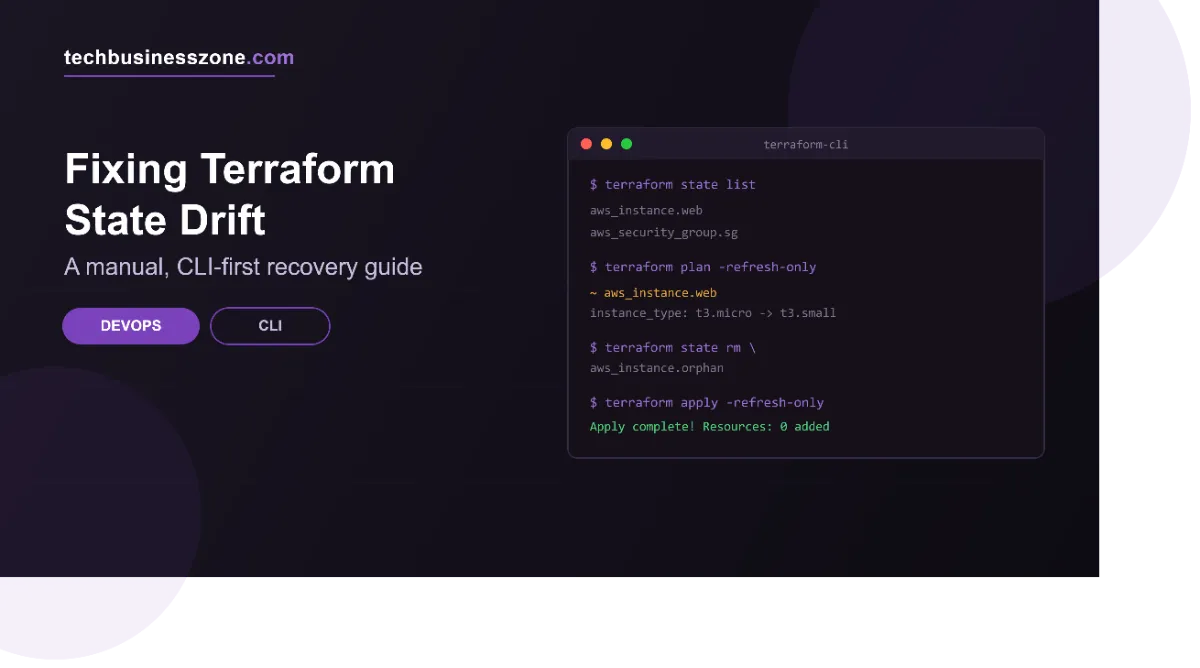
How to Fix Terraform State Drift Manually via CLI
Terraform state drift is one of those problems that can look more complicated than it really is. The difficult part usually isn’t running a Terraform command. It is figuring out what is actually wrong before you change anything.
A resource may have been changed outside Terraform, Terraform may be tracking the wrong object, or the configuration may simply no longer describe the infrastructure that exists. Those situations can produce similar-looking plan output, but they require different fixes.
If you need to repair the state manually, the safest approach is to inspect the situation first and then use Terraform’s supported CLI commands to make the smallest necessary correction.
What Terraform State Drift Looks Like
Terraform keeps a record of the infrastructure it manages in its state. Your .tf configuration describes what you want, while the real infrastructure is what currently exists. The state sits between those two and helps Terraform determine what needs to change.
Drift occurs when the real infrastructure changes without Terraform’s configuration and state being updated accordingly.
For example, someone might manually modify a resource through another tool or management interface. Terraform still has information based on the previous situation. When you run a plan, Terraform can detect that the real resource no longer matches what it expects.
However, not every difference reported by terraform plan is necessarily a state-drift problem.
There are three things worth separating:
- Terraform configuration: What your
.tffiles declare. - Terraform state: What Terraform currently records about managed resources.
- Real infrastructure: What actually exists in the provider or environment.
The goal is to determine which of those three is out of sync.
That distinction is important because changing state to hide a configuration problem can create a bigger issue later.
Before You Change Terraform State
Don’t start with terraform state rm, terraform state mv, or another state-changing command just because the plan looks wrong.
First, establish exactly where Terraform is operating.
Check the current workspace and make sure you are working against the intended environment. If you’re using a remote backend, verify that you’re connected to the correct state as well.
Next, inspect the state and review the affected resource. You want enough information to answer a simple question:
Is the infrastructure wrong, or is Terraform’s record of that infrastructure wrong?
Back up the state before making a manual correction. A state change can have consequences that are difficult to understand after the fact, especially when resources have dependencies.
A useful rule is to make one deliberate state change at a time and verify the result before doing anything else.
Detecting Drift from the Command Line
The first useful diagnostic step is usually a Terraform plan.
terraform planThe plan gives you a view of what Terraform believes needs to change. Don’t immediately approve it. Read the affected resources and determine why Terraform wants those changes.
If the plan shows that a resource would be modified even though you did not intentionally change its configuration, investigate that resource before applying anything.
You may need to refresh your understanding of the current state and compare it with the actual infrastructure. The important thing is to identify the discrepancy rather than treating every unexpected plan as proof that the state file itself needs editing.
A plan is a diagnostic tool here, not just an approval screen.
Inspecting the Current Terraform State
Terraform provides CLI commands that make it possible to inspect state without manually opening the state file.
Start by listing the resources Terraform currently tracks:
terraform state listThis is useful when you’re unsure whether a particular resource is present in the state or when you need to confirm its Terraform address.
Once you know the address, inspect the resource:
terraform state show <resource-address>For example:
terraform state show aws_instance.webThe exact resource address depends on your configuration.
This inspection can help you understand what Terraform currently knows about the resource. Compare that information with both your .tf configuration and the real infrastructure.
This is also where resource addresses become important. A state operation generally acts on a specific Terraform address, so using the wrong address can produce an entirely different result from what you intended.
When the Infrastructure Is Correct, but Terraform State Is Wrong
Sometimes the real infrastructure is already in the desired condition, but Terraform doesn’t have the correct resource relationship in its state.
In that situation, changing the infrastructure again isn’t necessarily the answer.
One common scenario is an existing resource that Terraform should manage but does not currently track. That’s where importing the resource into state can be appropriate.
The general process is:
terraform import <resource-address> <resource-id>For example:
terraform import aws_instance.web i-0123456789abcdef0The address must correspond to the Terraform resource you intend to manage, while the identifier must correspond to the existing infrastructure object.
After importing, don’t assume the problem is finished. Importing establishes the relationship between the Terraform resource and the existing object, but your Terraform configuration still needs to describe that resource correctly.
Run a plan afterward and inspect what Terraform wants to change.
If the plan proposes unexpected modifications, investigate the configuration and resource attributes rather than repeatedly importing the object.
When Terraform State Points to the Wrong Resource
Another situation is when Terraform has a resource in state, but its address needs to change.
For example, you might reorganize your Terraform configuration and move a resource into a module. The physical infrastructure doesn’t need to be recreated simply because its Terraform address changed.
That’s where terraform state mv can be useful.
The general form is:
terraform state mv <source-address> <destination-address>For example:
terraform state mv aws_instance.web module.production.aws_instance.webThe exact addresses depend on your configuration.
The important point is that terraform state mv changes how Terraform associates the existing object with its configuration address. It is not the same thing as physically moving or recreating the infrastructure.
After the move, run a plan and confirm that Terraform recognizes the resource at the intended address.
If Terraform still proposes destroying and recreating the resource, stop and investigate the configuration rather than assuming another state command is required.
Removing an Incorrect State Entry
There are cases where a resource should no longer be tracked by Terraform, even though the real infrastructure still exists.
The CLI command for removing an entry from state is:
terraform state rm <resource-address>For example:
terraform state rm aws_instance.oldThis removes the resource from Terraform’s state. It does not directly delete the real infrastructure.
That distinction matters.
Removing a resource from state can leave the actual object running outside Terraform’s management. If that isn’t what you intend, terraform state rm is the wrong correction.
Before using it, confirm the resource address and understand what will happen to the real infrastructure after Terraform stops tracking it.
A mistaken state removal can also create confusion later if someone expects Terraform to manage that resource.
Importing an Existing Resource Back Into State
Import is particularly useful when infrastructure already exists, but Terraform doesn’t have the corresponding object in its state.
The basic workflow is:
terraform import <resource-address> <resource-id>Then inspect the state:
terraform state show <resource-address>And run:
terraform planThe final plan is important because an import doesn’t magically make your Terraform configuration identical to the existing infrastructure.
If the configuration doesn’t match the imported resource, Terraform may propose changes.
That may be exactly what you need—or it may reveal that the configuration needs to be corrected first.
Think of import as establishing Terraform’s knowledge of an existing resource, not as automatically solving every difference between the configuration and infrastructure.
Handling Drift in Complex Resources
Manual state repair becomes more sensitive when the affected resource has dependencies or complicated relationships with other resources.
A resource may be referenced by other parts of the configuration. Moving or removing one state entry without understanding those relationships can leave Terraform with an inconsistent view of the environment.
The same caution applies to resources with generated or provider-managed values. A value visible in state isn’t necessarily something you should try to manipulate directly.
For complicated cases, inspect the affected resource and its surrounding configuration before deciding which state operation is appropriate.
The more interconnected the infrastructure is, the more important it becomes to make a narrowly targeted correction and verify it afterward.
Verifying the State After Manual Repair
A state correction isn’t complete just because the command succeeded.
Run another plan:
terraform planThen read the result carefully.
You want to confirm that Terraform now understands the relationship between your configuration, state, and infrastructure.
If you used terraform state mv, verify that the resource appears under the intended address.
If you used terraform import, confirm that Terraform recognizes the existing resource and that the resulting plan makes sense.
If you used terraform state rm, verify that Terraform no longer attempts to manage the removed object in a way you didn’t intend.
The goal isn’t simply to make the plan empty. The goal is to make the plan accurately represent the infrastructure changes you actually want.
If the plan still contains unexpected actions, don’t keep modifying state until the output looks clean. Go back and determine why Terraform wants those changes.
Common Mistakes to Avoid
State drift can become harder to fix when you change Terraform state before understanding the actual cause. Avoid removing, moving, or importing resources without first checking the configuration, state, and real infrastructure.
A careful review before every state operation helps prevent accidental resource changes, broken dependencies, and unexpected Terraform plans.
Changing state before understanding the drift
A state command is not a diagnostic shortcut. First determine what differs and why.
Removing a resource when the configuration is the problem
If the .tf configuration is wrong, deleting the state entry doesn’t solve the underlying configuration issue.
Importing without checking the configuration
An imported resource can still produce a plan containing unexpected changes if the configuration doesn’t match the existing infrastructure.
Moving the wrong state address
terraform state mv depends on accurate source and destination addresses. Double-check both before executing the command.
Applying an unexpected plan
If Terraform proposes changes you weren’t expecting, stop and investigate. Don’t treat a successful state command as permission to apply the resulting plan automatically.
Making manual changes without a recovery path
State is important infrastructure data. Before making consequential changes, make sure you have a way to recover if the correction turns out to be wrong.
A Practical CLI Recovery Workflow
A useful manual workflow is straightforward:
1. Run a plan
terraform planIdentify the unexpected resource changes.
2. Confirm the Terraform context
Make sure you’re working in the correct workspace and against the intended backend and environment.
3. Inspect the resource
terraform state list
terraform state show <resource-address>
4. Compare the three sources
Check the Terraform configuration, Terraform state, and actual infrastructure.
5. Choose the correction based on the actual problem
If an existing resource needs to be brought under Terraform management, consider import:
terraform import <resource-address> <resource-id>If a state address needs to change without changing the underlying infrastructure, consider:
terraform state mv <source-address> <destination-address>If Terraform should stop tracking a resource while leaving the real infrastructure alone, consider:
terraform state rm <resource-address>6. Run another plan
terraform plan7. Stop if the result is unexpected
Don’t keep manipulating state to force Terraform into producing a particular result. An unexpected plan is often a sign that the underlying configuration, resource identity, or infrastructure relationship still needs investigation.
When Manual State Repair Is the Wrong Approach
Manual state operations are useful, but they aren’t the answer to every drift problem.
If you’re not sure which real resource Terraform is supposed to manage, changing the state can make the situation harder to understand.
The same applies when the Terraform configuration itself is incorrect. State manipulation shouldn’t be used to hide a configuration mistake.
Be particularly careful when resources have complex dependencies or when multiple resources are affected. A seemingly small state change can have consequences elsewhere in the configuration.
Sometimes the right fix is to correct the Terraform configuration or the infrastructure itself and then let Terraform reconcile the difference.
The deciding question should be simple:
Are you correcting Terraform’s record of an otherwise correct infrastructure object, or are you trying to make Terraform ignore an infrastructure/configuration problem?
If it’s the first, a state operation may be appropriate. If it’s the second, investigate the underlying problem instead.
Frequently Asked Questions about Terraform State Drift Manually via CLI
Can Terraform automatically fix state drift?
Terraform can detect differences between its configuration, state, and infrastructure during planning, but detection and correction are different tasks. You still need to determine what should be changed before choosing an appropriate correction.
Does terraform state rm delete the real resource?
No. terraform state rm Removes the resource from Terraform’s state. It does not directly destroy the corresponding real infrastructure.
Should I edit the Terraform state file manually?
For normal state-repair work, supported Terraform CLI commands are preferable to manually modifying the state data. Commands such as terraform state mv and terraform state rm provide targeted operations without requiring you to edit the underlying state representation directly.
How do I know whether Terraform state or infrastructure is wrong?
Compare the Terraform configuration, the state information, and the actual infrastructure. terraform plan, terraform state list, and terraform state show can help you establish what Terraform currently knows before you decide which side needs correction.
What should I do after fixing Terraform state drift?
Run terraform plan again and review the resulting actions. The important thing is that the plan now reflects the infrastructure and changes you actually intend to manage—not simply that the command completes successfully.
Conclusion
Terraform state drift is easier to fix when you treat it as an investigation rather than a command-line problem. Before changing anything, compare your Terraform configuration, state, and actual infrastructure to identify where the mismatch comes from.
Once you understand the problem, use the smallest appropriate CLI operation. terraform import can bring an existing resource into state, terraform state mv can correct a resource address, and terraform state rm can remove an object from Terraform’s tracking without deleting the real infrastructure.
Most importantly, don’t consider the repair finished when the command succeeds. Run terraform plan again and review the result carefully. A clean or expected plan is what tells you that Terraform now has the relationship you intended.
Final words: Manual state repair should be precise, deliberate, and reversible whenever possible. When you understand what Terraform is tracking and why it differs from reality, state drift becomes a manageable infrastructure problem rather than a reason to rebuild resources unnecessarily.