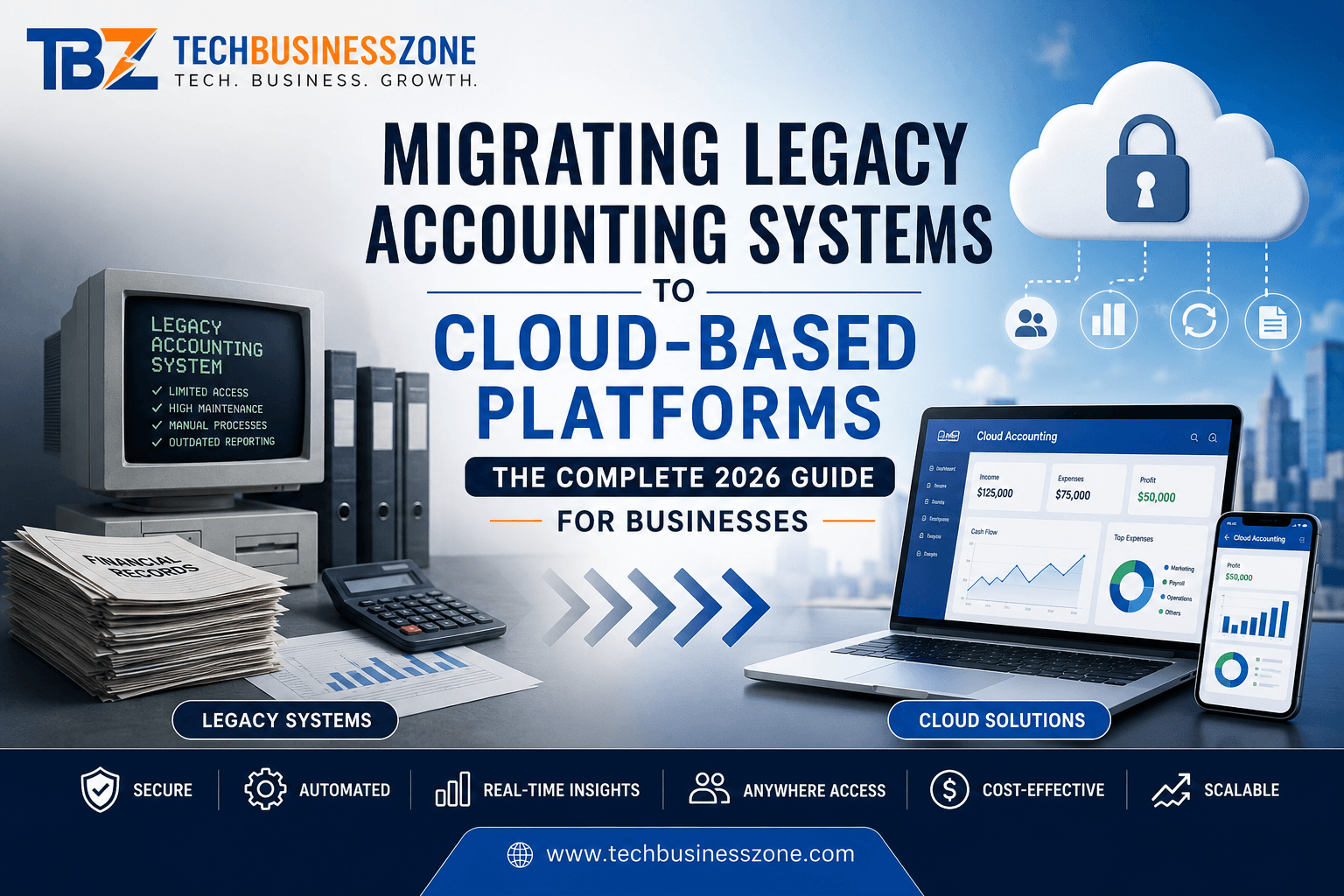
Legacy Accounting Systems

Migrating Legacy Accounting Systems to Cloud-Based Platforms: The Complete 2026 Guide for Businesses

Direct Answer (AI Overview Optimized)

Migrating legacy accounting systems to cloud-based platforms is the process of transferring financial data, workflows, and accounting operations from outdated, on-premise software to modern cloud solutions. Businesses are making this shift to improve automation, strengthen security, reduce costs, enable remote access, simplify compliance, and scale more efficiently. A successful migration requires careful planning, data cleansing, system integration, thorough testing, employee training, and ongoing performance monitoring after deployment.


Introduction

Despite rapid advances in financial technology, many businesses still rely on accounting software implemented years—or even decades—ago. While these legacy systems may continue to perform basic bookkeeping functions, they often struggle to meet the demands of today’s fast-paced, data-driven business environment.

Older accounting platforms frequently require manual data entry, expensive hardware maintenance, limited software updates, and complex reporting processes. As organizations expand, these limitations become increasingly costly, reducing productivity and making it harder to access real-time financial insights.

Digital transformation has changed how finance teams operate. In 2026, cloud accounting is no longer considered a competitive advantage—it has become a business necessity. Organizations want secure, scalable, and accessible financial systems that integrate seamlessly with payroll, ERP, CRM, banking, inventory management, and tax applications.

This comprehensive guide explains everything you need to know about migrating legacy accounting systems to cloud-based platforms, from understanding legacy software and evaluating cloud solutions to avoiding common migration mistakes and preparing your finance team for long-term success.


Understanding Legacy Accounting Systems

Before planning any migration, it’s essential to understand your existing accounting environment. Identifying current software limitations, data quality issues, and integration challenges helps create a migration strategy that minimizes business disruption while protecting valuable financial records.

What Is a Legacy Accounting System?

A legacy accounting system refers to older financial software that remains in operation despite newer technologies being available. These systems are typically installed on local servers or desktop computers and often rely on outdated databases and customized configurations.

Although many legacy platforms continue to process invoices, payroll, tax records, and financial statements, they usually lack modern features such as cloud synchronization, AI-powered automation, real-time collaboration, and advanced cybersecurity protections.

Legacy accounting systems often require manual backups, periodic software upgrades, and dedicated IT support, increasing operational complexity over time.


Common Examples of Legacy Accounting Software

Many organizations continue to use accounting software originally deployed years ago because replacing it seems expensive or disruptive. Common examples include:

  • Older on-premise ERP accounting modules
  • Desktop accounting software with limited cloud functionality
  • Custom-built accounting applications
  • DOS-based accounting programs still used in specialized industries
  • Legacy financial management systems developed specifically for large enterprises

While these systems may still function, they often struggle to integrate with modern cloud applications, digital payment systems, customer relationship management software, and automated reporting tools.


Why Businesses Continue Using Legacy Systems

Many organizations postpone accounting software modernization because their current systems still appear to work adequately for daily operations. However, the reasons often extend beyond simple functionality.

Common reasons include:

  • High perceived migration costs
  • Fear of operational downtime
  • Employee familiarity with existing software
  • Complex historical financial records
  • Custom workflows developed over many years
  • Concerns about regulatory compliance
  • Limited internal IT expertise

While these concerns are understandable, delaying modernization frequently creates larger financial and operational risks in the future.


Hidden Costs of Outdated Accounting Software

The true expense of legacy accounting systems extends far beyond licensing fees or server maintenance.

Businesses often experience hidden costs such as:

  • Increased manual data entry
  • Higher IT maintenance expenses
  • Reduced employee productivity
  • Limited reporting capabilities
  • Costly hardware upgrades
  • Greater cybersecurity vulnerabilities
  • Difficult software integrations
  • Increased compliance risks
  • Slower month-end closing processes

These inefficiencies accumulate over time, making outdated systems significantly more expensive than they initially appear.


Risks of Delaying Cloud Migration

Waiting too long to modernize accounting infrastructure can expose businesses to significant operational and financial challenges.

Some of the most common risks include:

  • Growing cybersecurity threats targeting unsupported software
  • Lack of vendor support and security updates
  • Increased system failures
  • Poor scalability during business growth
  • Difficulty supporting remote employees
  • Limited access to real-time financial data
  • Compliance issues caused by outdated reporting capabilities
  • Higher disaster recovery risks

Organizations that proactively migrate their financial systems are generally better positioned to respond to changing market conditions and evolving regulatory requirements.


What Is Cloud-Based Accounting?

Cloud-based accounting represents a modern approach to financial management where accounting software and data are hosted securely on remote servers rather than local computers. This enables finance teams to access accurate financial information from anywhere while benefiting from automatic updates, enhanced security, and seamless integrations with other business systems.

Unlike traditional accounting software, cloud platforms continuously evolve with new features, helping organizations remain competitive without requiring expensive hardware upgrades or manual software installations.

How Cloud Accounting Works

Cloud accounting software stores financial data in secure data centers managed by the software provider. Authorized users access the system through a web browser or mobile application using encrypted internet connections.

Instead of maintaining physical servers, businesses subscribe to cloud services that automatically provide:

  • Secure data storage
  • Continuous software updates
  • Automated backups
  • Real-time synchronization
  • User permission management
  • Multi-device accessibility

Every authorized team member works from the same financial data, reducing inconsistencies and improving collaboration across departments.


Cloud Accounting vs Traditional Accounting Software

Choosing between cloud accounting and traditional software depends on an organization’s goals, budget, and IT capabilities. However, cloud platforms generally offer significant advantages in flexibility, automation, and long-term scalability.

FeatureTraditional AccountingCloud Accounting
InstallationLocal serversWeb-based
UpdatesManualAutomatic
AccessibilityOffice onlyAnywhere
CollaborationLimitedReal-time
MaintenanceInternal ITVendor-managed
Data BackupManualAutomatic
SecurityOrganization-managedEnterprise-grade cloud security
ScalabilityLimitedHighly scalable
IntegrationOften difficultExtensive APIs and integrations
Cost StructureLarge upfront investmentPredictable subscription model

For most growing businesses, cloud accounting provides a lower total cost of ownership while delivering greater operational flexibility.


Types of Cloud Accounting Platforms

Different organizations require different deployment models depending on security requirements, industry regulations, and business size.

The most common cloud accounting options include:

Public Cloud Accounting

Ideal for small and medium-sized businesses, public cloud platforms offer affordability, rapid deployment, automatic maintenance, and excellent scalability.

Private Cloud Accounting

Private cloud environments provide dedicated infrastructure for organizations with strict compliance, security, or data governance requirements.

Hybrid Cloud Accounting

Hybrid cloud solutions combine on-premise infrastructure with cloud services, allowing businesses to migrate gradually while maintaining critical legacy applications during the transition.


SaaS vs Private Cloud vs Hybrid Cloud

Selecting the right deployment model is one of the most important decisions during migrating legacy accounting systems to cloud-based platforms. Each option offers unique advantages depending on operational needs.

Software as a Service (SaaS)

SaaS accounting platforms are fully managed by the provider and accessed through a web browser. They require minimal IT infrastructure, making them ideal for startups and growing businesses seeking rapid deployment and predictable subscription costs.

Private Cloud

Private cloud accounting offers greater control over infrastructure and data. It is commonly used by large enterprises, financial institutions, and organizations operating under strict regulatory frameworks that require customized security policies.

Hybrid Cloud

Hybrid cloud combines the strengths of legacy infrastructure with modern cloud services. Businesses can migrate critical workloads in phases, reducing operational risk while preserving compatibility with specialized applications that cannot yet move entirely to the cloud.

For organizations with complex financial operations, hybrid deployment often serves as an effective bridge toward complete cloud adoption, balancing innovation with business continuity.


Benefits of Migrating Legacy Accounting Systems to Cloud-Based Platforms

Migrating Legacy Accounting Systems to cloud accounting is more than a technology upgrade—it’s a strategic investment in your business’s future. Modern cloud accounting solutions improve operational efficiency, provide greater financial visibility, reduce manual workloads, and support sustainable growth. Whether you’re a small business or a large enterprise, the right cloud platform helps finance teams make faster, data-driven decisions while adapting to changing market demands.

Real-Time Financial Reporting

One of the biggest advantages of migrating legacy accounting systems to cloud-based platforms is access to real-time financial reporting. Instead of waiting for end-of-day or monthly reports, finance teams can monitor cash flow, expenses, revenue, and profitability instantly.

Real-time dashboards provide decision-makers with up-to-date insights, enabling quicker responses to market changes, budgeting needs, and financial risks. This increased visibility improves forecasting accuracy and supports better strategic planning.


Automated Bookkeeping

Manual bookkeeping is both time-consuming and prone to human error. Cloud accounting platforms automate repetitive tasks such as invoice generation, bank reconciliation, expense categorization, recurring payments, and journal entries.

Automation not only saves valuable time but also improves data accuracy, allowing accounting professionals to focus on financial analysis and business strategy rather than routine administrative work.


Anywhere Access

Modern businesses operate beyond the traditional office environment. Cloud accounting enables authorized users to securely access financial data from desktops, laptops, tablets, or smartphones using an internet connection.

This flexibility supports remote work, multi-location businesses, traveling executives, and external accountants without compromising data consistency or productivity.


Improved Data Security

Many organizations mistakenly believe on-premise systems offer better protection. In reality, reputable cloud accounting providers invest heavily in enterprise-grade cybersecurity technologies.

Security features typically include:

  • End-to-end encryption
  • Multi-factor authentication (MFA)
  • Continuous security monitoring
  • Automatic backups
  • Role-based access controls
  • Disaster recovery systems

These measures significantly reduce the risks associated with hardware failures, ransomware attacks, and unauthorized access.


Automatic Software Updates

Legacy accounting systems software often requires manual updates that consume IT resources and may interrupt daily operations.

Cloud-based platforms automatically deploy security patches, feature enhancements, tax updates, and performance improvements without requiring user intervention. This ensures businesses always operate with the latest functionality and regulatory requirements.


Better Compliance

Keeping up with changing financial regulations can be challenging. Cloud accounting software simplifies compliance by automatically updating tax rules, maintaining detailed audit trails, and generating standardized financial reports.

Many platforms also help organizations comply with industry regulations through secure record retention, permission controls, and built-in reporting tools that simplify audits.


Lower IT Costs

Traditional accounting systems often require expensive servers, software licenses, maintenance contracts, and dedicated IT personnel.

Cloud accounting significantly reduces these expenses by replacing large upfront infrastructure investments with predictable subscription-based pricing. Businesses also benefit from lower hardware costs, reduced maintenance requirements, and fewer system upgrades.


Scalability for Growing Businesses

As businesses expand, financial processes become more complex. Cloud accounting platforms are designed to scale alongside organizational growth without requiring major infrastructure changes.

Organizations can easily add:

  • New users
  • Business locations
  • Additional currencies
  • Multiple legal entities
  • Advanced financial modules
  • Third-party integrations

This flexibility ensures the accounting system continues supporting business objectives as operational requirements evolve.


AI-Powered Financial Insights

Artificial intelligence is transforming modern accounting. Many cloud accounting platforms now use AI to analyze financial data, identify unusual transactions, forecast cash flow, and recommend operational improvements.

AI-powered analytics help finance teams detect spending trends, improve budgeting accuracy, identify potential fraud, and make more informed business decisions based on predictive insights rather than historical data alone.


Improved Collaboration Between Teams

Financial data is no longer isolated within the accounting department. Cloud accounting enables secure collaboration across finance, sales, procurement, operations, payroll, and executive leadership.

Because everyone works from a centralized database, organizations eliminate duplicate data entry, improve communication, and ensure departments make decisions using consistent financial information.


Signs Your Business Needs to Migrate

Many companies continue using outdated accounting software simply because it still functions. However, several warning signs indicate that your existing system may be limiting productivity, increasing operational risks, and preventing future growth. Recognizing these indicators early allows businesses to plan a smooth transition before major problems arise.

Frequent Software Crashes

If your accounting software regularly freezes, crashes, or experiences downtime, it may be reaching the end of its lifecycle.

Frequent system failures disrupt financial operations, delay reporting, and increase the risk of data corruption. Modern cloud accounting platforms offer higher availability and improved reliability through redundant cloud infrastructure.


Manual Data Entry

Excessive manual data entry is a strong indicator that your accounting processes need modernization.

Employees spending hours entering invoices, reconciling accounts, or updating spreadsheets are more likely to make costly errors. Automation features available in cloud accounting software reduce repetitive work while improving accuracy and efficiency.


Poor Reporting Capabilities

Business leaders rely on timely financial information to make strategic decisions. If generating reports requires exporting spreadsheets, manual calculations, or extensive customization, your current software is likely restricting financial visibility.

Cloud accounting solutions provide customizable dashboards, real-time reporting, and advanced analytics that simplify financial management.


Increasing Maintenance Costs

Legacy systems often become more expensive over time due to aging hardware, outdated software, and declining vendor support.

Signs include:

  • Rising server maintenance expenses
  • Frequent software repairs
  • Costly hardware replacements
  • Expensive licensing renewals
  • Dependence on specialized IT consultants

Migrating to a cloud-based accounting platform can significantly reduce these ongoing operational costs.


Security Concerns

Cybersecurity threats continue to evolve, and unsupported accounting software presents an attractive target for attackers.

Older systems often lack:

  • Modern encryption standards
  • Multi-factor authentication
  • Automatic security updates
  • Advanced threat detection
  • Secure remote access

Migrating to a secure cloud accounting solution helps protect sensitive financial information from increasingly sophisticated cyber threats.


Lack of Integration

Modern businesses depend on connected software ecosystems. If your accounting platform cannot integrate with CRM software, payroll systems, inventory management, ERP platforms, banking applications, or payment gateways, employees may spend valuable time transferring information manually.

Cloud accounting platforms offer robust APIs and built-in integrations that streamline workflows across the organization.


Step-by-Step Legacy Accounting Migration Systems Process

A successful migration doesn’t happen by accident. It requires careful planning, structured execution, and continuous validation at every stage. Following a proven migration process helps minimize downtime, preserve data integrity, reduce business risks, and ensure employees can confidently adopt the new cloud accounting environment.

Evaluate Your Current Accounting System

Begin by assessing your existing accounting software, workflows, integrations, hardware, and business processes.

Identify:

  • Performance limitations
  • Custom features
  • Data quality issues
  • Compliance requirements
  • Existing integrations
  • Security vulnerabilities

A thorough assessment establishes a solid foundation for migration planning.


Define Business Goals

Clearly define what your organization expects to achieve from cloud migration.

Common objectives include:

  • Improving financial reporting
  • Reducing manual work
  • Supporting remote employees
  • Increasing automation
  • Enhancing security
  • Lowering operational costs
  • Improving scalability

Well-defined goals help guide every migration decision.


Choose the Right Cloud Accounting Platform

Not every cloud accounting solution offers the same capabilities.

Evaluate platforms based on:

  • Business size
  • Industry requirements
  • Integration capabilities
  • Reporting features
  • Security standards
  • Vendor reputation
  • Long-term scalability

Selecting the right solution early prevents costly implementation issues later.


Audit Existing Financial Data

Before migration, review all financial records to identify missing information, inconsistencies, outdated accounts, duplicate records, and inactive customers or vendors.

A detailed audit ensures only accurate, valuable data moves into the new system.


Clean and Prepare Data

Data cleansing is one of the most critical stages of migrating legacy accounting systems to cloud-based platforms.

This includes:

  • Removing duplicate records
  • Correcting formatting issues
  • Standardizing chart of accounts
  • Updating customer information
  • Validating financial balances

High-quality data leads to smoother migrations and more reliable reporting.


Backup All Accounting Records

Always create multiple verified backups before making any changes.

Backups should include:

  • General ledger
  • Customer records
  • Vendor information
  • Payroll data
  • Tax records
  • Financial statements
  • Historical transactions

Comprehensive backups provide an essential recovery point if unexpected issues occur.


Plan Data Mapping

Data mapping defines how information from the legacy system corresponds to the new cloud platform.

Proper mapping ensures:

  • Account codes remain accurate
  • Customer records align correctly
  • Historical transactions are preserved
  • Reports remain consistent after migration

Careful planning minimizes data inconsistencies during import.


Configure Cloud Environment

Configure the cloud accounting platform before importing financial data.

Typical configuration tasks include:

  • User permissions
  • Security policies
  • Approval workflows
  • Tax settings
  • Financial periods
  • Reporting templates
  • Currency settings

Completing these steps first helps ensure a smooth transition.


Migrate Historical Financial Data

Transfer historical financial information using validated migration tools or vendor-supported import processes.

Organizations should verify:

  • Account balances
  • Transaction histories
  • Customer invoices
  • Vendor payments
  • Payroll records
  • Tax information

Maintaining historical accuracy is essential for future reporting and regulatory compliance.


Integrate Third-Party Applications

Modern accounting software should connect seamlessly with other business systems.

Common integrations include:

  • CRM platforms
  • ERP software
  • Payroll applications
  • Banking services
  • Inventory systems
  • Payment processors
  • Business intelligence tools

Proper integration reduces manual work and improves operational efficiency.


Perform Testing

Never move directly into production after data migration.

Comprehensive testing should verify:

  • Financial calculations
  • Reports
  • User permissions
  • Data accuracy
  • Integrations
  • Workflow automation
  • Performance under normal workloads

Testing identifies issues before they affect daily business operations.


Train Employees

Technology adoption depends on user confidence.

Provide practical training covering:

  • Daily accounting tasks
  • Financial reporting
  • Workflow changes
  • Security practices
  • Approval processes
  • Troubleshooting procedures

Well-trained employees accelerate adoption and reduce post-migration support requests.


Go Live

After successful testing and employee training, transition to the cloud accounting platform.

Many organizations schedule go-live during weekends or slower business periods to minimize operational disruption.

Support teams should remain available to address immediate questions and technical issues.


Monitor Performance

Migration doesn’t end after deployment.

Continue monitoring:

  • System performance
  • User adoption
  • Financial accuracy
  • Security alerts
  • Integration health
  • Reporting consistency

Ongoing optimization helps maximize the return on your cloud accounting investment.


Choosing the Right Cloud Accounting Platform

Selecting the ideal cloud accounting solution requires balancing current business needs with future growth plans. Organizations should evaluate functionality, security, scalability, compliance, and vendor reliability rather than focusing solely on price. A well-chosen platform supports efficient financial management for years while adapting to changing business requirements.

Small Business Requirements

Small businesses should prioritize ease of use, affordability, quick implementation, automatic updates, mobile accessibility, and essential accounting features such as invoicing, expense tracking, payroll, and tax reporting.

Simple integration with banking services and payment gateways also reduces administrative workload.


Enterprise Requirements

Large organizations require advanced capabilities that support complex financial operations.

Important enterprise features include:

  • Multi-company accounting
  • Multi-currency support
  • Advanced reporting
  • Consolidated financial statements
  • Workflow automation
  • Role-based permissions
  • Compliance management
  • ERP integration
  • High-volume transaction processing

These features ensure the platform can support large-scale business operations efficiently.


Industry-Specific Features

Different industries have unique accounting requirements.

For example:

  • Manufacturing businesses may need inventory costing and production accounting.
  • Healthcare organizations often require regulatory compliance and specialized billing.
  • Retail businesses benefit from point-of-sale integration and inventory synchronization.
  • Professional service firms typically need project accounting and time tracking.

Choosing industry-specific functionality reduces the need for expensive software customization.


Pricing Models

Cloud accounting providers generally offer subscription-based pricing, but costs vary depending on features, user limits, storage, and support levels.

Before selecting a platform, evaluate:

  • Monthly or annual subscription fees
  • Implementation costs
  • Data migration expenses
  • Training services
  • Additional module pricing
  • Long-term total cost of ownership

Understanding the complete pricing structure helps avoid unexpected expenses.


Vendor Support

Reliable vendor support becomes especially important during implementation and future system updates.

Look for providers that offer:

  • 24/7 technical assistance
  • Comprehensive documentation
  • Training resources
  • Dedicated account managers
  • Active product development
  • Strong customer satisfaction ratings

Responsive support minimizes downtime and improves the overall migration experience.


Security Certifications

Financial data requires the highest level of protection.

When evaluating providers, verify whether they maintain recognized security certifications and follow industry best practices for encryption, access control, monitoring, and compliance.

A security-focused vendor demonstrates a long-term commitment to protecting customer information.


API Availability

Application Programming Interfaces (APIs) enable cloud accounting software to connect with other business applications.

Robust APIs support seamless integration with:

  • CRM platforms
  • ERP systems
  • Payroll software
  • E-commerce platforms
  • Banking services
  • Business intelligence tools
  • Custom applications

Strong API capabilities provide the flexibility needed to build a connected and scalable financial technology ecosystem.


Data Migration Legacy Accounting Systems Best Practices

The success of migrating legacy accounting systems to cloud-based platforms depends heavily on the quality of your data. Even the most advanced cloud accounting solution cannot deliver accurate financial insights if outdated, incomplete, or inconsistent information is transferred. By following proven data migration best practices, businesses can minimize errors, maintain financial integrity, and ensure a smooth transition to their new accounting environment.

Data Cleansing

Data cleansing is the foundation of every successful accounting system modernization project. Before migrating, review your financial records to remove outdated, inaccurate, or irrelevant information.

A comprehensive data cleansing process should include:

  • Updating customer and vendor records
  • Removing inactive accounts
  • Correcting formatting inconsistencies
  • Standardizing naming conventions
  • Eliminating obsolete financial entries

Clean data improves reporting accuracy and reduces migration-related issues after deployment.


Data Validation

After cleaning your data, validate it to ensure everything is complete and accurate before importing it into the cloud platform.

Data validation typically involves verifying:

  • Account balances
  • Transaction histories
  • Customer information
  • Vendor details
  • Tax records
  • Payroll data
  • Financial statements

Identifying discrepancies early prevents costly corrections after the migration is complete.


Duplicate Removal

Duplicate records often accumulate over years of using legacy accounting software. These duplicates can lead to incorrect reports, inaccurate balances, and unnecessary confusion.

Businesses should identify and remove duplicates:

  • Customers
  • Suppliers
  • Products
  • Invoices
  • Journal entries
  • Payment records

Maintaining a single, accurate version of each record improves overall financial data quality.


Chart of Accounts Standardization

Many legacy systems contain inconsistent account structures that have evolved. Before migration, review and standardize your chart of accounts to create a cleaner financial framework.

This process helps:

  • Improve reporting consistency
  • Simplify budgeting
  • Enhance financial analysis
  • Reduce duplicate account codes
  • Support future business growth

A well-organized chart of accounts also makes onboarding new employees much easier.


Financial Record Verification

Financial accuracy should never be assumed during migration. Every critical financial record should be verified before and after transferring data to the cloud.

Verify items such as:

  • General ledger balances
  • Accounts receivable
  • Accounts payable
  • Bank reconciliations
  • Fixed assets
  • Tax liabilities
  • Historical transactions

Verification ensures financial reports remain accurate and audit-ready.


Migration Testing

Testing is one of the most important phases of legacy accounting software migration. Rather than migrating all data immediately, organizations should conduct pilot migrations using sample datasets.

Testing should confirm:

  • Accurate data transfers
  • Proper financial calculations
  • Functional reports
  • Successful integrations
  • User permissions
  • Workflow automation

A successful test migration significantly reduces the likelihood of issues during the final deployment.


Security and Compliance During Migration

Financial information is among the most valuable assets an organization possesses. During cloud accounting migration, sensitive data moves between systems, making security and compliance critical priorities. Implementing strong security controls protects confidential financial records while ensuring the organization continues to meet regulatory requirements throughout the migration process.

Encryption Standards

Encryption safeguards financial information while it is stored and transmitted.

Modern cloud accounting providers typically use advanced encryption technologies to protect:

  • Customer financial data
  • Payment information
  • Accounting records
  • Payroll files
  • Tax documentation

Strong encryption significantly reduces the risk of unauthorized data access during migration.


Multi-Factor Authentication

Passwords alone are no longer sufficient to secure accounting systems.

Multi-factor authentication (MFA) requires users to verify their identity through additional methods, such as authentication apps, biometric verification, or one-time security codes.

Implementing MFA strengthens account security and protects sensitive financial information from compromised credentials.


Role-Based Access Controls

Not every employee requires access to every financial record.

Role-based access controls allow organizations to assign permissions according to job responsibilities. For example:

  • Accountants access financial transactions.
  • Payroll staff manage employee compensation.
  • Managers review reports.
  • Executives view strategic dashboards.

Limiting access reduces both internal security risks and accidental data exposure.


Audit Trails

Comprehensive audit trails record every significant action performed within the accounting system.

Audit logs typically capture:

  • User logins
  • Record modifications
  • Approval workflows
  • Transaction updates
  • Security changes

These records improve transparency, simplify audits, and support internal investigations when necessary.


Regulatory Compliance

Organizations operating in regulated industries must ensure their cloud accounting solution complies with applicable financial regulations.

Compliance considerations may include:

  • Tax reporting requirements
  • Financial reporting standards
  • Data retention policies
  • Industry-specific regulations
  • Privacy legislation

Selecting a cloud provider with strong compliance capabilities helps reduce legal and operational risks.


Backup and Disaster Recovery

Unexpected events such as cyberattacks, hardware failures, or accidental deletions can disrupt financial operations.

Reliable cloud accounting platforms provide:

  • Automated backups
  • Geographic data redundancy
  • Rapid recovery options
  • Business continuity planning
  • Disaster recovery testing

These capabilities help organizations recover quickly while minimizing operational downtime.


Integrating Cloud Accounting with Other Business Systems

Cloud accounting delivers the greatest value when it becomes part of a connected business ecosystem. Integrating accounting software with other operational platforms eliminates manual data entry, improves workflow automation, and provides a unified view of business performance across departments.

CRM Integration

Connecting cloud accounting with a Customer Relationship Management (CRM) platform allows sales and finance teams to work with synchronized customer information.

Benefits include:

  • Faster invoice generation
  • Improved payment tracking
  • Better customer insights
  • Automated billing workflows
  • Enhanced cash flow visibility

This integration creates a smoother customer experience while reducing administrative tasks.


Payroll Systems

Payroll integration automates salary calculations, tax deductions, employee reimbursements, and payroll journal entries.

Instead of manually entering payroll information into the accounting system, businesses benefit from:

  • Reduced errors
  • Faster payroll processing
  • Accurate financial reporting
  • Simplified compliance

Automation also saves valuable time during month-end closing.


ERP Integration

Many organizations use Enterprise Resource Planning (ERP) systems to manage purchasing, production, inventory, human resources, and finance.

Integrating cloud accounting with ERP software provides:

  • Centralized financial data
  • Improved reporting accuracy
  • Automated financial workflows
  • Better operational visibility
  • Enhanced strategic decision-making

This integration is especially valuable for growing enterprises with complex operations.


Inventory Management

For product-based businesses, integrating accounting software with inventory management systems ensures financial records remain synchronized with stock movements.

Advantages include:

  • Real-time inventory valuation
  • Automated cost of goods sold calculations
  • Improved purchasing decisions
  • Reduced stock discrepancies

Accurate inventory accounting contributes to stronger financial reporting.


Banking Integration

Modern cloud accounting platforms connect directly with financial institutions to automate banking activities.

Bank integration supports:

  • Automatic transaction imports
  • Faster reconciliations
  • Real-time cash flow monitoring
  • Reduced manual bookkeeping

Finance teams gain greater visibility into daily financial activity while saving considerable administrative time.


Payment Gateways

Integrating payment gateways streamlines customer payment processing and improves cash flow management.

Common benefits include:

  • Automatic payment recording
  • Faster invoice reconciliation
  • Reduced payment delays
  • Improved customer experience

Automated payment processing also minimizes manual accounting work.


Tax Software

Tax compliance becomes significantly easier when accounting systems integrate directly with tax preparation software.

Integration enables:

  • Automatic tax calculations
  • Faster return preparation
  • Reduced compliance errors
  • Simplified regulatory reporting

This connection improves both accuracy and efficiency during tax season.


Common Migration Challenges and How to Overcome Them

Every cloud accounting migration presents unique challenges. By anticipating potential obstacles, organizations can develop proactive strategies that minimize delays, reduce costs, and improve the likelihood of a successful implementation. Careful planning is the key to overcoming both technical and organizational hurdles.

Poor Data Quality

Incomplete or inconsistent financial records remain one of the leading causes of migration problems.

To address this issue:

  • Conduct a comprehensive data audit.
  • Clean outdated records.
  • Standardize financial information.
  • Validate data before migration.

High-quality data produces more accurate reporting after implementation.


User Resistance

Employees accustomed to legacy systems may hesitate to adopt new technology.

Successful change management includes:

  • Early communication
  • Hands-on training
  • Leadership support
  • Ongoing assistance
  • Clear explanations of business benefits

Engaged employees adapt more quickly and contribute to smoother implementation.


Downtime During Migration

Business interruptions can negatively affect financial operations and customer service.

To minimize downtime:

  • Schedule migrations during low-activity periods.
  • Use phased deployment strategies.
  • Test extensively before launch.
  • Prepare contingency plans.

Careful scheduling reduces operational disruption.


Budget Overruns

Migration projects often exceed budgets due to poor planning or unexpected technical challenges.

Avoid unnecessary expenses by:

  • Defining project scope
  • Establishing realistic timelines
  • Including contingency budgets
  • Monitoring project milestones regularly

Strong project governance keeps costs under control.


Integration Failures

Modern businesses depend on interconnected applications. Integration problems can delay operations and increase manual work.

Reduce integration risks by:

  • Testing APIs early
  • Verifying compatibility
  • Using experienced implementation partners
  • Monitoring data synchronization after deployment

Reliable integrations ensure long-term operational efficiency.


Compliance Risks

Regulatory requirements must remain a priority throughout the migration process.

Organizations should:

  • Review applicable regulations
  • Maintain complete audit trails
  • Protect sensitive financial data
  • Validate compliance after migration

Working closely with compliance specialists reduces legal exposure.


Vendor Lock-In

Choosing a cloud provider without considering future flexibility can create long-term challenges.

Before selecting a vendor, evaluate:

  • Data export capabilities
  • API availability
  • Contract flexibility
  • Integration options
  • Long-term product roadmap

Selecting an open and scalable platform provides greater freedom as business needs evolve.


Cost Analysis of Cloud Accounting Migration

Although cloud accounting migration requires an initial investment, many organizations achieve substantial long-term savings through improved efficiency, lower maintenance costs, and increased automation. Evaluating both short-term expenses and future financial benefits helps businesses make informed investment decisions.

Initial Migration Costs

Upfront expenses typically include:

  • Software implementation
  • Data migration services
  • Employee training
  • System configuration
  • Consulting fees
  • Integration development

The overall investment varies depending on business size, system complexity, and customization requirements.


Ongoing Subscription Costs

Unlike traditional software licenses, cloud accounting platforms generally operate on recurring subscription models.

Monthly or annual fees may depend on:

  • Number of users
  • Feature packages
  • Storage requirements
  • Support levels
  • Additional modules

Businesses should compare pricing against the long-term operational benefits rather than focusing solely on subscription costs.


Infrastructure Savings

One of the most significant financial advantages of cloud accounting is reduced infrastructure spending.

Organizations typically save money by eliminating:

  • On-premise servers
  • Hardware upgrades
  • Software maintenance
  • Data center costs
  • Backup equipment
  • Energy consumption

These savings often offset subscription expenses over time.


ROI Calculation

Calculating return on investment (ROI) helps measure the business value of cloud accounting migration.

ROI should consider:

  • Productivity improvements
  • Reduced manual work
  • Lower IT expenses
  • Faster financial reporting
  • Improved compliance
  • Better decision-making

Many organizations begin realizing measurable returns within the first few years after implementation.


Total Cost of Ownership (TCO)

The Total Cost of Ownership (TCO) provides a comprehensive view of all expenses associated with an accounting system over its lifecycle.

When comparing legacy and cloud accounting solutions, include:

  • Software licensing or subscriptions
  • Hardware and infrastructure
  • IT maintenance
  • Security management
  • Employee training
  • System upgrades
  • Downtime costs
  • Vendor support

In many cases, cloud-based accounting delivers a lower TCO while providing greater scalability, enhanced security, and continuous access to the latest features, making it a smarter long-term investment for businesses planning sustainable growth.


Comparative Analysis of Legacy vs Cloud Accounting

Choosing between traditional accounting software and a cloud-based solution requires evaluating how each platform supports your current operations and future business goals. The comparison below highlights the key differences, making it easier to understand why migrating legacy accounting systems to cloud-based platforms has become a strategic priority for organizations of all sizes.

FeatureLegacy AccountingCloud Accounting
InstallationInstalled on local servers or desktopsWeb-based with minimal setup
AccessibilityLimited to office networkSecure access from anywhere
SecurityOrganization manages securityEnterprise-grade cloud security with encryption and MFA
UpdatesManual and often disruptiveAutomatic and continuous
MaintenanceRequires in-house IT supportManaged by the cloud provider
CostHigh upfront hardware and licensing costsPredictable subscription pricing
CollaborationLimited multi-user capabilitiesReal-time collaboration across teams
AutomationMinimal automationExtensive workflow automation
AI FeaturesRare or unavailableAI-powered insights, forecasting, and anomaly detection
ScalabilityExpensive and time-consuming to expandEasily scales with business growth
ComplianceManual updates for regulatory changesAutomated compliance features and reporting
BackupManual or scheduled backupsAutomated cloud backups
Disaster RecoveryComplex and costly recovery plansBuilt-in disaster recovery capabilities
ReportingStatic and delayed reportingReal-time dashboards and analytics
Mobile AccessLimited or unavailableDedicated mobile applications with secure access

Overall, cloud accounting offers greater flexibility, improved financial visibility, enhanced security, and lower long-term operational costs compared to traditional legacy systems.


Industry Use Cases

Every industry has unique financial processes, compliance requirements, and operational challenges. Cloud accounting platforms provide industry-specific capabilities that improve efficiency, increase accuracy, and support sustainable growth. Understanding how different sectors benefit from accounting system modernization can help organizations identify the features most relevant to their operations.

Manufacturing

Manufacturers manage complex production costs, inventory, supplier relationships, and operational expenses.

Cloud accounting helps manufacturers by providing:

  • Real-time inventory valuation
  • Automated production costing
  • Supply chain visibility
  • Multi-location financial reporting
  • Integration with ERP and warehouse management systems

These capabilities improve cost control while supporting efficient production planning.


Healthcare

Healthcare organizations handle sensitive financial data alongside strict regulatory requirements.

Cloud accounting supports healthcare providers through:

  • Secure financial data management
  • Automated billing workflows
  • Regulatory compliance reporting
  • Payroll integration
  • Budget tracking across departments

Improved financial visibility enables healthcare organizations to allocate resources more effectively.


Retail

Retail businesses process thousands of daily transactions across physical stores and online channels.

Cloud accounting simplifies retail operations by offering:

  • Point-of-sale integration
  • Automated inventory accounting
  • Multi-store financial reporting
  • Real-time sales analysis
  • Payment gateway synchronization

These features help retailers make faster purchasing and pricing decisions.


SaaS Companies

Software-as-a-Service businesses often rely on recurring revenue models and subscription billing.

Cloud accounting supports SaaS organizations through:

  • Automated recurring invoicing
  • Revenue recognition
  • Subscription management
  • Customer payment tracking
  • Financial forecasting

These tools improve financial planning while supporting rapid business growth.


Professional Services

Consulting firms, legal practices, engineering companies, and marketing agencies require accurate project accounting.

Cloud accounting enables:

  • Time tracking integration
  • Project profitability reporting
  • Expense management
  • Client invoicing automation
  • Resource allocation analysis

This improves billing accuracy and overall business profitability.


Construction

Construction companies manage multiple projects, subcontractors, and changing budgets simultaneously.

Cloud accounting provides:

  • Job costing
  • Progress billing
  • Equipment expense tracking
  • Contract management
  • Multi-project financial reporting

These capabilities help maintain profitability across large construction portfolios.


Nonprofits

Nonprofit organizations require transparent financial reporting while managing grants, donations, and restricted funds.

Cloud accounting helps nonprofits through:

  • Fund accounting
  • Grant tracking
  • Donor reporting
  • Regulatory compliance
  • Budget monitoring

Improved transparency strengthens accountability with donors and governing bodies.


Personal Experience: Lessons Learned from Migrating Legacy Accounting Systems

Every cloud migration project teaches valuable lessons that extend beyond technology. In one migration project I participated in, we initially believed moving our accounting data would be a straightforward technical exercise. Instead, we quickly realized that successful migration depended far more on planning, communication, and data quality than on software alone.

Our biggest concern before the migration was preserving years of financial history without disrupting daily business operations. Although the legacy accounting system had served the company well for many years, it contained outdated customer records, duplicate suppliers, inconsistent account codes, and incomplete historical transactions.

The Importance of Data Preparation and Stakeholder Collaboration

One of the most surprising discoveries was the amount of data cleansing required before migration. We spent considerably more time validating financial information than originally estimated. Looking back, this extra effort prevented countless reporting issues after implementation.

Another lesson involved stakeholder participation. The project became much smoother once finance managers, IT specialists, department heads, and executive leadership actively collaborated throughout the migration process. Their input helped identify business requirements that technical teams alone might have overlooked.

Testing before the production launch proved invaluable. We performed several trial migrations, compared financial reports between systems, verified account balances, and tested integrations with payroll, banking, and ERP software. These rehearsals uncovered small configuration issues that could have caused major disruptions after go-live.

Key Lessons Learned and Business Outcomes After Cloud Accounting Migration

Employee training was equally important. Rather than focusing only on software features, we explained how the new cloud accounting platform would simplify daily tasks. This practical approach significantly reduced user resistance and accelerated adoption.

Within a few months of implementation, productivity improved noticeably. Month-end closing became faster, financial reports were generated in real time, manual reconciliation decreased, and managers gained immediate access to business performance dashboards.

The biggest lesson was simple: successfully migrating legacy accounting systems to cloud-based platforms is not just about replacing software—it is about improving business processes. Organizations that invest time in planning, data preparation, testing, and employee engagement consistently achieve better long-term results.


Advanced Edge Cases and Troubleshooting

While most cloud accounting migrations follow established implementation frameworks, experienced organizations often encounter more complex situations that require specialized planning. Preparing for these advanced scenarios helps minimize operational risks and maintain financial accuracy throughout the migration process.

Migrating Decades of Historical Financial Records

Organizations with many years of accounting history frequently face challenges related to data volume, outdated formats, and inconsistent record structures.

Best practices include:

  • Migrating only essential historical records
  • Archiving inactive data
  • Performing staged migrations
  • Validating historical balances after import

This approach reduces complexity while preserving regulatory requirements.


Handling Multi-Company Accounting Structures

Large organizations often operate multiple subsidiaries with separate charts of accounts and reporting requirements.

Successful migration requires:

  • Standardized financial structures
  • Consolidation planning
  • Intercompany transaction validation
  • Centralized reporting configurations

Proper planning ensures consistent reporting across all business entities.


Multi-Currency Migration Issues

Businesses operating internationally must carefully preserve exchange rates, historical currency conversions, and foreign transaction records.

Migration teams should verify:

  • Currency configurations
  • Historical exchange rates
  • Foreign tax calculations
  • Multi-currency reporting accuracy

Ignoring these factors can significantly affect financial reporting.


Tax Rule Differences Across Countries

Global organizations must account for varying tax regulations across multiple jurisdictions.

Migration planning should include:

  • Local tax configurations
  • Regional compliance requirements
  • Country-specific reporting formats
  • VAT, GST, or sales tax validation

Working with regional tax specialists helps minimize compliance risks.


Large Database Performance Problems

Very large accounting databases can slow migration performance and increase implementation time.

Optimization techniques include:

  • Database indexing
  • Incremental migration
  • Data archiving
  • Batch processing
  • Performance testing

These strategies reduce migration time while improving system stability.


Custom Legacy Software Integrations

Many legacy accounting systems contain custom integrations developed over several years.

Before migration, organizations should:

  • Document existing integrations
  • Identify replacement APIs
  • Test custom workflows
  • Remove obsolete integrations

Careful integration planning prevents operational disruptions after migration.


Recovering from Failed Migration Attempts

Not every migration succeeds on the first attempt.

Organizations should prepare contingency plans that include:

  • Verified backups
  • Rollback procedures
  • Root cause analysis
  • Revised migration timelines
  • Additional testing

Learning from failed migrations often results in stronger implementation strategies.


Reconciling Financial Discrepancies

Small discrepancies occasionally appear after data migration.

Finance teams should compare:

  • General ledger balances
  • Trial balances
  • Accounts payable
  • Accounts receivable
  • Bank reconciliations
  • Financial statements

Systematic reconciliation ensures financial integrity before full production use.


Zero-Downtime Migration Strategies

Some organizations cannot afford operational interruptions during migration.

Common strategies include:

  • Parallel system operation
  • Incremental synchronization
  • Weekend implementation
  • Phased deployment
  • Real-time replication

These approaches maintain business continuity while reducing operational risks.


Rollback Planning

Even well-planned migrations require rollback procedures.

An effective rollback strategy includes:

  • Verified backups
  • Documented recovery steps
  • Defined decision criteria
  • Assigned responsibilities
  • Post-recovery validation

Having a rollback plan provides confidence if unexpected issues occur during implementation.


Future Trends in Cloud Accounting Migration

Cloud accounting continues to evolve rapidly as artificial intelligence, automation, and advanced analytics reshape financial operations. Organizations investing in digital finance transformation today will be better positioned to benefit from the next generation of intelligent accounting technologies.

AI-Powered Bookkeeping

Artificial intelligence increasingly automates invoice processing, expense categorization, bank reconciliation, and transaction matching.

Finance professionals spend less time on repetitive tasks and more time supporting strategic decision-making.


Predictive Financial Analytics

Advanced analytics platforms analyze historical financial data to forecast:

  • Cash flow
  • Revenue growth
  • Budget performance
  • Business risks
  • Seasonal demand

Predictive insights enable proactive financial planning.


Intelligent Automation

Workflow automation continues expanding across accounting operations.

Examples include:

  • Automated approvals
  • Payment processing
  • Vendor onboarding
  • Expense reimbursement
  • Financial reporting

Automation improves efficiency while reducing manual errors.


Blockchain for Financial Records

Blockchain technology offers immutable transaction records, enhanced transparency, and stronger audit capabilities.

Although adoption remains limited, blockchain may play an increasingly important role in financial reporting and compliance.


Continuous Accounting

Rather than waiting for month-end closing, organizations increasingly perform accounting activities continuously throughout the month.

Continuous accounting provides:

  • Faster reporting
  • Improved accuracy
  • Better financial visibility
  • Reduced closing workloads

Embedded Finance

Business software increasingly integrates financial capabilities directly into operational platforms.

Embedded finance enables organizations to process payments, lending, invoicing, and accounting within a single connected ecosystem.


Machine Learning Fraud Detection

Machine learning algorithms continuously monitor financial transactions for unusual behavior.

These systems can identify:

  • Suspicious payments
  • Duplicate invoices
  • Unusual spending patterns
  • Potential fraud risks

Early detection strengthens financial security.


Autonomous Finance Operations

The future of finance involves increasingly autonomous systems capable of performing routine accounting tasks with minimal human intervention.

While professionals will continue providing oversight and strategic guidance, automation will significantly improve efficiency across finance departments.


Best Practices Checklist

A successful cloud accounting migration depends on disciplined execution before, during, and after implementation. The following checklist provides practical guidance for every stage of the migration journey.

Before Migration

  • Define business objectives.
  • Evaluate existing accounting software.
  • Select the appropriate cloud platform.
  • Audit financial records.
  • Clean and validate data.
  • Create verified backups.
  • Build a detailed migration plan.

During Migration

  • Follow documented migration procedures.
  • Monitor data transfers continuously.
  • Test integrations thoroughly.
  • Validate financial reports.
  • Resolve discrepancies immediately.
  • Communicate progress with stakeholders.

After Migration

  • Verify account balances.
  • Monitor system performance.
  • Collect employee feedback.
  • Complete user training.
  • Review security settings.
  • Update documentation.

Long-Term Optimization

  • Regularly review workflows.
  • Monitor software updates.
  • Expand automation opportunities.
  • Optimize financial reporting.
  • Perform periodic security audits.
  • Evaluate new AI-powered accounting features.

Frequently Asked Questions About Legacy Accounting Systems

How do you migrate a legacy accounting systems to the cloud?

Start by evaluating your current system, defining business goals, cleaning and validating financial data, selecting the right cloud accounting platform, testing the migration, training employees, and monitoring performance after deployment.


What are the biggest risks of cloud accounting migration?

Common risks include poor data quality, inadequate testing, security vulnerabilities, integration failures, employee resistance, compliance issues, and insufficient project planning.


How long does migrating accounting software take?

Migration timelines vary based on business size and complexity. Small businesses may complete the process within a few weeks, while large enterprises with complex integrations can require several months.


How much does cloud accounting migration cost?

Costs depend on software licensing, implementation services, data migration complexity, integrations, employee training, and ongoing subscription fees. Long-term operational savings often outweigh the initial investment.


Will I lose historical financial data during migration?

Not if the migration is properly planned. Data backups, validation procedures, and migration testing help preserve historical financial records throughout the transition.


Which cloud accounting software is best for small businesses?

The best solution depends on your budget, business size, reporting needs, required integrations, scalability, and industry-specific requirements. Focus on choosing a platform that supports long-term growth rather than simply the lowest cost.


Can cloud accounting integrate with ERP and CRM systems?

Yes. Most modern cloud accounting platforms provide APIs and built-in integrations for ERP systems, CRM software, payroll applications, inventory management, banking platforms, payment gateways, and tax software.


Is cloud accounting more secure than on-premise software?

In many cases, yes. Reputable cloud providers offer advanced security measures such as encryption, multi-factor authentication, continuous monitoring, automatic backups, and disaster recovery capabilities that exceed the security resources available to many individual organizations.


What should I do before migrating accounting data?

Audit your existing system, clean outdated records, validate financial data, standardize your chart of accounts, back up all information, and create a detailed migration strategy before transferring any data.


How can businesses minimize downtime during migration?

Schedule migrations during low-activity periods, perform extensive testing, use phased implementation strategies, prepare rollback plans, and maintain clear communication with all stakeholders throughout the project.


Conclusion

Migrating legacy accounting systems to cloud-based platforms is no longer just an IT initiative—it is a strategic business decision that improves efficiency, financial visibility, security, and long-term scalability. As organizations embrace digital transformation, cloud accounting provides the flexibility needed to support modern operations, remote work, and increasingly complex financial requirements.

A successful migration begins with careful planning. Evaluating your existing accounting environment, cleaning and validating financial data, selecting the right cloud platform, testing thoroughly, and preparing employees for change are all essential steps that reduce risk and improve implementation outcomes.

Avoid common mistakes such as migrating poor-quality data, underestimating employee training, neglecting security requirements, or choosing a platform that cannot scale with future business growth. Addressing these challenges early can save significant time, money, and operational disruption.

The long-term benefits of cloud accounting—including automated workflows, real-time reporting, AI-driven insights, stronger compliance, lower infrastructure costs, and seamless integration with other business systems—far outweigh the initial investment for most organizations.

Whether you’re a small business modernizing your financial operations or a large enterprise replacing complex legacy systems, selecting the right migration strategy and cloud accounting platform will position your organization for greater efficiency, improved decision-making, stronger compliance, and sustainable growth in the years ahead.

Related Posts