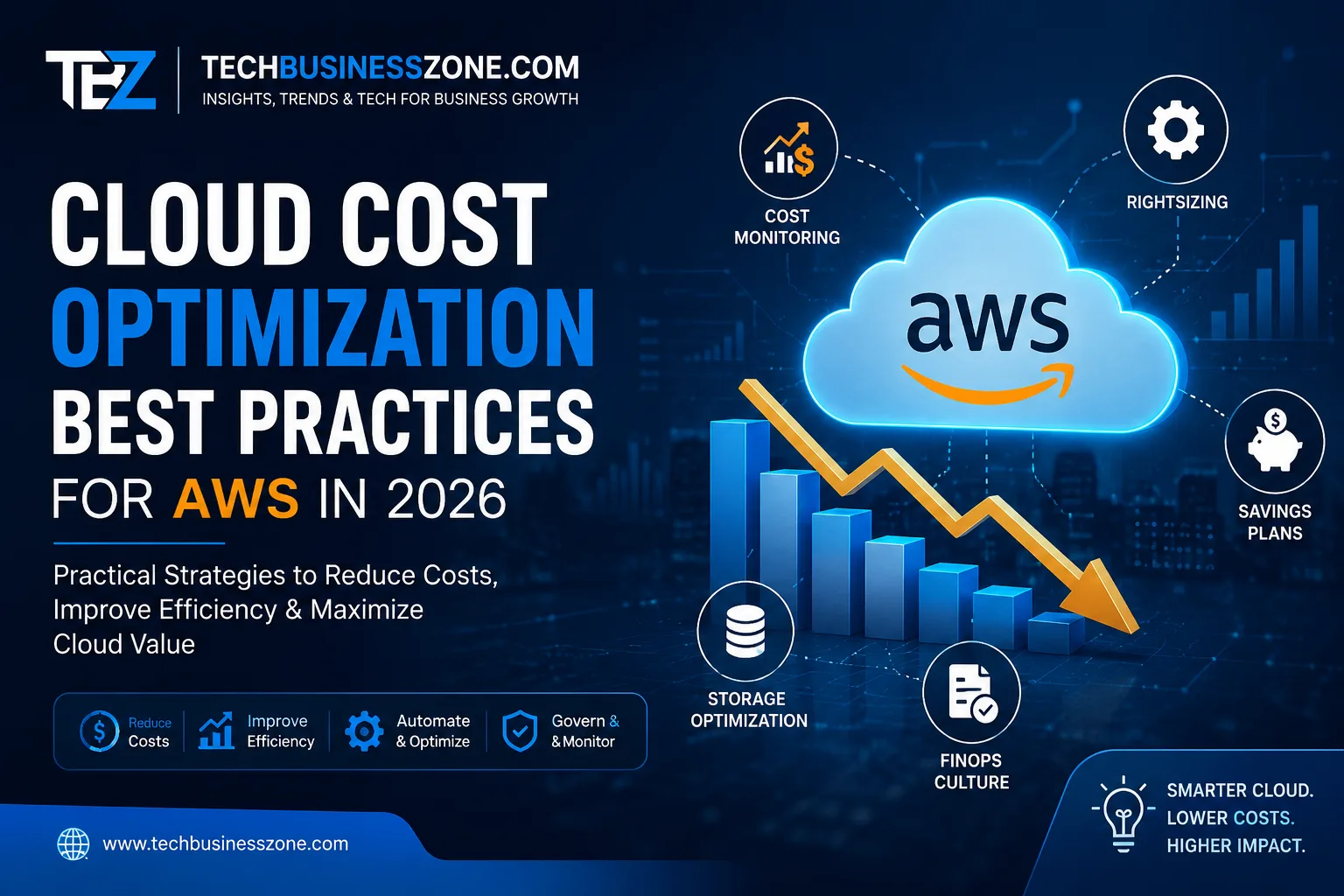
Cloud Cost Optimization Best Practices for AWS in 2026
Cloud spending rarely becomes a problem because of one obviously expensive service. More often, costs grow quietly as teams add environments, leave resources running, increase storage, move data between regions, or commit to pricing plans that no longer match actual usage. That is why cloud cost optimization should not be treated as a simple cost-cutting exercise.
The goal is to make AWS spending more efficient while preserving the performance, availability, security, and scalability a workload actually needs.
In 2026, AWS provides a broader set of cost-management capabilities than a basic monthly billing review. Cost Explorer, Budgets, Cost Anomaly Detection, Cost Optimization Hub, Compute Optimizer, Savings Plans, and other services can help teams understand spending and identify opportunities. AWS’s current Cost Optimization Hub, for example, consolidates multiple recommendation types, including rightsizing, idle-resource detection, Graviton migration, and commitment recommendations.
This guide explains how to approach AWS cost optimization systematically, where the biggest opportunities usually exist, which AWS tools can help, and how to avoid “savings” that create bigger technical or business problems later.
Direct Answer: What Is the Best Way to Optimize AWS Cloud Costs?
The best approach to AWS cloud cost optimization is to first establish visibility into spending, then eliminate unused resources, right-size workloads, match pricing models to usage patterns, optimize storage and data transfer, and automate recurring controls. The strongest strategy also measures cost against business value and continuously balances savings with performance, reliability, and security.
Why AWS Cloud Costs Optimization Becomes Difficult to Control
AWS makes it relatively easy to provision infrastructure. That flexibility is valuable, but it also means an organization can accumulate resources faster than it realizes.
A development instance that was supposed to run for a week can remain active for months. A database can retain more storage than the application needs. Logs can accumulate indefinitely. A growing application can generate substantial network traffic without the engineering team realizing that architecture choices are affecting the bill.
The challenge is therefore not simply finding expensive services. It is understanding why spending exists and whether that spending creates enough business or technical value.
Resource Sprawl Across Accounts and Environments
Growing organizations commonly operate separate production, staging, development, testing, analytics, and experimentation environments.
Each environment can contain compute instances, databases, storage, load balancers, networking components, logs, snapshots, and other resources.
The problem becomes more difficult when several AWS accounts are involved. Without clear ownership and cost allocation, teams may know the organization’s total AWS bill but have little idea which application or department is responsible for individual costs.
AWS recommends using structures such as accounts, tags, and cost categories to improve cost allocation and accountability.
A practical starting point is to make every significant workload answer three questions:
- Who owns it?
- What application or project does it support?
- Which environment does it belong to?
Without that information, optimization becomes guesswork.
Overprovisioned Compute and Managed Services
Another common problem is paying for capacity that applications rarely use.
An EC2 instance might have enough CPU capacity for an unusually busy period but spend most of the month operating far below that level. Similarly, a managed database may be provisioned for expected future growth rather than current demand.
The answer is not automatically to select the smallest available resource.
Instead, teams should examine actual utilization, performance requirements, traffic patterns, memory requirements, storage I/O, network activity, and peak demand before making a change.
Storage, Data Transfer, and Hidden Usage Costs
Compute often receives the most attention because instances are easy to understand. However, storage and networking can become significant sources of recurring expenditure.
Examples include:
- Unused EBS volumes
- Old snapshots
- Long-retained application logs
- S3 data stored in unsuitable classes
- Cross-region data transfer
- Cross-AZ traffic
- Internet data transfer
- NAT-related networking costs
- Excessive monitoring or observability data
This is why a successful cost review should examine the entire architecture rather than focusing only on EC2.
Why Cloud Cost Optimization Is an Ongoing Process
A workload that is cost-efficient today may not remain efficient six months later.
Traffic changes. Applications are refactored. New regions are added. Teams adopt new services. Storage grows. Pricing models change. A company may also move workloads between EC2, containers, serverless services, or managed platforms.
For that reason, cloud cost optimization works best as a recurring operational discipline rather than a one-time cleanup project.
Build AWS Cloud Cost Optimization Visibility Before Cutting Spending
Before making infrastructure changes, establish a reliable picture of where the money is going. Visibility helps teams prioritize high-value opportunities instead of making random reductions.
Organize AWS Accounts and Resources for Cost Allocation
Cost allocation gives spending a business context.
For example, knowing that an organization spent a certain amount on Amazon EC2 is useful. Knowing that most of that EC2 spending belongs to a specific production application is much more actionable.
Use a consistent structure for:
- AWS accounts
- Applications
- Environments
- Teams
- Business units
- Projects
Tags and AWS Cost Categories can help group costs into meaningful views. AWS documentation and guidance also emphasize cost allocation as a way to establish ownership and accountability.
Do not create dozens of complicated tags simply because they are possible. Start with attributes that the finance, engineering, and operations teams will actually use.
Use AWS Cost Explorer to Find Spending Patterns
AWS Cost Explorer is useful for moving from “our bill increased” to “this specific service or usage pattern caused the increase.”
Look at spending by:
- Service
- Account
- Region
- Usage type
- Time period
- Cost category
- Relevant tags
Month-over-month comparisons are particularly useful. A sudden increase in a service can point toward a deployment change, traffic growth, configuration problem, or previously unnoticed resource.
AWS continues to add cost-analysis capabilities to its cost-management portfolio, including newer intelligent explanations and investigation features.
Create Budgets and Spending Alerts
Budgets are more useful when they are connected to actual ownership.
A company-wide budget can provide executive visibility, but application-level or account-level budgets can help engineering teams react earlier.
AWS Budgets has also gained more granular filtering and cost-metric capabilities, including options for different cost measures and charge types.
A useful budget strategy might include:
- Overall AWS budget
- Production budget
- Development budget
- Major application budgets
- Project-specific budgets
The objective is not to stop spending whenever a threshold is reached. A legitimate traffic increase can raise costs while still creating more business value. Alerts should trigger investigation, not automatic panic.
Track Unit Economics Instead of Only Total AWS Spend
Total AWS spending is only part of the story.
Consider an application whose AWS bill increases because its customer base doubles. A higher bill does not necessarily mean the architecture became less efficient.
Useful metrics can include:
- Cost per active customer
- Cost per transaction
- Cost per API request
- Cost per processed GB
- Cost per order
- Infrastructure cost as a percentage of revenue
This moves the conversation from “How do we spend less?” to “Are we getting appropriate value from what we spend?”
Right-Size AWS Compute Resources
Compute rightsizing is one of the clearest opportunities for reducing waste, but it needs to be done carefully. A smaller resource is not automatically a better resource if it creates performance problems.
Identify Underutilized EC2 Instances
Start by reviewing actual workload behavior.
CPU utilization is useful, but it should not be the only signal. Depending on the workload, memory, disk I/O, network throughput, latency, queue depth, and application response times may matter more.
For example, a database server may not have high CPU utilization but could still be constrained by memory or storage performance.
AWS Compute Optimizer can provide recommendations based on workload information and utilization data, helping teams evaluate rightsizing opportunities.
Treat automated recommendations as decision support rather than unquestionable instructions. Engineers still need to understand the application.
Choose the Right EC2 Instance Family
AWS offers instance families designed around different workload characteristics.
General-purpose instances are often appropriate for balanced workloads. Compute-optimized options can make more sense for CPU-heavy applications, while memory-optimized instances target workloads with substantial memory requirements.
The correct choice depends on the application rather than a universal “cheapest instance” rule.
Before changing an instance type, consider:
- CPU requirements
- Memory requirements
- Network performance
- Storage performance
- Architecture compatibility
- Operating system
- Application dependencies
- Peak workload behavior
Use AWS Compute Optimizer for Recommendations
Compute Optimizer can reduce the amount of manual analysis required when reviewing large AWS environments.
It is particularly useful when an organization has many resources and needs a prioritized starting point.
Still, recommendation quality depends on available workload data and the context of the application. A recommendation that looks financially attractive may not be appropriate for a workload with unusual traffic patterns or strict performance requirements.
The safest process is:
- Review the recommendation.
- Understand why it was made.
- Validate application requirements.
- Test the change where practical.
- Monitor the workload after implementation.
Avoid Right-Sizing Based on CPU Alone
CPU is one metric, not a complete representation of application health.
A web server might operate comfortably at low CPU utilization while experiencing network or memory pressure. A database could be constrained by disk I/O before CPU becomes a concern.
That is why responsible rightsizing considers both infrastructure metrics and application-level performance.
A lower bill is not a successful optimization if it causes slower response times, increased errors, outages, or customer complaints.
Use the Right AWS Pricing Model for Each Workload
Once a workload is appropriately sized, examine how you are paying for it. AWS provides multiple purchasing options, and the best choice depends on how predictable the workload is.
On-Demand Pricing
On-Demand pricing is useful when workload requirements are uncertain or when flexibility is more valuable than a long-term commitment.
It can make sense for:
- New applications
- Experimental workloads
- Short-lived projects
- Highly variable usage
- Workloads whose future architecture is uncertain
The disadvantage is straightforward: organizations may pay more than necessary for steady, predictable usage.
Savings Plans
Savings Plans offer lower prices in exchange for a consistent usage commitment over a defined term. AWS currently offers Compute Savings Plans and EC2 Instance Savings Plans, with different levels of flexibility.
Compute Savings Plans provide broader flexibility across eligible compute usage, while EC2 Instance Savings Plans provide a stronger discount in exchange for a more specific commitment.
Savings Plans can be attractive when an organization has a stable baseline of compute usage.
The important word is baseline.
Do not purchase commitments simply because AWS offers a discount. First, understand the amount of usage the organization is likely to maintain.
Reserved Instances
Reserved Instances can still be useful for workloads with stable and predictable requirements, depending on the AWS service and configuration.
Their main challenge is flexibility. A commitment that matched the architecture two years ago may become less attractive after a migration, modernization effort, or major workload change.
Spot Instances
Spot Instances can be highly useful for interruption-tolerant workloads. AWS states that Spot pricing can provide discounts of up to 90% compared with On-Demand pricing, although workloads must be designed to handle interruptions.
Good candidates may include:
- Batch processing
- Distributed processing
- Fault-tolerant background jobs
- Certain CI/CD workloads
- Stateless workloads designed for interruption
Spot is not a universal replacement for On-Demand capacity. Critical workloads that cannot tolerate interruption require a different strategy.
How to Choose Between AWS Pricing Options
| Pricing approach | Best for | Flexibility | Main consideration |
|---|---|---|---|
| On-Demand | Uncertain or variable workloads | High | Higher unit pricing |
| Savings Plans | Predictable compute baseline | Medium to high, depending on plan | Usage commitment |
| Reserved Instances | Stable supported workloads | Lower | Configuration commitment |
| Spot | Interruption-tolerant workloads | Workload-dependent | Capacity can be interrupted |
The right strategy can also be mixed. A production system might use committed capacity for its predictable baseline and flexible capacity for variable demand.
AWS provides recommendations and reporting for Savings Plans, including coverage and utilization information, which can help organizations avoid making commitment decisions blindly.
Optimize AWS Storage Costs
Storage costs can grow quietly because data tends to accumulate rather than disappear.
The solution is not simply deleting data. Retention requirements, recovery objectives, compliance, business needs, and access patterns all matter.
Remove Unused EBS Volumes and Snapshots
Detached EBS volumes are an obvious place to look for waste.
Snapshots also deserve attention. Old snapshots may remain useful, but retaining every historical snapshot forever can create unnecessary costs.
Before deleting anything, establish:
- Who owns the resource
- Whether it is still required
- Whether it is part of a backup policy
- Whether compliance requires retention
- Whether it is needed for disaster recovery
Automation is particularly valuable here because manual cleanup becomes difficult as environments grow.
Select the Appropriate S3 Storage Class
Amazon S3 provides different storage classes for different access and retention patterns.
The right choice depends on questions such as:
- How often is the data accessed?
- How quickly must it be retrieved?
- How long must it be retained?
- Is the data temporary or permanent?
- What are the application’s retrieval requirements?
There is no single “cheapest S3 class” that is appropriate for every dataset.
A rarely accessed archive has very different requirements from frequently accessed application data.
Use S3 Lifecycle Policies
Lifecycle policies can automate transitions and deletion based on predefined rules.
For example, data that is frequently accessed during its early life may eventually become less valuable to keep in a frequently accessed storage class.
The important step is to model the application’s actual access pattern before designing lifecycle rules. Moving data to a cheaper tier can be counterproductive if the application frequently needs to retrieve it.
Control Log and Backup Retention
Logs are particularly easy to overlook.
Monitoring and observability are valuable, but retaining every log indefinitely can create unnecessary storage costs.
Set retention according to operational, legal, security, and compliance requirements rather than using an arbitrary period.
The same principle applies to backups. More backups do not automatically mean better recovery. A clear retention policy is usually more useful than uncontrolled accumulation.
Reduce AWS Data Transfer Costs
Networking costs can be difficult to understand because they often result from architecture rather than a single resource.
A cost-efficient application therefore needs a cost-aware network design.
Understand Where Data Transfer Charges Come From
Review traffic involving:
- AWS Regions
- Availability Zones
- The public internet
- Application components
- Managed services
- Content delivery infrastructure
AWS pricing varies by service and traffic path, so current pricing documentation should always be checked before making architectural decisions.
Do not assume that moving something to another AWS service automatically makes it cheaper.
Keep Frequently Communicating Services Architecturally Close
If application components exchange large amounts of data, their placement can influence networking costs and performance.
However, moving everything into one location solely to reduce network charges can create other problems.
Availability, fault isolation, latency, disaster recovery, and compliance may justify additional network costs.
Cost optimization should therefore evaluate the complete architecture rather than optimizing one line item.
Use Caching and Content Delivery Strategically
Caching can reduce repeated retrieval of frequently requested content.
Content delivery can also move appropriate traffic closer to users and reduce unnecessary requests to origin infrastructure.
For public-facing applications, services such as Amazon CloudFront can be part of that architecture, but the decision should be based on traffic patterns, caching behavior, origin requirements, and current pricing.
Avoid Optimizing Network Costs at the Expense of Reliability
A small networking saving is rarely worth introducing a major availability risk.
For example, eliminating redundancy may reduce infrastructure costs while making a critical application more vulnerable to a failure.
A good optimization question is:
“What is the lowest-cost architecture that still satisfies our reliability, performance, security, and compliance requirements?”
That is a much better question than simply asking which architecture produces the smallest AWS invoice.
Automate Cloud Cost Optimization Wherever Possible
Manual reviews work at small scale. They become increasingly unreliable as infrastructure grows.
Automation allows organizations to enforce repeatable cost controls without depending on someone remembering to perform the same cleanup every Friday.
Automatically Stop Non-Production Resources
Development and testing environments often do not need to run continuously.
Where application requirements permit it, teams can schedule non-production resources around working hours.
Before implementing automatic shutdown, identify:
- Critical development services
- Scheduled jobs
- Dependencies
- Database requirements
- Team workflows
- Resources that must remain available
A poorly designed shutdown process can save money while wasting developer time.
Schedule Resources Around Actual Usage
Scheduling is especially useful when usage follows predictable patterns.
For example, an internal development environment used only during business hours may not need the same operating schedule as a production application serving customers around the clock.
The principle is simple: pay for capacity when the business actually needs it.
Automate Resource Cleanup
Automated cleanup can target resources that have clear expiration conditions.
Potential examples include temporary environments, abandoned resources, and certain old snapshots.
Use safeguards such as ownership information, expiration metadata, approval workflows, and exception mechanisms. Automatic deletion without governance is dangerous in production environments.
Use Infrastructure as Code for Cost Governance
Infrastructure as Code can make cost controls repeatable.
Tools such as Terraform and AWS CloudFormation can help teams standardize how infrastructure is created rather than relying on inconsistent manual provisioning.
Cost governance can also be incorporated into deployment and review processes.
For example, a team can require an explanation when a proposed infrastructure change introduces significant new capacity.
The goal is not to block engineering teams. It is to make infrastructure economics visible before resources are deployed.
Use AWS cloud Cost Management and Optimization Tools.
AWS provides several tools that address different parts of the cost-management process. The best approach is to use them according to the question you are trying to answer.
| Tool | Primary purpose | Best use case | Limitation |
|---|---|---|---|
| AWS Cost Explorer | Analyze spending and usage | Finding trends and cost drivers | Analysis still requires interpretation |
| AWS Budgets | Monitor spending against thresholds | Budget controls and alerts | Does not automatically solve waste |
| AWS Cost Anomaly Detection | Identify unusual spending | Detecting unexpected changes | An anomaly still needs investigation |
| AWS Compute Optimizer | Recommend resource optimization | Rightsizing workloads | Recommendations need workload context |
| AWS Pricing Calculator | Estimate architecture costs | Planning and modeling | Estimates are not actual invoices |
| AWS Cost Optimization Hub | Consolidate optimization recommendations | Prioritizing multiple opportunities | Recommendations still require validation |
| AWS Trusted Advisor | Identify selected optimization opportunities | Broader account checks | Coverage depends on current AWS features and account eligibility |
AWS’s current Cloud Cost Optimization Hub provides a consolidated view of multiple optimization recommendations and can help prioritize opportunities by estimated savings and implementation effort.
AWS has also expanded cost-analysis capabilities during 2026, including AI-assisted investigations and explanations within its cost-management ecosystem.
These capabilities can make investigation faster, but they do not eliminate the need for human judgment.
A recommendation engine can identify a potentially inefficient resource. It cannot fully understand your contractual commitments, customer expectations, application roadmap, compliance obligations, or business priorities.
Apply FinOps Principles to AWS Cloud Cost Optimization
FinOps turns cloud spending into a shared operational responsibility rather than a problem handed to finance after the invoice arrives.
AWS describes its Cloud Financial Management approach around capabilities such as visibility, savings, planning, and operating efficiently.
For organizations with meaningful cloud spending, that mindset is more sustainable than occasional cost-cutting campaigns.
Give Teams Visibility Into Their Cloud Spending
Engineering teams should be able to see the financial impact of the infrastructure they manage.
That does not mean every developer needs access to billing administration. It means teams should have useful information about their workloads and cost trends.
Establish Ownership for AWS Resources
Every significant workload should have an owner.
Ownership makes it easier to answer questions such as:
- Why did this cost increase?
- Is this resource still needed?
- Can it be resized?
- Is the workload growing?
- Does it justify a pricing commitment?
Without ownership, waste can remain invisible because nobody is responsible for investigating it.
Create Cost Budgets and Forecasts
Budgets provide a target. Forecasts provide context.
If an application is expected to grow rapidly, its AWS costs may rise even when the architecture remains efficient.
The objective is to distinguish expected growth from unexplained waste.
Review Cost Trends Regularly
A monthly review is a reasonable starting point for many organizations.
Larger environments may benefit from more frequent monitoring, particularly when workloads change rapidly.
Review:
- Major cost increases
- Cost per workload
- Idle resources
- Commitment utilization
- Storage growth
- Network costs
- Forecast accuracy
Treat Cloud Cost as an Engineering Metric
Cost belongs alongside performance, availability, reliability, and security.
When engineers understand the financial implications of architecture decisions, they can make better trade-offs earlier in the development lifecycle.
That is one of the central ideas behind FinOps: cloud economics should influence engineering decisions rather than being considered only after infrastructure has already been deployed.
Practical Implementation Analysis: A Repeatable AWS Cloud Cost Optimization Workflow
If an organization is starting from a high AWS bill with limited visibility, the biggest mistake is trying to optimize everything simultaneously.
A staged approach is usually easier to manage.
Step 1 — Establish a Baseline
Document current spending by:
- Account
- Service
- Region
- Application
- Environment
- Major workload
Record the baseline before making significant changes.
That gives you something to compare against later.
Step 2 — Find the Largest Sources of Waste
Start with the areas that have the greatest potential impact.
For example, reviewing a small unused resource may be worthwhile, but it should not take priority over a large production workload that is significantly overprovisioned.
A useful prioritization model considers:
Potential savings × confidence × implementation effort × business risk
This helps teams focus on opportunities that are both valuable and realistic.
Step 3 — Right-Size and Remove Unused Resources
Review compute utilization and identify resources that are clearly unnecessary or significantly oversized.
Then verify application requirements before making changes.
Do not delete resources simply because they have low utilization. Some resources intentionally exist for disaster recovery, failover, seasonal demand, or operational safety.
Step 4 — Review Pricing Commitments
Once usage patterns are understood, examine Savings Plans and other applicable purchasing options.
Commit only to a baseline that the organization reasonably expects to maintain.
AWS provides recommendations and utilization reporting to help evaluate Savings Plans decisions.
Step 5 — Optimize Storage and Data Transfer
Review storage growth, retention policies, access patterns, and network architecture.
These areas often require more architectural thinking than simply changing an instance size.
Step 6 — Automate Repeatable Savings
Once a cost-control process is proven safe, automate it.
Examples include:
- Non-production schedules
- Resource expiration
- Storage lifecycle policies
- Budget alerts
- Anomaly detection
- Regular optimization reports
Automation turns individual savings actions into repeatable operational practices.
Step 7 — Measure Savings and Watch for Rebound Spending
After implementing an optimization, compare the result with the baseline.
But do not measure only the AWS bill.
Also monitor:
- Application performance
- Availability
- Error rates
- Latency
- Customer experience
- Engineering effort
A lower monthly bill accompanied by slower applications is not necessarily a successful optimization.
How to Measure Whether AWS Cloud Cost Optimization Is Working
A cost optimization program needs measurable outcomes.
Track Absolute Cloud Spend
Total monthly spending remains useful for financial planning.
However, it should not be the only metric.
Measure Cost as a Percentage of Revenue or Business Value
For commercial workloads, comparing cloud spending with revenue or another business metric provides better context.
A growing AWS bill can be healthy if the business is growing faster and infrastructure efficiency remains strong.
Monitor Cost per Workload or Unit
Unit economics can reveal architectural inefficiencies hidden by total spending.
For example, if customer growth increases by 50% while infrastructure cost per customer falls, the platform may actually be becoming more efficient even though the total bill increased.
Compare Forecasted and Actual Spending
Forecast accuracy helps organizations distinguish expected growth from unexpected consumption.
Large unexplained deviations deserve investigation.
Measure Savings Without Sacrificing Performance
Every major optimization should be evaluated against operational metrics.
Watch for changes in:
- Response times
- Error rates
- Availability
- Throughput
- Capacity headroom
- Customer experience
The objective is not the lowest possible AWS bill.
The objective is appropriate infrastructure cost for the required business outcome.
Advanced AWS Cloud Cost Optimization Edge Cases and Troubleshooting
Some AWS cost problems do not respond to basic rightsizing. When the obvious opportunities have already been addressed, investigate the architecture and usage patterns more deeply.
Costs Increase Even After Right-Sizing EC2
If EC2 costs decline but the overall AWS bill continues to rise, look beyond compute.
Potential causes include:
- Higher data-transfer volume
- Increased storage
- NAT-related costs
- Database growth
- Logging
- Monitoring
- Managed-service consumption
- Higher customer traffic
This is why service-level cost analysis is more useful than assuming the largest compute bill is always the main problem.
AWS Spending Suddenly Spikes
An unexpected increase should be investigated rather than immediately treated as waste.
Check:
- Which service increased?
- Which account or region changed?
- Which usage type changed?
- Did a deployment occur?
- Did traffic increase?
- Was a resource accidentally created?
- Is there evidence of unauthorized activity?
AWS Cost Anomaly Detection is designed to help identify unusual spending patterns, and AWS has expanded its investigation capabilities in 2026.
Cost monitoring should also work alongside normal security monitoring. A sudden unexplained increase can occasionally indicate a compromised environment, although legitimate business growth can produce similar billing patterns.
Savings Plans or Reserved Capacity No Longer Match Usage
Commitments become less attractive when workload patterns change.
For example, an organization may modernize an application, move workloads between services, or substantially reduce usage.
Monitor both coverage and utilization. A commitment that is not being fully utilized deserves review before additional commitments are purchased.
Aggressive Cost Cutting Causes Performance Problems
This is one of the easiest mistakes to make.
Reducing instance capacity, removing redundancy, limiting database resources, or changing storage behavior may lower spending while damaging the application.
Use controlled changes and monitor the workload afterward.
For critical systems, maintain a rollback strategy.
Multi-Region Architectures Cost More Than Expected
Multi-region architecture can improve resilience and reduce latency for geographically distributed users, but it can also increase infrastructure and data-transfer costs.
Before changing the architecture solely to save money, consider:
- Disaster recovery requirements
- Availability objectives
- Data residency
- Compliance
- User latency
- Replication requirements
- Operational complexity
A cheaper single-region architecture is not necessarily better if it fails to meet the application’s resilience requirements.
AWS Cloud Cost Optimization vs Simply Cutting Cloud Costs
The distinction matters because aggressive cost cutting can create technical debt.
| Cost cutting | Cost optimization |
|---|---|
| Primarily focuses on reducing the bill | Focuses on efficiency and business value |
| Can be reactive | Designed as an ongoing process |
| May remove useful capacity | Balances capacity with demand |
| Can create performance or reliability problems | Evaluates operational trade-offs |
| Often focuses on immediate savings | Considers long-term economics |
| May be finance-led | Shared across finance, engineering, and business |
Suppose a company removes redundancy from a critical application and saves money. That may look successful on a billing report.
If the application then suffers an outage that costs the business far more than the monthly infrastructure savings, the optimization was poorly designed.
The better objective is to minimize unnecessary spending while preserving the requirements the workload actually needs.
Cost, ROI, and Total Cost of Ownership Considerations
Cloud pricing is only one part of the economics.
A major optimization project can require engineering time, testing, migration work, monitoring changes, or architectural redesign.
Direct AWS Infrastructure Costs
Start with the obvious expenses:
- Compute
- Storage
- Databases
- Networking
- Data transfer
- Monitoring
- Other managed services
Then identify which costs are variable and which are relatively predictable.
Engineering and Operational Costs
An optimization that requires weeks of engineering effort may not make financial sense if the expected savings are small.
Engineering time has an economic value even when it does not appear on the AWS invoice.
Licensing and Third-Party Services
Cloud architecture can also involve:
- Operating system licenses
- Commercial software
- Security tools
- Observability platforms
- Backup services
- Data platforms
Optimizing AWS infrastructure while ignoring major third-party costs provides an incomplete picture of total infrastructure economics.
Migration and Refactoring Costs
Moving from one architecture to another can produce lower ongoing costs but require substantial upfront investment.
For example, migrating a workload to a different compute model may involve application changes, testing, deployment work, and operational retraining.
Calculate the expected payback period rather than assuming every modernization effort is automatically economical.
Reliability and Performance Trade-Offs
Cost optimization should account for the financial impact of downtime, slow applications, data loss, and security incidents.
A slightly more expensive architecture may be the better financial decision if it significantly reduces business risk.
Calculate ROI Before Implementing Major Changes
A simple framework is:
ROI = (Financial benefit − optimization cost) ÷ optimization cost
For example, if an optimization is expected to save $12,000 and requires $3,000 worth of engineering effort, the illustrative ROI calculation would be:
($12,000 − $3,000) ÷ $3,000 = 3, or 300%
This is only a hypothetical example, not a prediction of AWS savings.
For a real decision, include ongoing maintenance, migration risk, opportunity cost, and any impact on reliability or performance.
AWS Cloud Cost Optimization Best Practices Checklist
A practical AWS review should cover the following:
- Establish clear cost visibility.
- Organize accounts and resources consistently.
- Assign ownership to major workloads.
- Use meaningful cost allocation tags and categories.
- Review AWS Cost Explorer regularly.
- Configure appropriate budgets and alerts.
- Investigate unusual spending.
- Remove genuinely unused resources.
- Right-size compute based on workload behavior.
- Review storage access and retention patterns.
- Use lifecycle policies where appropriate.
- Analyze data-transfer costs.
- Choose pricing commitments based on predictable usage.
- Consider Spot for suitable interruption-tolerant workloads.
- Schedule eligible non-production resources.
- Automate repeatable cleanup and governance.
- Track cost against business or workload metrics.
- Measure savings alongside performance and reliability.
- Revisit optimization decisions as workloads change.
Frequently Asked Questions About AWS Cloud Cost Optimization
What is cloud cost optimization in AWS?
Cloud cost optimization in AWS means improving infrastructure and service efficiency while maintaining the performance, reliability, security, and scalability a workload requires. It includes rightsizing, eliminating waste, selecting appropriate pricing models, improving storage and network efficiency, and establishing ongoing financial governance.
What is the fastest way to reduce AWS costs?
The fastest opportunities are often unused resources, obvious overprovisioning, and workloads running when they are not needed. Start with AWS cost and utilization data rather than making broad infrastructure cuts. Removing genuine waste can produce savings without changing application architecture.
How can I find unused resources in AWS?
Use AWS cost and resource-management information to identify resources that are incurring charges without providing current value. Look for detached storage, unnecessary development resources, old snapshots, idle compute, and other resources with clear ownership and lifecycle information. Validate each resource before deleting it.
Is AWS Savings Plans better than Reserved Instances?
Neither is universally better; the appropriate choice depends on workload stability and the level of flexibility required. Savings Plans can provide flexibility across eligible compute usage, while more specific commitments can provide stronger savings for predictable configurations. Review actual usage before committing.
Are AWS Spot Instances safe for production workloads?
Spot Instances can be suitable for production workloads when those workloads are designed to tolerate interruption. They are commonly considered for fault-tolerant and distributed processing. Critical workloads that cannot handle interruption should use an architecture that provides the required availability and capacity guarantees.
How can I reduce Amazon S3 storage costs?
Start by understanding how frequently data is accessed and how long it must be retained. Then consider appropriate S3 storage classes, lifecycle policies, retention rules, and deletion of data that is genuinely no longer required. Do not move frequently accessed data into a cheaper class without considering retrieval requirements and total cost.
How can I reduce AWS data transfer costs?
First, identify which traffic paths are generating the cost. Review cross-region traffic, cross-AZ communication, internet transfer, and service-to-service data movement. Then evaluate caching, application architecture, workload placement, and content delivery options while preserving availability, security, and latency requirements.
Which AWS tools are best for monitoring cloud costs?
AWS Cost Explorer is useful for analyzing spending, while AWS Budgets and Cost Anomaly Detection help monitor financial changes. Cost Optimization Hub and Compute Optimizer can help identify optimization opportunities. The best combination depends on the organization’s size, architecture, governance model, and operational requirements.
How often should an organization review AWS cloud costs?
Most organizations should monitor significant spending continuously and perform structured cost reviews regularly. The appropriate frequency depends on workload volatility. Fast-growing or highly dynamic environments may need more frequent reviews, while stable workloads may require less intensive analysis.
Does reducing AWS costs always improve cloud efficiency?
No. Lower spending does not automatically mean better efficiency. An optimization that reduces infrastructure costs but increases latency, downtime, security risk, or engineering workload may produce a worse business outcome. Effective optimization balances cost with performance, reliability, security, and business value.
Final Takeaway
Effective AWS cloud cost optimization is less about finding a magic setting and more about building a repeatable decision-making process.
Start with visibility. Understand which teams, applications, and services are generating spending. Then prioritize the largest opportunities: remove genuine waste, right-size resources, match purchasing models to workload behavior, optimize storage and networking, and automate controls that can be applied safely.
Just as importantly, measure the outcome against more than the AWS bill. A successful optimization should improve economic efficiency without undermining the application’s performance, reliability, security, or ability to support business growth.
AWS’s cost-management ecosystem continues to evolve, so teams should verify current service capabilities, pricing, discount structures, and feature availability against official AWS documentation before making major financial or architectural decisions.
For a broader internal content cluster, this article can naturally link to related resources on cloud infrastructure deployment best practices, cloud migration, Infrastructure as Code, DevOps automation, cloud security, database performance optimization, and cloud monitoring and observability. These links should point to the most relevant existing pages on the publication rather than being added merely for SEO.
The strongest cost strategy is ultimately simple: spend where the workload creates value, remove waste where it does not, and continuously verify that the architecture still matches the business need.