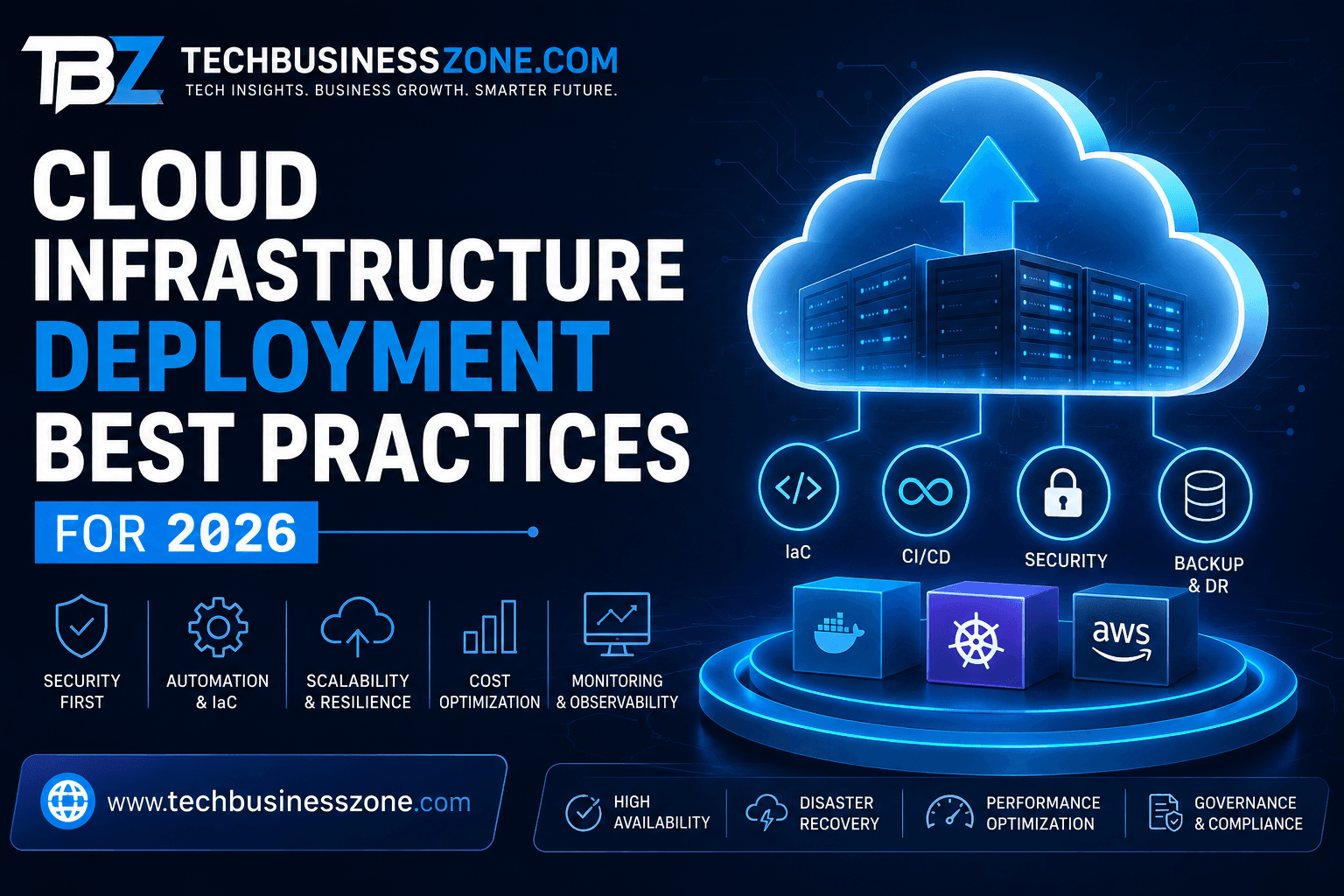
Cloud Infrastructure Deployment Best Practices for 2026
There is a common assumption that deploying an application to the cloud infrastructure deployment is mostly a matter of choosing a provider, creating a few servers, and pointing the domain in the right direction. That might work for a small experiment. It doesn’t work particularly well once an application becomes important to a business.
The problems usually appear later.
A deployment that worked perfectly at 2,000 visitors can behave very differently at 20,000. A server configured manually six months ago may no longer match the documentation. A developer can accidentally change a production setting. A database can become the bottleneck while the application servers look perfectly healthy. And then there is the cloud bill, which has a habit of revealing architectural decisions that nobody thought much about at the beginning.
That’s why cloud infrastructure deployment best practices in 2026 are less about simply getting an application online and more about creating an environment that can be understood, reproduced, secured, monitored, and changed without unnecessary drama.
The strongest approach combines Infrastructure as Code, automated deployment pipelines, sensible cloud architecture, strong identity controls, observability, disaster recovery, and ongoing cost management.
This guide walks through that process from planning to production, including the decisions that tend to matter most once real users and real business requirements enter the picture.
Cloud Infrastructure Deployment Best Practices: The Short Answer
If you only need the practical answer, start here.
A reliable cloud infrastructure deployment should be repeatable, automated, secure, observable, scalable, and recoverable. Infrastructure should preferably be defined as code, application releases should move through a controlled CI/CD process, access should follow least-privilege principles, and production systems should have monitoring, backups, and tested recovery procedures.
A sensible deployment workflow looks like this:
- Define the workload and business requirements.
- Choose an architecture that matches those requirements.
- Design networking and identity before deploying applications.
- Define infrastructure through code.
- Separate environments appropriately.
- Automate testing and deployment.
- Put security checks inside the delivery pipeline.
- Monitor infrastructure and application behavior.
- Test scaling, backup restoration, and failure scenarios.
- Review performance and cloud spending continuously.
There is another principle worth keeping in mind:
Don’t build a more complicated cloud environment than your application needs.
A five-person startup doesn’t necessarily need the same architecture as a multinational platform handling millions of transactions. Good engineering is often about knowing what not to deploy.
What Is Cloud Infrastructure Deployment?
Cloud infrastructure deployment is the process of creating and configuring the computing environment an application needs to operate.
That sounds straightforward until you look underneath an ordinary web application.
There might be a virtual network, public and private subnets, load balancing, compute instances or containers, databases, object storage, DNS, identity policies, secrets, monitoring, backups, queues, and several third-party integrations.
That collection of services becomes the application’s operating environment.
Cloud Infrastructure vs. Traditional IT Infrastructure
Traditional infrastructure typically involved purchasing physical equipment, installing operating systems, configuring networking, and maintaining hardware over a relatively long period.
Cloud infrastructure changed the economics and the speed of that process.
Resources can now be created through APIs in minutes. Capacity can be increased when demand rises. Managed services can take over routine operational tasks. Entire environments can be described in configuration files.
The trade-off is that infrastructure has become easier to create but also easier to misconfigure.
A developer with the right permissions can create an enormous amount of infrastructure very quickly. Without governance, that flexibility becomes a liability.
What Does a Cloud Deployment Actually Include?
A production environment can include:
- Compute resources
- Containers
- Kubernetes
- Virtual networks
- Subnets
- Firewalls
- Load balancers
- DNS
- Object storage
- Block storage
- Databases
- Caches
- Message queues
- Identity and access management
- Secrets management
- Logging
- Monitoring
- Backup systems
- Disaster recovery components
Not every application needs all of these.
That’s worth emphasizing because cloud architecture discussions sometimes make a simple application sound like it needs an entire technology department just to serve a webpage.
The right architecture is the one that meets the workload’s requirements without creating unnecessary operational overhead.
IaaS, PaaS, and Serverless: Which Approach Makes Sense?
Infrastructure as a Service gives you more direct control over infrastructure.
Platform as a Service removes some of that responsibility and lets the development team concentrate more heavily on the application.
Serverless removes even more infrastructure management for workloads that fit its model.
None of these is universally better.
A small API with unpredictable traffic might work beautifully on a managed or serverless platform. A highly customized enterprise workload may need much more control. A company with strong infrastructure expertise might willingly accept additional complexity because the flexibility is valuable.
The important question isn’t, “Which technology is most advanced?”
Ask instead:
“Which operating model gives this team the right amount of control without creating unnecessary work?”
Public, Private, Hybrid, and Multi-Cloud
Public cloud is usually the simplest starting point for organizations that don’t have a specific reason to maintain private infrastructure.
Hybrid cloud can make sense when existing systems, regulations, or data requirements prevent complete migration.
Multi-cloud is more complicated.
Using two cloud providers doesn’t automatically mean you’re protected from outages. If the organization can’t deploy, monitor, secure, and recover workloads consistently across both environments, multi-cloud may simply double the operational burden.
Why Cloud Infrastructure Deployment Best Practices Matter in 2026
Cloud environments have become more capable, but they have also become more interconnected.
A production application may depend on dozens of services. One poorly configured permission, network rule, or database connection setting can affect the entire application.
That’s why deployment discipline matters.
Reducing Deployment Failures and Downtime
Manual deployment depends heavily on memory.
Automation depends on a defined process.
Consider a simple production release. An engineer manually changes a configuration value, restarts a service, checks the application, and declares success.
What happens when another engineer needs to repeat that deployment three months later?
If the process exists only in someone’s memory, the organization has a problem.
Automated deployment makes the process repeatable.
Improving Cloud Security
Security isn’t a separate layer that should be bolted onto infrastructure after everything else is finished.
Identity, network segmentation, encryption, secrets management, vulnerability scanning, and logging should be considered during the architecture stage.
That doesn’t mean every small application needs an enormous security platform.
It means basic security decisions should happen deliberately rather than accidentally.
Increasing Developer Productivity
Developers lose a surprising amount of time waiting for infrastructure work.
A standardized deployment process can turn an infrastructure request that once required several manual steps into a predictable workflow.
This is one reason platform engineering has become increasingly relevant.
The goal isn’t to hide infrastructure from developers. It’s to make common infrastructure tasks easier and safer to consume.
Supporting Business Growth
Growth is one of the best tests of infrastructure quality.
If traffic doubles and the only solution is manually adding servers at midnight, the architecture isn’t scaling gracefully.
Auto scaling, load balancing, caching, database optimization, and sensible capacity planning can turn those situations into routine operational events.
Controlling Cloud Costs
Cloud spending is often a symptom of architecture.
An oversized database, unused development environment, excessive cross-region traffic, or forgotten storage volume can remain unnoticed for months.
Cost optimization needs to be part of normal infrastructure management.
How to Plan Cloud Infrastructure Before Deployment
One of the easiest ways to create an expensive cloud environment is to start clicking through the provider’s console before deciding what the application actually needs.
Planning doesn’t require a six-month architecture exercise.
It requires answering the important questions first.
Define Business and Technical Requirements
Start with:
- Expected traffic
- Application type
- Availability requirements
- Performance expectations
- Data sensitivity
- Compliance requirements
- Recovery objectives
- Geographic requirements
- Expected growth
- Budget
For example, an internal business application used by 50 employees doesn’t need the same availability architecture as an online payment platform.
Treating both workloads identically is wasteful.
Choose the Right Cloud Service Model
Managed services are attractive because they remove operational work.
But managed doesn’t mean free of responsibility.
You still need to understand availability, backups, permissions, scaling behavior, networking, and cost.
Self-hosting can provide more control, but that control comes with maintenance.
Choose based on what the team can realistically operate.
Select Regions and Availability Zones
Location affects more than latency.
It can influence:
- Compliance
- Data residency
- Availability
- Disaster recovery
- Cost
- Connectivity
For many applications, placing workloads across multiple availability zones is enough to improve resilience without immediately introducing multi-region complexity.
Design for High Availability
High availability isn’t simply “run two servers.”
You need to consider what happens if:
- One server fails
- A database becomes unavailable
- A network component fails
- A deployment introduces a bug
- A third-party dependency goes down
- Traffic suddenly increases
The architecture needs answers for those situations.
Create a Cloud Architecture Diagram
A useful diagram should show the major relationships between:
Users → DNS → Load Balancer → Application → Database/Storage
Then add the supporting components such as authentication, monitoring, queues, caches, and external services.
The diagram doesn’t need to look like a piece of abstract art.
It needs to help another engineer understand how traffic and dependencies move through the system.
Define RPO and RTO
Recovery Point Objective answers:
How much data can we afford to lose?
Recovery Time Objective answers:
How quickly must we restore the service?
Those answers directly influence backup frequency, replication, architecture, and disaster recovery spending.
Infrastructure as Code: The Foundation of Repeatable Deployment
If there is one change that can transform the way a team manages infrastructure, Infrastructure as Code is high on the list.
Instead of configuring an environment manually and hoping someone documents it, IaC turns infrastructure into something that can be reviewed and reproduced.
What Is Infrastructure as Code?
Infrastructure as Code describes infrastructure through machine-readable configuration.
The configuration can be stored in Git, reviewed through pull requests, tested, and deployed through automation.
That creates a much clearer history of infrastructure changes.
Why Manual Configuration Becomes a Problem
Manual configuration works until it doesn’t.
Imagine a production server that has been running for a year.
During that year, several engineers have:
- Installed packages
- Changed firewall rules
- Modified environment variables
- Adjusted performance settings
- Applied emergency fixes
The application still works.
But can someone rebuild that server from scratch?
If the answer is no, the infrastructure contains undocumented knowledge.
That’s configuration drift.
Terraform, OpenTofu, and Other IaC Options
Terraform remains a familiar choice for infrastructure automation, while OpenTofu provides an open-source alternative for teams that want an openly governed IaC project.
Ansible is commonly used for configuration management and automation.
Provider-specific tools may also make sense in certain environments.
Don’t turn the tool decision into a religious argument.
The real goal is reproducibility.
Store Infrastructure in Version Control
Infrastructure changes should be reviewable.
A typical process might look like:
Developer proposes change → Git pull request → automated validation → human review → deployment → monitoring
That is considerably safer than logging into production and changing settings directly.
Build Reusable Modules
Reusable modules are particularly useful for larger teams.
Instead of creating every network, database, or application environment from scratch, teams can establish approved patterns.
For example, a company might have a standard database module that automatically includes encryption, backups, monitoring, and appropriate network controls.
That’s much better than hoping every engineer remembers all four requirements.
Separate Environments
Development, staging, and production don’t need to be identical, but they should follow consistent architectural principles.
Production should have stricter access and stronger safeguards.
Staging should be close enough to production to catch meaningful problems.
Development should remain flexible enough for experimentation.
Test Infrastructure Before Production
Infrastructure code can fail just like application code.
Validation can include:
- Syntax checks
- Static analysis
- Security scanning
- Policy validation
- Integration tests
- Deployment tests
Finding an incorrect firewall rule before production is considerably easier than investigating why a production service suddenly became unreachable.
Use Policy as Code
Policy as code allows organizations to enforce rules automatically.
Examples include preventing:
- Public storage
- Unencrypted databases
- Unauthorized regions
- Missing resource tags
- Excessive permissions
This becomes particularly valuable when infrastructure grows beyond what a small team can manually inspect.
Handle Secrets Properly
Passwords, API keys, tokens, and private credentials shouldn’t be stored directly inside source code.
Use appropriate secrets-management systems and limit access.
Short-lived credentials are preferable to permanent credentials when the architecture supports them.
Building a Reliable CI/CD Pipeline
Infrastructure as Code defines what the environment should look like. CI/CD provides the machinery for safely moving changes through the delivery process.
A good CI/CD pipeline automation strategy doesn’t necessarily mean every commit goes directly into production.
Automation and control can coexist.
Continuous Integration vs. Continuous Deployment
Continuous Integration focuses on integrating changes and testing them frequently, and Delivery prepares changes for release. The Deployment automatically releases approved changes.
The appropriate level depends on the business and the risk profile.
A financial system may reasonably require additional approval gates. A small internal application may tolerate much more automation.
Automate Testing
A deployment pipeline can automatically run:
- Unit tests
- Integration tests
- Dependency checks
- Infrastructure validation
- Security scans
- Container scans
- Smoke tests
The idea is simple:
Catch predictable mistakes before production does.
Use Deployment Gates
A pipeline should be capable of stopping a release when something isn’t right.
For example:
- Tests fail
- Security checks fail
- Required approval is missing
- Infrastructure violates policy
- Health checks fail
These gates shouldn’t exist merely to slow developers down.
They should protect the production environment from known problems.
Blue-Green Deployments
Blue-green deployment keeps two production-capable environments.
One receives traffic.
The other receives the new version.
Once the new version passes validation, traffic can be moved across.
The approach is attractive because rollback can be relatively straightforward, although it requires additional infrastructure.
Canary Releases
Canary deployment is useful when a change carries meaningful risk.
Instead of sending the new release to everybody, send it to a small percentage of traffic first.
Watch:
- Error rates
- Latency
- Resource utilization
- Application behavior
If everything looks healthy, increase traffic.
Rolling Deployments
Rolling releases replace instances gradually.
They can use fewer resources than blue-green deployments, but rollback behavior requires careful planning.
Automate Rollbacks
A deployment system should know what happens when the release goes wrong.
That might involve returning to the previous application version, restoring a previous configuration, or stopping the rollout before additional instances are updated.
A rollback procedure should be tested.
An untested rollback is not really a rollback strategy. It’s a hope.
Containerization and Kubernetes Deployment Best Practices
Containers have become an important part of modern application delivery, but there is a tendency to assume that every application needs Kubernetes.
It doesn’t.
When Containers Make Sense
Containers are useful when teams want consistent application environments, dependency isolation, portable packaging, and predictable deployments.
They can also simplify scaling for suitable workloads.
Build Smaller, Safer Container Images
A production container image should contain what the application actually needs.
Avoid:
- Unnecessary packages
- Development tools
- Embedded secrets
- Outdated base images
Regular image scanning should be part of the delivery process.
Kubernetes vs. Managed Container Platforms
Kubernetes is extremely capable.
It’s also a system that organizations need to operate, monitor, secure, upgrade, and troubleshoot.
If a managed container platform can solve the problem without introducing the same operational burden, it deserves serious consideration.
Configure Kubernetes Resources Properly
CPU and memory requests and limits affect scheduling and stability.
Poor configuration can lead to:
- Pods being killed
- Inefficient node utilization
- Unexpected scaling
- Higher infrastructure costs
Use real workload data wherever possible.
Configure Health and Readiness Checks
A running process isn’t necessarily a healthy application.
Health checks help determine whether a workload is functioning.
Readiness checks answer a slightly different question:
Should this workload receive traffic right now?
That distinction becomes important during deployments and restarts.
Secure Kubernetes Service Accounts
Don’t give every workload broad permissions because it’s easier.
Service accounts should receive only the permissions required by the application.
Use Horizontal Pod Autoscaling Carefully
Autoscaling should respond to meaningful workload signals.
CPU may be sufficient for some applications.
For others, request volume, queue depth, or custom application metrics may provide a better scaling signal.
Use Network Policies
Network policies can restrict communication between workloads.
If one service becomes compromised, network segmentation can help prevent unrestricted movement through the environment.
Don’t Use Kubernetes Just Because It Is Popular
This deserves repeating.
A technology can be excellent and still be the wrong choice.
If Kubernetes creates more operational work than value for a particular application, a simpler deployment may be the more professional decision.
Cloud Infrastructure Deployment Security Best Practices
Security problems often begin with small configuration decisions.
A role is made too permissive because the application wouldn’t work otherwise. A storage resource becomes public for testing, and nobody closes it later. A credential is placed in a configuration file because “it’s only temporary.”
Temporary solutions have a funny habit of becoming permanent.
Adopt Zero-Trust Principles
Don’t assume that something is safe simply because it exists inside the private network.
Access should be evaluated based on identity, permissions, context, and the resource being accessed.
Use Least Privilege
Give users and services the minimum permissions required.
If an application only needs to read from one storage location, don’t give it administrator access to the entire account.
Convenience today can become a serious security problem tomorrow.
Centralize IAM
Centralized identity management makes access easier to audit and revoke.
It also simplifies employee onboarding and offboarding.
Require MFA
Privileged accounts should receive strong authentication controls.
MFA should be treated as a baseline rather than an optional security enhancement.
Encrypt Data
Encryption should protect sensitive information both at rest and in transit.
But remember that encryption doesn’t replace access control.
A perfectly encrypted database is still a problem if unauthorized identities can retrieve its contents legitimately.
Secure APIs and Service Identities
Modern cloud environments are heavily API-driven.
That means service identities deserve the same attention as human users.
Prefer temporary or short-lived credentials where practical.
Scan Infrastructure for Security Problems
Automated scanning can catch issues such as:
- Public resources
- Weak encryption
- Excessive permissions
- Unsafe network rules
- Misconfigured storage
Finding these during a pull request is much better than finding them during an incident.
Protect Secrets
Secrets need:
- Restricted access
- Encryption
- Rotation
- Auditing
- Appropriate retention
They also need protection from logs.
An application can be perfectly secure until a debugging statement prints its database password into a centralized logging system.
Segment Networks
Network segmentation limits unnecessary communication.
Databases don’t normally need to accept traffic from every part of the internet.
Internal services shouldn’t automatically communicate with every other internal service.
Maintain Security Logs
When something goes wrong, investigators need evidence.
Logs should help answer:
- Who acted?
- What changed?
- When?
- Which resource was affected?
- Which identity was used?
Without that information, incident response becomes guesswork.
Cloud Infrastructure Deployment Networking Best Practices
Networking is often invisible when it works and painfully obvious when it doesn’t.
A solid network design provides clear traffic paths and well-defined security boundaries.
Design the VPC or Virtual Network
Plan the address space before deploying large numbers of resources.
Think about future requirements too.
A network design that works for one environment can become painful when a company later adds another region, a second cloud, or an on-premises network.
Separate Public and Private Resources
Public-facing components should be deliberately exposed.
Databases and internal services should generally remain private where practical.
This doesn’t replace identity controls, but it reduces unnecessary exposure.
Configure Security Groups Carefully
Avoid broad inbound rules unless there is a genuine requirement.
A rule allowing access from everywhere may solve today’s connectivity problem while creating tomorrow’s security incident.
Configure Load Balancing
Load balancers can improve availability and distribute traffic.
But check health checks, TLS configuration, timeouts, routing rules, and connection behavior.
Plan DNS Early
DNS is often treated as the final step of a deployment.
It shouldn’t be.
DNS changes can affect migrations, failovers, caching, and user access.
Prepare for Hybrid Connectivity
Hybrid environments require careful planning around:
- VPN
- Dedicated connections
- Routing
- DNS
- Identity
- Latency
- Security inspection
Watch Network Costs
Performance isn’t the only consideration.
Cross-region traffic and data transfer between services can become significant cost drivers.
Architecture decisions should consider both technical performance and financial impact.
Database Deployment and Scaling
The database often becomes the part of an application that refuses to scale as easily as everything else.
You can add ten application servers quickly. That doesn’t mean you can add ten database writers just as easily.
Managed vs. Self-Hosted Databases
Managed databases reduce operational work.
Self-hosting provides more control.
The right choice depends on the organization’s technical capabilities and requirements.
For a small team, eliminating routine database maintenance can be worth far more than the additional control provided by self-hosting.
Design Database High Availability
Consider:
- Replication
- Failover
- Backup
- Connection management
- Multiple availability zones
- Recovery procedures
A replica is useful, but it doesn’t automatically solve every failure scenario.
Automate Backups
Backups should happen automatically and be monitored.
More importantly, they should be restored periodically.
Test Restoration
This is one of those tasks that teams postpone because everything appears to be working.
Then an incident happens.
A restore test can reveal that:
- The backup isn’t complete
- The credentials don’t work
- Restoration takes too long
- Application dependencies are missing
- The expected recovery process doesn’t actually work
Use Read Replicas Carefully
Read replicas can help with read-heavy applications.
But replication introduces its own considerations, especially around lag and consistency.
Control Database Connections
A database can run out of connections while CPU usage looks perfectly normal.
Connection pooling and appropriate application configuration can prevent this class of failure.
Handle Schema Changes Safely
Database changes should account for the fact that different application versions may temporarily run at the same time.
A migration that only works with the newest application version can cause problems during rolling deployments.
Prepare for Failover
Don’t wait for the database to fail before learning how failover works.
Know:
- How failover is triggered
- How applications reconnect
- What happens to existing sessions
- How long recovery takes
- What consistency guarantees exist
Cloud Storage Deployment Best Practices
Storage decisions can look trivial during initial deployment.
They become more important when the application starts generating millions of files or years of historical data.
Object, Block, or File Storage?
Object storage works well for documents, media, backups, and static assets.
Block storage provides disk-like behavior for workloads that need it.
File storage is useful when multiple systems need shared filesystem access.
Choose according to how the application actually uses data.
Use Lifecycle Policies
Old data doesn’t always need premium storage.
Lifecycle rules can automatically move or delete data according to retention requirements.
Encrypt Sensitive Data
Encryption should be standard for sensitive information.
Access control remains equally important.
Prevent Accidental Public Access
Public storage should be an intentional decision.
Private by default is generally safer.
Review Storage Costs
Look for:
- Old snapshots
- Unused volumes
- Duplicate data
- Excessive retention
- Incorrect storage tiers
Storage costs can quietly grow because there is rarely an obvious moment when they become a problem.
Maintain Geographically Separate Backups Where Necessary
Critical data may require copies in another region.
Whether it does depends on the business’s recovery requirements.
Monitoring, Logging, and Observability
A system you can’t see is a system you can’t confidently operate.
This is where cloud infrastructure monitoring becomes more than a dashboard full of graphs.
The real objective is understanding what the system is doing and identifying problems before users report them.
Monitor Infrastructure
Track:
- CPU
- Memory
- Storage
- Network
- Instance health
- Container health
- Database capacity
But don’t stop at collecting metrics.
Decide what those metrics mean.
Monitor Application Performance
Users don’t care that your CPU utilization is 42%.
They care that the checkout page takes five seconds to load.
Track application-level indicators such as:
- Latency
- Error rates
- Request volume
- Availability
- Queue depth
- Exceptions
Centralize Logs
Centralized cloud logging allows engineers to investigate distributed systems without jumping between individual servers.
Logs should also have enough context to be useful.
Use Distributed Tracing
When a request passes through multiple services, tracing can show where the time went.
That can turn a vague complaint like “the application is slow” into a much more useful diagnosis.
Create Useful Alerts
An alert should be actionable.
If an alert fires every five minutes and nobody needs to respond, it isn’t helping.
Alert thresholds should be refined based on actual incidents.
Monitor Security Events
Watch for unusual authentication, permission, API, and resource activity.
Security monitoring should be integrated with general observability rather than treated as an isolated system.
Use SLOs and SLIs
SLIs measure actual service behavior.
SLOs define the desired level.
This helps engineering teams connect infrastructure decisions with business expectations.
Cloud Scalability and Performance Optimization
Performance problems aren’t always solved by buying larger servers.
Sometimes the real bottleneck is a database query. Sometimes it’s network latency, and sometimes the application is repeatedly performing work that should have been cached.
Vertical vs. Horizontal Scaling
Vertical scaling means making a resource larger.
Horizontal scaling means adding more resources.
Stateless web applications are often good candidates for horizontal scaling.
Stateful systems require more careful design.
Configure Auto Scaling
Auto Scaling can respond to CPU, memory, request volume, queue depth, or custom metrics.
The scaling signal should match the application.
For example, CPU may be a poor scaling metric for an application that spends most of its time waiting for external APIs.
Use Load Balancing
Load balancing spreads requests across available resources.
Health checks need to be accurate.
There’s little value in distributing traffic evenly across servers if one of them is already broken.
Implement Caching
Caching can reduce database pressure and improve response times.
Possible layers include:
- Browser cache
- CDN
- Application cache
- Database cache
The hard part isn’t adding a cache.
It’s deciding when cached data should expire or be invalidated.
Use a CDN
A CDN can bring static or cacheable content closer to users.
That reduces latency and can also reduce traffic reaching the origin infrastructure.
Right-Size Compute
Don’t guess.
Look at actual utilization over time.
An instance running at 5% utilization isn’t necessarily a problem if it is required for a critical workload, but it deserves investigation.
Plan for Traffic Spikes
A sudden traffic increase might come from a successful campaign, a viral article, a product launch, or something much less welcome.
Infrastructure should be able to distinguish between legitimate growth and abnormal traffic.
Load-Test Before You Need to
Testing during normal traffic tells you very little about how the system behaves under pressure.
Load testing can expose:
- Database bottlenecks
- Connection exhaustion
- Memory leaks
- Scaling delays
- Network limitations
It’s much cheaper to discover these problems during a test than during a major product launch.
Cloud Cost Optimization
Cloud cost optimization shouldn’t mean blindly cutting resources.
The better question is:
Are we getting appropriate business value from what we’re spending?
Establish Budgets and Alerts
Set budgets before costs become surprising.
Alerts should reach the people who can actually investigate the cause.
Right-Size Resources
Review compute and database utilization regularly.
Look for consistently underused resources.
Remove Unused Infrastructure
Common examples include:
- Forgotten test servers
- Old snapshots
- Detached storage volumes
- Unused IP addresses
- Temporary databases
- Old load balancers
Use Pricing Commitments Carefully
Discounted capacity can reduce spending for predictable workloads.
But don’t commit to resources simply because the discount looks attractive.
Forecast demand first.
Optimize Storage
Lifecycle rules and appropriate storage classes can make a noticeable difference over time.
Watch Data Transfer
Data transfer is one of those costs that can surprise teams.
Moving large volumes of data between regions or services may have financial consequences that aren’t obvious from the architecture diagram.
Tag Resources
Good tagging makes cost ownership clearer.
For example:
Environment = Production
Application = Ecommerce
Team = Platform
Owner = Engineering
Now someone can actually investigate where the money is going.
Introduce FinOps
FinOps works best when engineering and finance teams collaborate.
Engineers understand architecture and utilization.
Finance understands business constraints.
Neither side has the complete picture alone.
Don’t Optimize Cost at the Expense of Reliability
A cheaper outage is still an outage.
If removing redundancy saves $200 per month but creates a realistic risk of several hours of downtime, the trade-off needs to be considered from a business perspective.
Best Open-Source Tools for Cloud Infrastructure Deployment
Open-source tools can provide tremendous flexibility, particularly for organizations that want control over their deployment workflows.
But don’t select tools simply because they’re popular.
The right question is whether the tool solves a problem your team actually has.
Terraform
Terraform is a widely recognized Infrastructure as Code tool.
Its declarative approach makes it useful for managing infrastructure across different environments.
OpenTofu
OpenTofu provides an open-source IaC alternative and supports workflows familiar to teams already working with Terraform-style configuration.
Ansible
Ansible is useful for configuration management and automation.
It can complement infrastructure provisioning by handling tasks such as software configuration and system setup.
Kubernetes
Kubernetes is designed for orchestrating containerized workloads.
It provides capabilities for scheduling, scaling, service discovery, and workload management.
Argo CD
Argo CD supports GitOps-style application delivery to Kubernetes.
The desired state is stored in Git, providing a clear source of truth for application deployment.
Prometheus
Prometheus is widely used for metrics collection and alerting in cloud-native environments.
Grafana
Grafana provides dashboards and visualization for metrics and other data sources.
Helm
Helm packages Kubernetes applications into reusable charts, making deployments more consistent across environments.
Comparative Analysis: Open-Source Cloud Infrastructure Tools
The tools below solve different parts of the infrastructure lifecycle, so comparing them as if they were direct competitors would be misleading.
| Tool | Primary Purpose | Hosting Requirements | Scalability | Ideal Team Size | Core Features |
|---|---|---|---|---|---|
| Terraform | Infrastructure as Code | Local, CI/CD, or remote backend | High | Small to Enterprise | Declarative IaC, modules, state |
| OpenTofu | Infrastructure as Code | Local, CI/CD, or remote backend | High | Small to Enterprise | Open-source IaC workflows |
| Ansible | Configuration management | Control node and managed systems | High | Small to Enterprise | Automation and configuration |
| Kubernetes | Container orchestration | Control plane and worker infrastructure | Very High | Medium to Enterprise | Scheduling, scaling, service discovery |
| Argo CD | GitOps delivery | Kubernetes environment | High | Medium to Enterprise | GitOps and continuous delivery |
| Prometheus | Metrics and monitoring | Server or cluster | High | Small to Enterprise | Metrics and alerting |
| Grafana | Observability dashboards | Server or container | High | Small to Enterprise | Visualization and dashboards |
| Helm | Kubernetes packaging | Kubernetes cluster | High | Small to Enterprise | Charts and templating |
A mature environment might use several of these together.
For example, IaC could provision the underlying environment, Ansible could handle configuration, Kubernetes could run containerized workloads, Helm could package applications, Argo CD could manage delivery, Prometheus could collect metrics, and Grafana could visualize them.
That combination isn’t automatically necessary.
Start with the tools that solve your actual operational problems.
Personal Experience and Real-World Cloud Infrastructure Deployment Lessons
There is a major difference between explaining cloud architecture from documentation and dealing with an environment that has been running for months or years.
Real systems accumulate history.
They have old configurations, temporary fixes, dependencies nobody documented, and business requirements that weren’t part of the original architecture.
That is where practical judgment matters.
What Manual Infrastructure Teaches You
Manual infrastructure can be surprisingly efficient when an environment is tiny.
One experienced engineer can configure a server quickly.
The trouble begins when the organization grows.
Now three engineers have touched the same environment. One made a security change. Another adjusted application settings. A third installed a package to solve an urgent problem.
Six months later, the system works, but nobody can confidently explain every difference between production and staging.
That’s the point where Infrastructure as Code stops being a theoretical best practice and becomes an operational necessity.
Moving From Manual Deployment to IaC
A sensible migration doesn’t mean rewriting everything overnight.
Start by documenting the environment.
Identify:
- What resources exist
- Why they exist
- What depends on them
- Which settings are critical
- Which changes happen regularly
Then move those components into code gradually.
Once the infrastructure becomes reproducible, automation becomes much easier.
What a Deployment Failure Can Teach You
A failed deployment isn’t always a sign that the deployment process is bad.
Sometimes it exposes a weakness that was already there.
For example, imagine a release that passes application tests but fails in production because a service account lacks permission to access a required resource.
The immediate temptation is to grant broader permissions.
That may get the application working.
It may also create a security problem.
A better response is to identify exactly which permission is required, grant that permission, document it in infrastructure code, and add validation so the problem doesn’t return.
That’s a good example of how an operational failure can improve the deployment system.
What Usually Improves After Automation
When teams move from manual infrastructure toward automation, the biggest improvements are often less glamorous than expected:
- Fewer repetitive tasks
- More consistent environments
- Easier onboarding
- Faster rollback
- Better change visibility
- Less configuration drift
The real benefit is predictability.
The Biggest Lesson About Scaling
One lesson appears repeatedly in infrastructure work:
Complexity has a price.
It’s tempting to adopt every modern pattern at once—Kubernetes, service meshes, multi-region deployments, event-driven architecture, GitOps, multiple observability platforms, and an internal developer platform.
Some organizations genuinely need these technologies.
Others don’t.
A good engineer doesn’t ask, “Can we use this?”
They ask:
“What problem will this solve, and is that problem large enough to justify the operational cost?”
Advanced Edge Cases and Troubleshooting
The basic deployment path is rarely the difficult part.
The difficult part is what happens when reality doesn’t match the architecture diagram.
Migrating From Self-Hosted Infrastructure to the Cloud
Migration should begin with dependency discovery.
Don’t move a server simply because it’s a server.
Understand:
- Applications
- Databases
- Storage
- DNS
- Authentication
- Scheduled tasks
- External APIs
- Network dependencies
Test migration procedures before the final cutover.
For important systems, maintain a rollback strategy.
Handling Infrastructure Drift
If the actual environment differs from the code, don’t blindly overwrite it.
First find out why.
An emergency change may have been introduced during an outage.
Deleting it automatically could recreate the original problem.
Drift needs both automation and judgment.
Recovering From a Failed IaC Deployment
A partially failed infrastructure deployment requires careful investigation.
Check:
- State
- Provider errors
- Existing resources
- Dependencies
- Permissions
- Recent changes
Don’t simply run the same command repeatedly and hope the second attempt behaves differently.
Handling State Problems
Infrastructure state is valuable and sensitive.
Use appropriate remote storage, locking, backups, and access controls.
If state becomes inconsistent, treat the situation carefully.
Casually editing state can create more problems than it solves.
Dealing With Exposed Credentials
If a production credential reaches Git, assume it has been compromised.
Rotate it.
Then investigate where it was used.
Removing the secret from the latest commit doesn’t erase it from repository history or from other systems that may already have copied it.
Kubernetes Permission Problems
When Kubernetes reports a permissions error, don’t immediately grant cluster-admin access.
Find out:
- Which identity made the request
- Which namespace is involved
- Which resource is being accessed
- What role is assigned
- What role binding connects the identity to that role
Fix the permission at the narrowest level possible.
IAM Permission Conflicts
Cloud IAM can become difficult to troubleshoot because permissions may be inherited from several policies.
Work through the chain systematically.
Identify the principal, resource, action, policy, and any conditions affecting the request.
Database Connection Exhaustion
This is a classic example of why infrastructure metrics need application context.
The database might show moderate CPU utilization while connection count is maxed out.
Look at:
- Connection pools
- Application concurrency
- Query duration
- Idle connections
- Database limits
Adding database hardware may not solve the actual problem.
Sudden Database Load
When traffic spikes, determine whether the workload is read-heavy or write-heavy.
Caching and read replicas may help with reads.
Query optimization may be more appropriate than scaling hardware.
Cross-Region Failover
A secondary region isn’t useful if it contains only half the application.
During disaster recovery planning, verify:
- Data availability
- DNS
- Credentials
- Secrets
- Network connectivity
- Capacity
- External dependencies
Run the failover.
Don’t simply document it.
DNS Problems During Migration
DNS changes can be affected by TTLs, caching, authoritative records, and application configuration.
Plan DNS changes before the migration window.
Accidental Resource Deletion
Use deletion protection where available.
Restrict production permissions.
Maintain backups.
Most importantly, document what recovery looks like before someone accidentally deletes something important.
Cloud Network Connectivity Problems
When one service can’t reach another, trace the path.
Check:
DNS → route → security rule → network interface → destination port → application listener
Changing five firewall rules at once may eventually make the connection work, but it won’t tell you which change fixed the problem.
Cloud Infrastructure Deployment Mistakes to Avoid
A lot of cloud infrastructure deployment trouble comes from ordinary decisions made under time pressure.
Deploying Everything Manually
Manual changes may be acceptable for experiments.
They are a poor long-term production strategy.
Giving Everyone Administrator Access
It’s convenient.
It’s also dangerous.
Permissions should reflect job requirements.
Hard-Coding Secrets
Credentials in source code or configuration files eventually find their way into places they shouldn’t.
Use dedicated secrets management.
Skipping Recovery Tests
A backup that has never been restored is an assumption.
Test it.
Ignoring Costs
A cloud environment can accumulate waste quietly.
Review utilization and spending regularly.
Operating Without Observability
If you discover an outage because a customer tells you, there is probably room to improve monitoring.
Adopting Kubernetes Without a Requirement
Technology should solve a problem.
It shouldn’t become the problem.
Treating Production Like Development
Production requires stricter controls, stronger access management, and more careful change procedures.
Changing Infrastructure Without Version Control
If the change isn’t recorded, future troubleshooting becomes harder.
Automating Deployment Without Recovery
Fast failure isn’t useful if the team doesn’t know how to recover.
A Production-Ready Cloud Deployment Workflow
The best deployment process isn’t necessarily the most complicated.
It is the one that people can understand and repeat.
Step 1: Define Requirements
Document availability, security, performance, scalability, recovery, compliance, and cost requirements.
Step 2: Design the Architecture
Map the application components to the infrastructure they need.
Step 3: Build Networking and IAM
Create the security and connectivity foundation before exposing application services.
Step 4: Define Infrastructure as Code
Put the environment into version-controlled configuration.
Step 5: Build Development and Staging
Give engineers safe places to test infrastructure and application changes.
Step 6: Add Security Validation
Scan infrastructure and dependencies automatically.
Step 7: Build the CI/CD Pipeline
Automate testing, validation, deployment, and rollback where appropriate.
Step 8: Deploy the Application
Choose a release strategy that matches the risk.
Step 9: Configure Observability
Monitoring shouldn’t be something added after the first outage.
Step 10: Test Failure
Simulate realistic problems.
Break things deliberately in a controlled environment.
Step 11: Optimize
Use actual utilization and performance data.
Don’t optimize based on assumptions.
Step 12: Review Regularly
Infrastructure changes as the application changes.
A deployment architecture that was perfect two years ago may be excessive, insufficient, or simply outdated today.
Cloud Infrastructure Deployment Checklist for 2026
Before declaring a production environment ready, walk through the following.
Architecture Checklist
- Availability requirements documented
- Network architecture documented
- Dependencies identified
- Scaling strategy defined
- Disaster recovery requirements documented
- RPO and RTO established
Security Checklist
- MFA enabled
- Least-privilege permissions configured
- Secrets protected
- Encryption enabled
- Network segmentation implemented
- Security logging enabled
- IaC security scanning configured
- Access reviewed regularly
Deployment Checklist
- Infrastructure stored in Git
- Automated validation configured
- CI/CD pipeline operational
- Tests automated
- Release strategy documented
- Rollback tested
- Production access restricted
Operations Checklist
- Infrastructure metrics collected
- Application metrics collected
- Centralized logging enabled
- Alerts tested
- Backups automated
- Restoration tested
- Cloud spending monitored
- Incident response documented
Future Cloud Infrastructure Deployment Trends in 2026 and Beyond
Cloud infrastructure deployment isn’t standing still.
The next phase is moving toward more automation, stronger abstractions, and increasingly intelligent operations.
AI-Assisted Cloud Operations
AI can help engineers interpret logs, investigate incidents, identify unusual patterns, and generate configuration suggestions.
That doesn’t mean production infrastructure should blindly execute AI-generated changes.
Human oversight remains important for high-impact decisions.
AIOps and Predictive Monitoring
Traditional monitoring tells you what is happening now.
Predictive systems attempt to identify what may happen next.
For example, telemetry might reveal that database capacity is gradually approaching a threshold before users begin experiencing performance problems.
Platform Engineering
Platform engineering aims to provide reusable internal services and workflows so developers don’t need to solve the same infrastructure problems repeatedly.
A good platform makes the secure path the easy path.
Internal Developer Platforms
An internal platform might offer standardized:
- Deployment templates
- Environments
- Monitoring
- Logging
- Secrets integration
- Security controls
This can reduce cognitive load for application developers.
GitOps
GitOps extends declarative infrastructure principles into application operations.
The desired state is maintained in Git, while automation works to keep the deployed environment aligned with it.
Policy-as-Code
Security and governance rules are increasingly becoming executable policies.
This makes consistent enforcement possible across large environments.
Serverless and Event-Driven Infrastructure
Serverless remains useful for workloads where demand is unpredictable or event-driven.
It can remove a significant amount of infrastructure management.
Edge Computing
As applications become more latency-sensitive, some processing is moving closer to users and devices.
That creates new challenges around deployment, monitoring, and consistency.
Confidential Computing
Protecting sensitive information while it is actively being processed is becoming increasingly relevant for regulated and security-sensitive workloads.
FinOps Automation
Cloud cost management is becoming increasingly integrated with engineering workflows.
Rather than asking why the bill increased after the month ends, teams can increasingly identify inefficient resources during normal operations.
People Also Ask: Cloud Infrastructure Deployment FAQ
These questions cover some of the most useful long-tail search intent around cloud deployment.
What are the best practices for cloud infrastructure deployment?
Use Infrastructure as Code, automate CI/CD, implement least-privilege access, separate environments, protect secrets, monitor infrastructure, maintain tested backups, plan for scaling, and continuously review cloud costs.
The common thread is repeatability.
What is the most important cloud deployment best practice?
Infrastructure as Code is one of the strongest foundations because it makes infrastructure reproducible and reviewable.
But IaC alone isn’t enough. It needs to work alongside security, testing, monitoring, and recovery procedures.
Why should cloud infrastructure use Infrastructure as Code?
IaC reduces configuration drift, improves visibility, enables reproducibility, and allows infrastructure changes to be reviewed before deployment.
It also makes automation much easier.
How can companies make cloud deployments more secure?
Start with least privilege, MFA, encryption, secrets management, network segmentation, security scanning, centralized logging, and policy enforcement.
Security should be part of the deployment process rather than a final inspection.
What tools are used for cloud infrastructure deployment?
Popular open-source options include Terraform, OpenTofu, Ansible, Kubernetes, Helm, Argo CD, Prometheus, and Grafana.
They address different areas of infrastructure, so teams often combine several.
Is Kubernetes necessary for cloud infrastructure deployment?
No.
Kubernetes is valuable for complex containerized workloads, but simpler applications may be better served by managed container services, serverless platforms, or conventional compute.
How do you prevent cloud deployment failures?
Automate testing, validate Infrastructure as Code, scan for security problems, use staged releases, monitor deployments, and maintain a tested rollback strategy.
How can businesses reduce cloud infrastructure costs?
Start with visibility.
Right-size resources, eliminate unused infrastructure, optimize storage, monitor data transfer, use appropriate pricing commitments, and assign clear ownership through resource tagging.
What is the difference between CI/CD and Infrastructure as Code?
Infrastructure as Code defines infrastructure.
CI/CD automates the workflow used to test, validate, and deploy changes.
They complement one another.
How do you make cloud infrastructure highly available?
Use appropriate redundancy, load balancing, health checks, resilient databases, automated recovery, backups, monitoring, and tested disaster recovery procedures.
Running multiple servers alone doesn’t guarantee high availability.
Final Takeaway: Build Infrastructure You Can Actually Operate
The best cloud infrastructure isn’t the one with the most services.
It’s the one the team understands.
A production environment should be reproducible enough to rebuild, automated enough to reduce repetitive work, secure enough to limit unnecessary exposure, observable enough to reveal problems, and resilient enough to recover when something inevitably goes wrong.
That’s the real purpose behind modern cloud infrastructure deployment best practices.
Infrastructure as Code provides consistency. CI/CD makes delivery predictable. Security controls reduce unnecessary risk. Observability gives engineers visibility. Scaling mechanisms handle changing demand. Backups and disaster recovery provide a way forward when normal operation fails.
There is also a less technical lesson that matters just as much:
Don’t confuse complexity with maturity.
A small application doesn’t become enterprise-grade because it has Kubernetes, multiple regions, twenty microservices, and a complicated deployment platform.
Sometimes the more mature decision is the simpler one.
Start with the architecture the workload actually requires. Automate the repetitive parts. Measure what happens in production. Learn from failures. Tighten security as the environment grows. And introduce additional infrastructure only when there is a clear reason for it.
That’s how cloud infrastructure becomes something a business can depend on rather than another system its engineering team has to constantly fight.